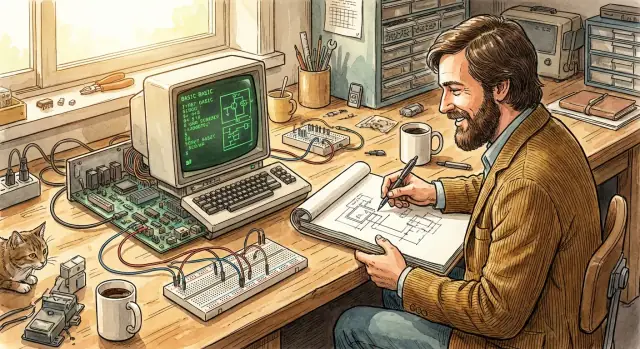
What “Engineering-First” Means in Product Culture
An engineering-first product culture is easy to summarize: decisions start with “What can we make work reliably, affordably, and repeatedly?” and only then move to “How do we package and explain it?”
This doesn’t mean aesthetics don’t matter. It means the team treats constraints—cost, parts availability, power, memory, heat, manufacturing yield, support—as first-class inputs, not afterthoughts.
Engineering-first vs. feature-first
Feature-first teams often begin with a wishlist and try to force the technology to comply. Engineering-first teams begin with the real physics and the real budget, then shape the product so it’s usable within those limits.
The outcome is frequently “simpler” on the surface, but only because someone did the hard work of selecting trade-offs early—and sticking to them.
Why hardware–software integration mattered in early PCs
Early personal computers lived under tight limits: tiny memory, slow storage, expensive chips, and users who couldn’t afford constant upgrades. Hardware–software integration mattered because the fastest way to make a machine feel capable was to design the circuit decisions and the software decisions together.
When the same thinking guides both sides, you can:
- use fewer parts while still delivering real functionality
- optimize startup, display, input, and storage around the actual hardware
- reduce surprises for users (“it works the way the manual says”)
What this post is (and isn’t)
This article uses Wozniak’s work as a practical case study for product teams: how integrated decisions shape usability, cost, and long-term flexibility.
It’s not a mythology tour. No hero worship, no “genius did everything alone” story, and no rewriting history to fit a motivational poster. The goal is usable lessons you can apply to modern products—especially when you’re choosing between tightly integrated systems and modular, mix-and-match architectures.
The Era’s Constraints That Shaped Practical Design
Building a personal computer in the mid-1970s meant designing under hard ceilings: parts were expensive, memory was tiny, and “nice-to-have” features quickly became impossible once you priced out the extra chips.
Cost and availability weren’t abstract problems
Early microprocessors were a breakthrough, but everything around them still added up fast—RAM chips, ROM, video circuitry, keyboards, power supplies. Many components had inconsistent availability, and swapping one part for another could force a redesign.
If a feature required even a couple more integrated circuits, it wasn’t just a technical choice; it was a budget decision.
Every chip and byte pushed designs toward simplicity
Memory limits were especially unforgiving. With only a few kilobytes to work with, software couldn’t assume roomy buffers, verbose code, or layered abstractions. On the hardware side, extra logic meant more chips, more board space, more power draw, and more failure points.
That pressure rewarded teams who could make one element do double duty:
- circuitry that reduced the need for separate support chips
- firmware that handled tasks a larger program might otherwise do
- tightly scoped features that users could actually rely on
Constraints can produce elegant solutions—when they’re embraced
When “add more” isn’t an option, you’re forced to ask sharper questions:
- What is the minimum set of capabilities that makes the machine genuinely usable?
- What can be simplified without breaking the experience?
This mindset tends to produce clear, purposeful designs rather than a pile of half-finished options.
The user outcomes: affordability and reliability
The practical payoff of these constraints wasn’t just engineering pride. Fewer parts could mean a lower price, a more buildable product, and fewer things to troubleshoot. Tight, efficient software meant faster response on limited hardware.
For users, constraints—handled well—translate into computers that are more accessible, more dependable, and easier to live with.
Wozniak’s Practical Engineering Mindset
Steve Wozniak is often associated with elegant early computers, but the more transferable lesson is the mindset behind them: build what’s useful, keep it understandable, and spend effort where it changes the outcome.
Efficiency as a product value
Practical engineering isn’t “doing more with less” as a slogan—it’s treating every part, feature, and workaround as something that has to earn its place. Efficiency shows up as:
- Clear behavior: the system does what you expect, consistently
- Direct solutions: fewer layers between intent and result
- Constraint awareness: cost, power, and time are part of the design, not external problems
This focus tends to produce products that feel simple to users, even if the internal decisions were carefully optimized.
Engineers think in trade-offs, not ideals
An engineering-first culture accepts that every win has a price tag. Reduce part count and you might increase software complexity. Improve speed and you might raise cost. Add flexibility and you might add failure modes.
The practical move is to make trade-offs explicit early:
- What’s the tightest constraint (budget, time-to-ship, reliability)?
- Where does performance actually matter to the user?
- What complexity are we creating for manufacturing, support, or future updates?
When teams treat trade-offs as shared decisions—rather than hidden technical choices—product direction gets sharper.
Build, test, iterate—before opinions harden
A hands-on approach favors prototypes and measurable results over endless debate. Build something small, test it against real tasks, and iterate quickly.
That cycle also keeps “usefulness” central. If a feature can’t prove its value in a working model, it’s a candidate for simplification or removal.
Apple I: Getting to “Usable” with Minimal Parts
The Apple I wasn’t a polished consumer appliance. It was closer to a starter computer for people who were willing to assemble, adapt, and learn. That was the point: Wozniak aimed to make something you could actually use as a computer—without needing a lab full of equipment or an engineering team.
A kit-like step toward a usable machine
Most hobby computers of the time arrived as bare concepts or required extensive wiring. The Apple I pushed past that by providing a largely assembled circuit board built around the 6502 processor.
It didn’t include everything you’d expect today (case, keyboard, display), but it did remove a huge barrier: you didn’t have to build the core computer from scratch.
In practice, “usable” meant you could power it up and interact with it in a meaningful way—especially compared to alternatives that felt like electronics projects first and computers second.
What integration looked like at this stage
Integration in the Apple I era wasn’t about sealing everything into one tidy product. It was about bundling enough of the critical pieces so the system behaved coherently:
- a working main board with the essential logic already designed and assembled
- interfaces that made add-ons realistic (keyboard input, video output)
- a path to expand with parts the user supplied (power supply, keyboard, monitor, optional memory)
That combination matters: the board wasn’t just a component—it was the core of a system that invited completion.
Design choices that encouraged learning and tinkering
Because owners had to finish the build, the Apple I naturally taught them how computers fit together. You didn’t just run programs—you learned what memory did, why stable power mattered, and how input/output worked. The product’s “edges” were intentionally reachable.
The product-culture lesson: ship workable early
This is engineering-first culture in miniature: deliver the minimum integrated foundation that works, then let real users prove what to refine next.
The Apple I wasn’t trying to be perfect. It was trying to be real—and that practicality helped turn curiosity into a functioning computer on a desk.
Apple II: A System, Not Just a Circuit Board
The Apple II didn’t just appeal to hobbyists who enjoyed building and tweaking. It felt like a complete product you could put on a desk, turn on, and use—without having to become an electronics technician first.
That “completeness” is a hallmark of engineering-first culture: design choices are judged by whether they reduce work for the person on the other side of the power switch.
Integration that removed everyday friction
A big part of the Apple II’s breakthrough was how its pieces were expected to work together. Video output wasn’t an optional afterthought—you could plug into a display and reliably get usable text and graphics.
Storage had a clear path too: cassette at first, then disk options that aligned with what people wanted to do (load programs, save work, share software).
Even where the machine stayed open, the core experience was well-defined. Expansion slots let users add capabilities, but the baseline system still made sense on its own.
That balance matters: openness is most valuable when it extends a stable foundation instead of compensating for missing essentials.
Hardware choices that set software expectations
Because the Apple II was engineered as a cohesive system, software authors could assume certain things: consistent display behavior, predictable input/output, and a “ready to run” environment that didn’t require custom wiring or obscure setup.
Those assumptions shrink the gap between buying a computer and getting value from it.
This is what integration looks like at its best: not locking everything down, but shaping the core so the default experience is reliable, learnable, and repeatable—while still leaving room to grow.
How Hardware Decisions Shaped Software (and Vice Versa)
Go from demo to deployed
Deploy and host your app when you are ready to share it with stakeholders.
Hardware and software aren’t separate worlds in an integrated computer—they’re a negotiation. The parts you pick (or can afford) determine what the software can do. Then software demands can force new hardware tricks to make the experience feel complete.
Hardware sets the boundaries (and the shortcuts)
A simple example: memory is expensive and limited. If you only have a small amount, software has to be written to fit—fewer features, tighter code, and clever reuse of buffers.
But the reverse is also true: if you want a smoother interface or richer graphics, you may redesign hardware so the software doesn’t have to fight for every byte and cycle.
Where tight coupling shows up in real behavior
On early personal computers, you could often feel the coupling because it affected what the screen showed and when it showed it.
- Display behavior: Video output wasn’t a service provided by a separate GPU with drivers; it was frequently timed or mapped in ways that software had to respect. If the CPU needed to share time or memory with the display circuitry, code had to run at the right moments to avoid flicker or glitches.
- Memory layout: Screen memory might live at a specific address range, so drawing a character could mean writing bytes directly into that region. That made software fast and simple, but also made it dependent on exact memory maps.
- I/O timing: Reading a keyboard, cassette interface, or expansion signals could require precise timing loops. Software wasn’t just calling an API—it was participating in the electrical reality of the machine.
Benefits and risks of integration
The upside of this tight fit is clear: speed (less overhead), lower cost (fewer chips and layers), and often a more consistent user experience.
The downside is also real: harder upgrades (change the hardware and old software breaks), and hidden complexity (software contains hardware assumptions that aren’t obvious until something fails).
Integration isn’t automatically “better.” It’s a deliberate choice: trade flexibility for efficiency and coherence—and succeed only if the team is honest about what they’re locking in.
Why Integration Created Better User Experiences
Integration sounds like an internal engineering choice, but users experience it as speed, reliability, and calm. When the hardware and software are designed as one system, the machine can spend less time negotiating compatibility and more time doing the job you asked of it.
It feels faster because less is “optional”
An integrated system can take smart shortcuts: known display timings, known input devices, known memory map, known storage behavior. That predictability reduces layers and workarounds.
The result is a computer that seems faster even when the raw components aren’t dramatically different. Programs load in a consistent way, peripherals behave as expected, and performance doesn’t swing wildly based on which third‑party part you happened to buy.
Fewer surprises, clearer boundaries
Users rarely care why something broke—they care who can fix it. Integration creates clearer support boundaries: the system maker owns the whole experience. That usually means fewer “it must be your printer card” moments and less finger-pointing between vendors.
Consistency also shows up in the little things: how text appears on screen, how keys repeat, how sound behaves, and what happens when you turn the machine on. When those fundamentals are stable, people build confidence quickly.
Defaults that reduce setup work
Defaults are where integration becomes a product advantage. Boot behavior is predictable. Bundled tools exist because the platform owner can assume certain capabilities. Setup steps shrink because the system can ship with sensible choices already made.
Contrast that with mismatched components: a monitor that needs special timing, a disk controller with odd quirks, a memory expansion that changes behavior, or software that assumes a different configuration. Each mismatch adds friction—more manuals, more tweaking, more chances to fail.
Integration doesn’t just make machines feel “nice.” It makes them easier to trust.
The Trade-Offs Behind “Simple” Products
Own the codebase
Export the source code to keep control as your architecture choices evolve.
A design trade-off is a deliberate choice to make one aspect better by accepting a cost somewhere else. It’s the same decision you make when buying a car: more horsepower often means worse fuel economy, and a lower price usually means fewer extras.
Product teams do this constantly—whether they admit it or not.
With early personal computers, “simple” wasn’t a style preference; it was the result of hard constraints. Parts were expensive, memory was limited, and every extra chip increased cost, assembly time, and failure risk.
Keeping a system approachable meant deciding what to leave out.
Cost vs. features (and why “enough” wins)
Adding features sounds customer-friendly until you price the bill of materials and realize that a nice-to-have can push a product out of reach. Teams had to ask:
- Does this feature make the computer meaningfully more usable today?
- Or does it mainly satisfy edge cases and future ideas?
Choosing “enough” features—those that unlock real use—often beats packing in everything technically possible.
Openness vs. simplicity
Open systems invite tinkering, expansion, and third-party innovation. But openness can also create confusing choices, compatibility problems, and more support burden.
A simpler, more integrated approach can feel limiting, yet it reduces setup steps and makes the first experience smoother.
Why constraints speed decisions
Clear constraints act like a filter. If you already know the target price, memory ceiling, and manufacturing complexity you can tolerate, many debates end quickly.
Instead of endless brainstorming, the team focuses on solutions that fit.
Modern product planning: scope control by design
The lesson for modern teams is to choose constraints early—budget, performance targets, integration level, and timelines—and treat them as decision tools.
Trade-offs become faster and more transparent, and “simple” stops being vague branding and starts being an engineered outcome.
Team Practices That Support Engineering-First Thinking
Engineering-first teams don’t wing it and then polish the story later. They make decisions in public, write down constraints, and treat the full system (hardware + software) as the product—not individual components.
Document decisions, constraints, and the reasoning
A lightweight decision log prevents teams from re-litigating the same trade-offs. Keep it simple: one page per decision with context, constraints, options considered, what you chose, and what you intentionally didn’t optimize.
Good engineering-first documentation is specific:
- Constraints: cost ceiling, part availability, power/thermal limits, memory budgets, manufacturing tolerances, support burden
- System-level goals: boot time, reliability, setup steps, compatibility targets
- Trade-offs: “We reduced feature X to protect latency Y” is more useful than “We simplified”
Test the integrated experience, not just the pieces
Component tests are necessary, but integrated products fail at boundaries: timing, assumptions, and “it works on my bench” gaps.
An engineering-first testing stack usually includes:
- End-to-end (E2E) scenarios that mimic real usage: power on → boot → load software → save data → recover from failure
- Interface/contract tests between firmware, drivers, and apps (including error conditions)
- Regression tests tied to real bugs, so fixes stay fixed
The guiding question: If a user follows the intended workflow, do they reliably get the intended outcome?
Short feedback loops with real users and real environments
Integrated systems behave differently outside the lab—different peripherals, power quality, temperature, and user habits. Engineering-first teams seek fast feedback:
- ship small betas to target users
- instrument failures and time-to-task
- prioritize “paper cut” fixes that unblock workflows
- schedule quick patch cycles when the fix is clear
Run reviews that focus on outcomes
Make reviews concrete: demo the workflow, show measurements, and state what changed since last review.
A useful agenda:
- Goal + constraints (what must be true)
- Demo (the whole path, not slides)
- Evidence (tests, metrics, failure rates)
- Open trade-offs (what you’re choosing between)
- Next decision (what you need approval or input on)
This keeps “engineering-first” from becoming a slogan—and turns it into repeatable team behavior.
Influence on Generations of Practical Computing
Integrated designs like the Apple II helped set a template that many later product teams studied: treat the computer as a complete experience, not a pile of compatible parts.
That lesson didn’t force every future machine to be integrated, but it did create a visible pattern—when one team owns more of the stack, it’s easier to make the whole feel intentional.
What later generations copied (and what they didn’t)
As personal computers spread, many companies borrowed the idea of reducing friction for the person at the keyboard: fewer steps to start, fewer compatibility surprises, and clearer “this is how you use it” defaults.
That often meant tighter coordination between hardware choices (ports, memory, storage, display) and the software assumptions built on top.
At the same time, the industry also learned the opposite lesson: modularity can win on price, variety, and third‑party innovation. So the influence shows up less as a mandate and more as a recurring trade-off teams revisit—especially when customers value consistency over customization.
Home expectations: instant-on feel, bundled value, usability
In home computing, integrated systems reinforced expectations that a computer should feel ready quickly, ship with useful software, and behave predictably.
The “instant-on” feeling is often an illusion created by smart engineering—fast boot paths, stable configurations, and fewer unknowns—rather than a guarantee of speed in every scenario.
You can see similar integration patterns across categories: consoles with tightly managed hardware targets, laptops designed around battery and thermal limits, and modern PCs that bundle firmware, drivers, and utilities to make the out‑of‑box experience smoother.
The details differ, but the goal is recognizable: practical computing that works the way people expect, without requiring them to become technicians first.
Modern Lessons: When to Integrate vs. When to Stay Modular
Test integration with a prototype
Prototype an integrated workflow fast, then iterate with real users and clear trade-offs.
Wozniak’s era rewarded tight coupling because it reduced parts, cost, and failure points. The same logic still applies—just with different components.
Modern parallels of integration
Think of integration as designing the seams between layers so the user never notices them. Common examples include firmware working hand-in-hand with the OS, custom chips that accelerate a few critical tasks, carefully tuned drivers, and battery/performance tuning that treats power, thermals, and responsiveness as one system.
When it’s done well, you get fewer surprises: sleep/wake behaves predictably, peripherals “just work,” and performance doesn’t collapse under real-world workloads.
A modern software parallel is when teams intentionally collapse the distance between product intent and implementation. For example, platforms like Koder.ai use a chat-driven workflow to generate full-stack apps (React on the web, Go + PostgreSQL on the backend, Flutter for mobile) with planning and rollback tools. Whether you use classic coding or a vibe-coding platform, the “engineering-first” point stays the same: define constraints up front (time-to-first-success, reliability, cost to operate), then build an integrated path that users can repeat.
When integration is worth it
Integration pays off when there’s clear user value and the complexity is controllable:
- The experience depends on timing, power, or latency (audio, input, cameras, AR/VR)
- Reliability matters more than flexibility (medical, industrial, education fleets)
- You can own the whole path from silicon/firmware to UI, including updates
- The product benefits from strong defaults, not endless configuration
When modularity wins
Modularity is the better bet when variety and change are the point:
- Customers need upgrades, replacements, or mixing vendors
- A fast-moving ecosystem drives innovation (accessories, plugins, components)
- You can’t realistically test every combination, so open interfaces reduce risk
- Distribution or repair constraints require interchangeable parts
A quick decision checklist
Ask:
- What user pain disappears if we integrate these layers?
- Can we commit to long-term updates across all integrated parts?
- Will integration reduce support cases—or create harder-to-debug failures?
- Are standards/interfaces good enough that users won’t feel the seams?
- If we stay modular, who ensures end-to-end quality (us, partners, or users)?
If you can’t name the user-visible win, default to modular.
Takeaways and a Practical Checklist for Product Teams
Wozniak’s work is a reminder that “engineering-first” isn’t about worshipping technical cleverness. It’s about making deliberate trade-offs so the product reaches “useful” sooner, stays understandable, and works reliably as a whole.
Key takeaways (the crisp version)
- Integration is a product decision: tighter hardware–software alignment can remove entire categories of user friction.
- “Simple” is often expensive: the cleanest experience usually requires tough constraints and intentional compromises.
- Optimize the system, not the component: a win in one layer can create confusion, cost, or instability in another.
- Design for the user’s complete journey: setup, input/output, reliability, and repairability matter as much as features.
- Practical engineering values clarity: fewer moving parts, fewer modes, fewer surprises.
Start-tomorrow checklist for product and engineering leaders
- Write a one-page “system promise”: what must always be true for the user (speed, battery, boot time, recovery, compatibility).
- Pick 2–3 non-negotiable constraints for the next cycle (e.g., time-to-first-success, latency, memory, complexity budget).
- Map integration points: where do teams hand off responsibility (drivers, APIs, setup, support)? Turn the riskiest handoff into a shared metric.
- Run a trade-off review: for every “simple” UX requirement, list the engineering cost and what you’ll de-scope to pay for it.
- Add an end-to-end demo gate: no feature is “done” until it works in a clean environment, from install to recovery.
If you want a lightweight way to align teams around these decisions, see /blog/product-culture-basics.
Team discussion questions (retro or planning)
- Where are we modular by habit, even though integration would reduce user pain?
- What “simplicity” promise are we making that we haven’t funded with engineering time?
- Which system metric (not feature metric) best predicts customer satisfaction for us?
- If we removed one dependency or configuration step, what would it unlock?