

Sep 29, 2025·8 min
Werner Vogels’ “You Build It, You Run It” Explained
Learn what Werner Vogels meant by “You Build It, You Run It” and how to apply it: ownership, on-call, SLOs, incident response, and safer shipping.
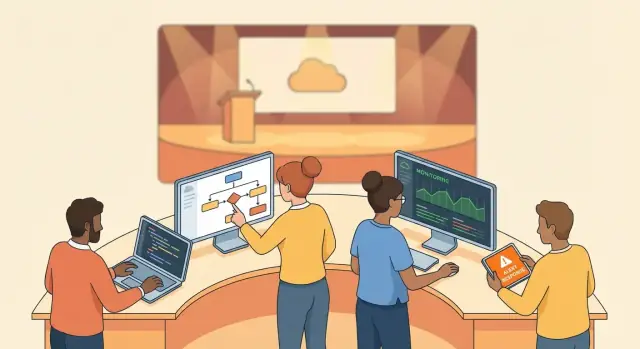
What “You Build It, You Run It” actually means
“You build it, you run it” is one of those lines that sticks because it’s blunt. It’s not about motivation posters or “being more DevOps.” It’s a clear statement about responsibility: the team that ships a service also stays accountable for how that service behaves in production.
The core idea: shipping and operating are one job
In practice, this means the same product team that designs features and writes code also:
- monitors the service in production
- responds when it breaks
- improves reliability over time
- makes trade-offs between new work and operational work
It doesn’t mean everyone becomes an infrastructure expert overnight. It means the feedback loop is real: if you release something that increases outages, pager noise, or customer pain, your team feels it directly—and learns quickly.
A practical operating model, not a slogan
This philosophy is easy to repeat and hard to implement unless you treat it as an operating model with explicit expectations. “Run it” typically includes being on-call (in some form), owning incident response, writing runbooks, maintaining dashboards, and continuously improving the service.
It also implies constraints: you can’t ask teams to “run it” without giving them the tools, access, and authority to fix issues—plus the time in their roadmap to do the work.
Who it’s for
- Product/service teams: to create true end-to-end ownership and faster learning.
- Engineering managers: to set clear boundaries (“this team owns this service”) and plan capacity for operational work.
- Platform teams: to make ownership easier by providing paved paths—without quietly taking production responsibility away from the teams building the services.
Why this philosophy changed how teams ship software
Before “You Build It, You Run It,” many companies organized software work as a relay race: developers wrote code, then “threw it over the wall” to an operations team to deploy and keep it running.
That handoff solved a short-term problem—someone experienced was watching production—but it created bigger ones.
The handoff problem: slow feedback and blurred responsibility
When a separate ops team owns production, developers often learn about issues late (or not at all). A bug might show up as a vague ticket days later: “service is slow” or “CPU is high.” By then, context is missing, logs have rotated, and the people who made the change have moved on.
Handoffs also blur ownership. If an outage happens, dev might assume “ops will catch it,” while ops assumes “dev shipped something risky.” The result is predictable: longer incident resolution, repeated failure modes, and a culture where teams optimize locally instead of for the customer experience.
Why ownership speeds delivery and reduces repeat incidents
“You Build It, You Run It” tightens the loop. The same team that ships a change is accountable for how it behaves in production. That pushes practical improvements upstream: clearer alerts, safer rollouts, better dashboards, and code that’s easier to operate.
Paradoxically, it often leads to faster delivery. When teams trust their release process and understand production behavior, they can ship smaller changes more frequently—reducing the blast radius of mistakes and making problems easier to diagnose.
It’s not one-size-fits-all
Not every organization starts with equal staffing, compliance requirements, or legacy systems. The philosophy is a direction, not a switch. Many teams adopt it gradually—starting with shared on-call, better observability, and clearer service boundaries—before taking full end-to-end ownership.
Where it came from: Werner Vogels and the service mindset
Werner Vogels, Amazon’s CTO, popularized the phrase “You build it, you run it” while describing how Amazon (and later AWS) wanted teams to think about software: not as a project you hand off, but as a service you operate.
The key shift was psychological as much as technical. When a team knows it will be paged for failures, design decisions change. You care about sane defaults, clear alerting, graceful degradation, and deploy paths you can roll back. In other words, building includes planning for the messy parts of real life.
Why the cloud era raised the bar
AWS-era service thinking made reliability and speed non-negotiable. Cloud customers expect APIs to be available around the clock, and they expect improvements to arrive continuously—not in quarterly “big release” waves.
That pressure encouraged:
- Smaller, long-lived services with clear owners
- Fast feedback loops between code changes and production behavior
- Operational habits treated as product features (monitoring, capacity planning, runbooks)
Related ideas (without rewriting history)
This philosophy overlaps with the broader DevOps movement: close the gap between “dev” and “ops,” reduce handoffs, and make outcomes (availability, latency, support load) part of the development loop. It also fits the idea of small autonomous teams that can ship independently.
Inspiration, not a copy-and-paste blueprint
It’s tempting to treat Amazon’s approach as a template to copy. But “You Build It, You Run It” is more of a direction than a strict org chart. Your team size, regulatory constraints, product maturity, and uptime requirements may call for adaptations—shared on-call rotations, platform support, or phased adoption.
If you want a practical way to translate the mindset into action, jump to /blog/how-to-adopt-you-build-it-you-run-it-step-by-step.
Ownership: what teams take on when they “run it”
“You Build It, You Run It” is really a statement about ownership. If your team ships a service, your team is responsible for how that service behaves in the real world—not just whether it passes tests on release day.
What “ownership” actually covers
Running a service means caring about outcomes end-to-end:
- Reliability: users can depend on it and failures are handled quickly.
- Performance: it stays fast enough under normal and peak usage.
- Cost: it doesn’t quietly become the most expensive line item in the budget.
- Security & compliance: risks are addressed as part of delivery, not after.
- Support: customers and internal users get clear, timely help.
What “run it” includes in practice
On a normal week, “run it” is less about heroics and more about routine operations:
- Setting up monitoring and dashboards so the team can see health at a glance.
- Defining alerts that are actionable (not noisy) and tied to user impact.
- Handling incidents: triage, mitigation, communication, and follow-up work.
- Managing capacity: scaling plans, load testing, and resource limits.
- Keeping runbooks up to date so anyone on-call can respond consistently.
Accountability is not blame
This model works only when accountability means “we own the fix,” not “we hunt for a person to punish.” When something breaks, the goal is to understand what in the system allowed it—missing alerts, unclear limits, risky deployments—and improve those conditions.
Clear boundaries and a named owner
Ownership gets messy when services are fuzzy. Define service boundaries (what it does, what it depends on, what it promises) and assign a named owning team. That clarity reduces handoffs, speeds up incident response, and makes priorities obvious when reliability and features compete.
On-call done right (and without burning people out)
On-call is central to “You Build It, You Run It” because it closes the feedback loop. When the same team that ships a change also feels the operational impact (latency spikes, failed deploys, customer complaints), priorities get clearer: reliability work stops being “someone else’s problem,” and the fastest way to ship more is often to make the system calmer.
Make on-call humane by design
Healthy on-call is mostly about predictability and support.
- Rotations that fit the team’s size: avoid heroic schedules. If coverage is thin, reduce scope (fewer services per rotation) or add a shared secondary.
- Escalation paths: primary responder, then secondary, then a domain expert—so no one is stuck alone at 3 a.m.
- Recovery time after rough nights: comp time or a late start after pages, and time off after major incidents. Rest is part of reliability.
- Runbooks and “first 15 minutes” checklists: responders should have a clear playbook, not guesswork.
Severity levels: page only when it matters
Define severity levels so the system doesn’t page for every imperfection.
- Sev 1 (page): customer-impacting outage, data loss risk, security incident, or hard SLO breach.
- Sev 2 (page during business hours or page if sustained): degraded service with real user impact.
- Sev 3 (ticket): non-urgent bugs, flaky alerts, small error-rate increases, capacity trends.
A simple rule: if waking someone up won’t change the outcome, it should be a ticket, not a page.
The real goal: fewer pages next month
On-call isn’t a punishment; it’s a signal. Every noisy alert, repeated failure, or manual fix should feed back into engineering work: better alerts, automation, safer releases, and system changes that remove the need to page at all.
SLOs, SLIs, and error budgets: the practical guardrails
Choose the right tier
Pick a tier that fits your team, from free to enterprise as ownership grows.
If “you run it” is real, teams need a shared way to talk about reliability without turning every discussion into opinions. That’s what SLIs, SLOs, and error budgets provide: clear targets and a fair trade-off between moving fast and keeping things stable.
SLI vs SLO vs SLA (plain language)
- SLI (Service Level Indicator): a measurement of how the service behaves. Think: “What are we actually seeing in production?”
- SLO (Service Level Objective): a goal for an SLI. Think: “What level of reliability are we aiming for?”
- SLA (Service Level Agreement): a promise to customers, often with penalties or credits. Think: “What we contractually guarantee.”
A useful way to remember it: SLI = metric, SLO = target, SLA = external commitment.
Examples of SLIs you can measure
Good SLIs are specific and tied to user experience, such as:
- Latency: “95% of requests complete in under 300ms.”
- Availability: “Requests succeed (non-5xx) 99.9% of the time.”
- Job success rate (for async systems): “99.5% of nightly exports finish successfully by 6am.”
Error budgets: how speed and stability stay balanced
An error budget is the amount of “badness” you can afford while still meeting your SLO (for example, if your SLO is 99.9% availability, your monthly error budget is 0.1% downtime).
When the service is healthy and you’re within budget, teams can take more delivery risk (ship features, run experiments). When you’re burning budget too fast, reliability work gets priority.
How SLOs guide planning
SLOs turn reliability into a planning input. If your error budget is low, the next sprint might emphasize rate limiting, safer rollouts, or fixing flaky dependencies—because missing the SLO has a clear cost. If budget is plentiful, you can confidently prioritize product work without guessing whether “ops will be fine.”
Shipping safely: production readiness and release practices
“You build it, you run it” only works if shipping to production is routine—not a high-stakes event. The goal is to reduce uncertainty before launch and to limit blast radius after launch.
Must-haves before you launch
Before a service is considered “ready,” teams typically need a few operational basics in place:
- Dashboards that show user-facing health (latency, error rate, traffic) and key dependencies.
- Alerts that are actionable (clear thresholds, clear owner, no noisy “FYI” pages).
- Runbooks for common failures: what to check first, how to mitigate, and when to escalate.
- Backups and restore drills (the drill matters as much as the backup) plus a documented retention policy.
Progressive delivery: ship in smaller, safer steps
Instead of releasing everything to everyone at once, progressive delivery limits impact:
- Feature flags let you ship code while controlling exposure, with a clear plan for cleanup.
- Canary releases send a small percentage of traffic to the new version and compare metrics to the baseline.
- Fast rollbacks (or roll-forwards) are rehearsed and automated so recovery isn’t improvised under pressure.
If your team is standardizing rollback, treat it as a first-class capability: the faster you can revert safely, the more realistic “you run it” becomes.
Build confidence with load and failure testing
Two tests reduce “unknown unknowns”:
- Load testing validates capacity assumptions and reveals bottlenecks before customers do.
- Failure testing (for example, dependency timeouts, killed instances, dropped connections) checks that the service degrades gracefully and that alerts fire when they should.
A simple production readiness checklist
Keep it lightweight: a one-page checklist in your repo or ticket template (e.g., “Observability,” “On-call readiness,” “Data protection,” “Rollback plan,” “Capacity tested,” “Runbooks linked”). Make “not ready” a normal status—far better than learning in production.
Incidents and postmortems: turning outages into learning
Ship smaller changes faster
Go from idea to a working web service without waiting on a full dev pipeline.
Incidents are where “you run it” becomes real: a service has degraded, customers notice, and the team has to respond quickly and clearly. The goal isn’t heroics—it’s a repeatable workflow that reduces impact and produces improvements.
A simple incident workflow
Most teams converge on the same phases:
- Detect: monitoring alerts, customer reports, or automated anomaly detection.
- Triage: confirm what’s broken, estimate severity, assign an incident lead, and start a timeline.
- Mitigate: stop the bleeding (rollback, feature flag off, scale up, block bad traffic), then restore full service.
- Communicate: keep updates consistent—what’s impacted, current status, and next update time. Communication is part of mitigation.
- Learn: after service is stable, analyze contributing factors and prevent repeats.
If you want a practical template for this flow, keep a lightweight checklist handy (see /blog/incident-response-checklist).
Blameless postmortems (and what to write down)
A blameless postmortem doesn’t mean “nobody made mistakes.” It means you focus on how the system and process allowed the mistake to reach production, not on shaming individuals. That’s what makes people share details early, which is essential for learning.
Document:
- Customer impact: who was affected, for how long, and how bad.
- Timeline: key events, decisions, and when signals appeared.
- Root and contributing causes: technical and process factors (e.g., unclear ownership, missing alerts).
- What went well / what didn’t: including communication.
Action items that actually prevent repeats
Good postmortems end with concrete, owned follow-ups, typically in four buckets: tooling improvements (better alerts/dashboards), tests (regressions and edge cases), automation (safer deploy/rollback, guardrails), and documentation (runbooks, clearer operational steps). Assign an owner and due date—otherwise learning stays theoretical.
Tooling that makes service ownership easier
Tooling is the leverage that makes “You Build It, You Run It” sustainable—but it can’t substitute for real ownership. If a team treats operations as “someone else’s problem,” the fanciest dashboard will just document the chaos. Good tools reduce friction: they make the right thing (observing, responding, learning) easier than the wrong thing (guessing, blaming, ignoring).
The essentials every team needs
At minimum, service owners need a consistent way to see what their software is doing in production and act quickly when it isn’t.
- Centralized logs: searchable, retained long enough to investigate incidents, and structured where possible.
- Metrics: golden signals (latency, traffic, errors, saturation) plus business-critical metrics.
- Distributed traces: to follow a request across services and spot bottlenecks.
- Alerting: actionable alerts tied to customer impact, not noisy symptoms.
- Ticketing / incident workflow: a place to track work, link incidents to follow-ups, and ensure fixes ship.
If your monitoring story is fragmented, teams spend more time hunting than fixing. A unified observability approach helps; see /product/observability.
Making ownership visible at scale
As organizations grow, “who owns this?” becomes a reliability risk. A service catalog (or internal developer portal) solves this by keeping ownership and operational context in one place: team name, on-call rotation, escalation path, runbooks, dependencies, and links to dashboards.
The key is ownership metadata that stays current. Make it part of the workflow: new services can’t go live without an owner, and ownership changes are treated like code changes (reviewed, tracked).
Tooling should reinforce habits
The best setups nudge teams toward healthy behavior: templates for runbooks, automated alerts tied to SLOs, and dashboards that answer “are users affected?” in seconds. But the human system still matters—teams need time to maintain these tools, prune alerts, and continuously improve how they operate the service.
The role of platform teams: support without taking ownership away
Platform teams make “You Build It, You Run It” easier to live with. Their job isn’t to run production for everyone—it’s to provide a well-lit path (sometimes called “paved roads”) so product teams can own services without reinventing operations every sprint.
Paved roads, templates, guardrails
A good platform offers defaults that are hard to mess up and easy to adopt:
- Golden-path templates for new services (repo structure, logging, alerts, dashboards)
- Standard CI/CD pipelines with safe deployment options (canary, blue/green, automatic rollback)
- Production-ready runtime basics (health checks, rate limits, config conventions)
Guardrails should prevent risky behavior without blocking shipping. Think “secure by default” rather than “open a ticket and wait.”
Shared services vs. shared ownership
Platform teams can run shared services—without taking ownership of product services.
- Shared services: authentication/authorization, secrets management, container platform, artifact registry, observability stack.
- Product ownership: each team is still responsible for their service’s reliability, performance, data integrity, and on-call.
The boundary is simple: the platform team owns the platform’s uptime and support; product teams own how their services use it.
How platforms reduce cognitive load
When teams don’t have to become experts in CI/CD, auth, or secrets on day one, they can focus on the service’s behavior and user impact.
Examples that remove busywork:
- One-click pipeline setup with consistent test gates
- Central auth that supports service-to-service identity
- Managed secrets with rotation policies
- Base monitoring that auto-instruments common metrics
The result is faster delivery with fewer “custom ops snowflakes,” while keeping the core promise intact: the team that builds the service still runs it.
Common pitfalls and when to adapt the model
Keep control of the code
Keep ownership in your repo by exporting source code whenever you need.
“You build it, you run it” can improve reliability and speed—but only if the organization changes the conditions around the team. Many failures look like the slogan was adopted, but the supporting habits weren’t.
Failure modes to watch for
A few patterns show up again and again:
- Developers are on-call, but never get time to fix root causes. The pager becomes a nightly chore, while the backlog keeps pushing reliability work out. This creates learned helplessness: people stop believing incidents will lead to real improvements.
- Vague ownership (“everyone owns it”). If an incident involves five teams and nobody can make a decision end-to-end, you don’t have ownership—you have a meeting.
- Too many shared dependencies. When every service relies on a central database schema, a shared library, or a “core” team for changes, teams can’t truly run what they build. They inherit failure without having the levers to reduce it.
- On-call as punishment or heroics. If the culture rewards fire-fighting more than prevention, the system trends toward frequent emergencies.
When the model may not fit (and how to adapt)
Some environments need a tailored approach:
- Heavy compliance or regulated operations. You may need separation of duties, formal change control, or limited production access. Adapt by keeping service teams accountable for reliability outcomes, while using approved workflows (audited runbooks, pre-approved changes, break-glass access).
- Legacy monoliths. A single codebase with tangled ownership makes “run it” hard. Start by carving out clear operational ownership for specific modules, jobs, or user journeys, and invest in observability and deployment safety before reorganizing everything.
- Critical shared platforms. If one platform supports many product teams, a platform team can run the platform—but product teams should still own their services’ behavior and reliability targets.
Leadership’s job: protect reliability capacity
This philosophy fails fastest when reliability work is treated as “extra.” Leadership must explicitly reserve capacity for:
- Paying down operational debt (alerts, runbooks, automation)
- Fixing recurring incident causes
- Reducing risky dependencies
Without that protection, on-call becomes a tax—rather than a feedback loop that improves the system.
How to adopt “You Build It, You Run It” step by step
Rolling this out works best as a phased change, not a company-wide announcement. Start small, make ownership visible, and only then expand.
1) Pilot with one service
Pick a single, well-bounded service (ideally one with clear users and manageable risk).
Define:
- An SLO that reflects user experience (e.g., “99.9% of requests succeed”)
- On-call coverage for that service (even if it’s initially business hours + escalation)
- Runbooks for the top failure modes: “what to check,” “how to rollback,” “who to page”
The key: the team that ships changes also owns the operational outcomes for that service.
2) Add guardrails before scaling
Before you expand to more services, make sure the pilot team can operate without heroics:
- Basic alerting that pages for user-impacting issues (not every metric spike)
- A lightweight production readiness checklist (logging, dashboards, rollback path)
- A regular review of pages and incidents to remove noisy alerts and fix repeat issues
3) Track the right adoption metrics
Use a small set of indicators that show whether ownership is improving shipping and stability:
- Change failure rate (how often a deploy causes an incident/rollback)
- MTTR (mean time to restore)
- Page volume (pages per week, plus “after-hours pages”)
- Deployment frequency (how often you can ship safely)
Sample 30/60/90-day plan
- Days 1–30: Choose pilot service, define SLO, set paging policy, write first runbooks, create dashboards.
- Days 31–60: Tune alerts (reduce noise), practice incident response, add release safety (rollback steps, canary where possible).
- Days 61–90: Expand to 1–2 more services, standardize templates (runbooks/SLO docs), review metrics and workload fairness.
Where Koder.ai fits (if you’re modernizing how you ship)
If you’re adopting “you build it, you run it” while also trying to speed up delivery, the bottleneck is often the same: getting from idea → a production-ready service with clear ownership and a safe rollback story.
Koder.ai is a vibe-coding platform that helps teams build web, backend, and mobile apps through a chat interface (React on the web, Go + PostgreSQL on the backend, Flutter for mobile). For teams leaning into service ownership, a few features map cleanly to the operating model:
- Planning mode to define service boundaries, dependencies, and runbook/SLO expectations before coding.
- Snapshots and rollback to make “fast revert” a standard move during incidents.
- Source code export so ownership stays with the team (and the repo), not the tool.
Next step
Pick your pilot service this week and schedule a 60-minute kickoff to set the first SLO, on-call rotation, and runbook owners. If you’re evaluating tooling to support this (shipping, rollback, and the workflows around ownership), see /pricing for Koder.ai’s free, pro, business, and enterprise tiers—plus options like hosting, deployment, and custom domains.
FAQ
What does “You Build It, You Run It” mean in practice?
It means the team that designs, builds, and deploys a service also owns what happens after it’s live: monitoring, on-call response, incident follow-ups, and reliability improvements.
It’s a responsibility model (clear ownership), not a tool choice or job title change.
Does “run it” mean every developer has to be an ops expert?
It doesn’t mean every engineer must become a full-time infrastructure specialist.
It means:
- the team has the access and authority to diagnose and fix production issues
- operational work is part of the team’s normal planning
- platform tooling should reduce complexity (paved roads) without taking ownership away
Why is this better than the traditional dev/ops handoff model?
With a separate ops team, feedback is delayed and responsibility gets blurry: developers may not feel production pain, and ops may not have context for recent changes.
End-to-end ownership typically improves:
- incident response speed (fewer handoffs)
- release quality (teams invest in safer rollouts)
- long-term stability (root causes get fixed, not just patched)
What exactly is a team responsible for when they “run” a service?
“Run it” usually includes:
- dashboards for user-impacting health (latency, errors, traffic)
- actionable alerts tied to impact (not noisy symptoms)
- an incident workflow (triage, mitigation, communication, follow-ups)
- runbooks for common failures and “first 15 minutes” steps
- capacity and cost ownership (scaling, limits, budgeting)
How do you set up on-call without burning people out?
Start with humane defaults:
- right-sized rotations and clear escalation (primary/secondary/domain expert)
- paging only for real impact (severity definitions)
- runbooks so responders don’t guess under stress
- recovery time after rough nights
A good on-call system aims to reduce pages next month, not normalize heroics.
What should trigger a page vs. a ticket?
Use a simple rule: if waking someone up won’t change the outcome, make it a ticket.
Practically:
- page on outages, data-loss risk, security incidents, or hard SLO breaches
- route “degraded but stable” issues to business hours unless they persist
- convert flaky alerts into follow-up work (tuning, better signals, automation)
How do SLOs and error budgets support “You Build It, You Run It”?
They create shared, measurable reliability targets:
- SLI: what you measure (e.g., request success rate)
- SLO: the target for that measure (e.g., 99.9%)
- Error budget: how much unreliability you can “spend” while meeting the SLO
When the budget is burning fast, prioritize reliability work; when it’s healthy, take more delivery risk.
What release practices make this model sustainable?
Adopt release practices that lower uncertainty and blast radius:
- production readiness basics (dashboards, alerts, runbooks, rollback plan)
- progressive delivery (feature flags, canaries, small releases)
- rehearsed rollback/roll-forward steps
- load and failure testing to catch “unknown unknowns” early
How should teams handle incidents and postmortems under this model?
Run incidents with a repeatable flow:
- detect → triage → mitigate → communicate → learn
Then write blameless postmortems focused on system and process gaps, with follow-ups that are:
- concrete
- owned by a person/team
- time-bound
A lightweight checklist like /blog/incident-response-checklist can help standardize the workflow.
What’s the right role for platform teams without undermining service ownership?
A platform team should provide paved roads (templates, CI/CD, guardrails, shared services like auth and observability) while product teams keep ownership of their services’ outcomes.
A practical boundary:
- platform team owns the platform’s uptime and support
- product teams own reliability/performance/cost of their services using that platform