

Dec 12, 2025·7 min
Weekly meal plan with shopping list that builds itself
Build a weekly meal plan with shopping list that updates automatically as you choose meals, stays organized, and is easy to share with family.
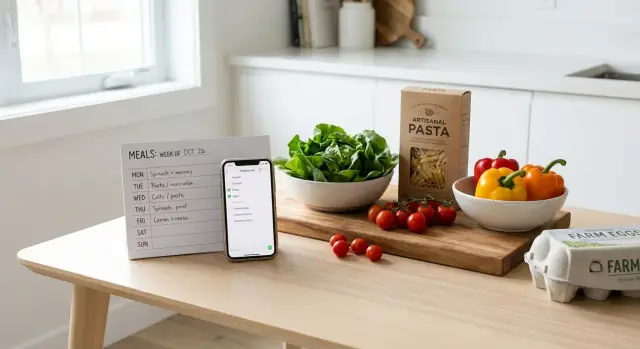
Build a weekly meal plan with shopping list that updates automatically as you choose meals, stays organized, and is easy to share with family.
Meal planning usually breaks for a simple reason: the plan lives in one place, and the shopping happens somewhere else. By Wednesday, you’re missing one key ingredient, you buy the same thing twice, or you default to last-minute takeout because fixing the gap feels harder than ordering.
The same pressure points show up again and again. You pick meals but forget the “small” items (lemons, spices, tortillas). Two people shop separately and you end up with duplicates. The list is vague (“veggies”, “protein”), so you still have to think in the aisle. Or one meal changes, but the list doesn’t, so you buy food you won’t cook. A common one: you plan “healthy dinners” without checking your calendar, then a busy night turns into delivery.
The fix is treating planning and shopping as one system. When you choose meals, the ingredients should update. When you swap a meal, the list should change with it. That’s the idea behind a weekly meal plan paired with a shopping list that doesn’t depend on perfect memory.
An “auto shopping list” is simple in plain terms: you select recipes or meal ideas, and a single grocery list is created for you. It merges duplicates (two recipes that need onions become one line with the right total), and it’s ready to share so everyone shops from the same source of truth.
This helps most during busy weeks, for families, and for anyone doing meal prep. If you plan tacos, a sheet-pan dinner, and pasta, an auto list helps you spot overlap (onions, bell peppers, shredded cheese) and buy once. That small shift removes a lot of midweek stress.
Most meal plans fail because the rules are fuzzy. When you decide everything at once (meals, recipes, time, portions, shopping), it gets messy fast. Set a few simple rules first, and the rest becomes much easier.
Start with your real week, not your ideal week. Look at workdays vs weekends and mark the nights you have low time or low energy. If Tuesday is always late, that’s not the night for a new recipe.
Next, choose a planning style that matches how you actually eat. Some households love repeats (tacos every Tuesday). Others prefer themes (pasta night, soup night). Many do best with planned leftovers. The goal isn’t variety. The goal is a plan that stays doable.
A few rules keep decisions small and shopping easier:
Decide servings and leftovers before you pick meals. If you want lunches, plan dinners that make two extra portions. If you hate leftovers, plan smaller batches and add one very fast meal to cover the inevitable gap.
Example: a family of four plans five home dinners. They set one rule that two dinners must create lunch leftovers, and only one dinner can be “new.” That might mean chili on Monday (extra for lunch), sheet-pan chicken on Wednesday (extra for lunch), and an easy repeat like tacos on Friday. With rules like that, your ingredient list stays shorter and clearer.
The easiest way to make a weekly plan actually work is to pick meals that share ingredients. If each dinner needs a different set of one-off items, the list gets long, the cart gets expensive, and you still end up missing something.
Start with your “regulars.” Most households already have a small set of dinners everyone will eat without complaints. Build your week around those, then add one or two new ideas when you have the energy.
A practical approach that keeps shopping tight:
Ingredient overlap is the real secret. One bag of spinach can cover pasta, omelets, and wraps. One pot of rice can turn into stir-fry, burrito bowls, and a quick side. One sauce base (salsa, tomato sauce, pesto) can show up twice without feeling repetitive if the format changes.
Try a realistic week: tacos one night (tortillas, salsa, lettuce), taco bowls later (same salsa, same lettuce, add rice), and quick pasta another night (use that spinach in the sauce). The list gets shorter, and you’re less likely to end the week with half-used produce.
Also plan for your calendar. If Tuesday is packed, don’t schedule the new recipe with three pans and lots of chopping. Put the easy win there and save the longer cook for a calmer day.
Finally, watch the “extras trap.” Muffins, smoothie ingredients, new snacks, and fancy drinks add up fast. If they don’t solve a real problem (like hungry kids after school), they clutter the list and often go to waste.
A meal plan works best when you treat it like a small system: check what you have, decide meals, then let the list fall out of those choices. The goal is one list that anyone can shop from without guessing.
Start with a fast inventory. Open the fridge, freezer, and pantry and look for items you need to use soon (wilting greens, leftover chicken, half a jar of sauce). Note what you already have so it doesn’t sneak onto your cart twice.
Use a simple workflow:
Once you have totals, sort the list by store sections. This is what saves time in the aisle and makes it easier for someone else to shop the way you would. Keep categories basic: produce, dairy, pantry, frozen, and “other.”
Example: you plan tacos, stir-fry, and pasta. Tacos need 1 onion, stir-fry needs 2, pasta sauce needs 1. Instead of three separate “onion” entries, write “onions: 4.” If you already have two, write “onions: need 2 (have 2).” Do the same for shared items like shredded cheese, tortillas, or bell peppers.
Keep the list share-friendly. Use clear names (not “taco stuff”), include a brand note only when it matters, and keep everything else as simple totals grouped by section.
Shopping gets much easier when you stop treating every ingredient as a new decision. Pantry and freezer staples are your safety net. They fill gaps, reduce last-minute trips, and make “we can still cook something” true on a chaotic night.
Keep one master pantry list that stays the same week to week. Think of it as your default inventory, not part of your weekly plan. It should include items you use often and want on hand even when you’re not sure what you’ll cook.
Common staples worth standardizing include:
Add a simple “restock when low” trigger. One practical rule: if you can’t make two more meals with it, it goes on the list.
To cut down on tiny decisions, set preferred brands and pack sizes for staples. “Any pasta” sounds flexible, but it adds a choice every time. If your list says “1 kg jasmine rice” or “2 x 400 g canned tomatoes,” shopping is faster and your budget is steadier.
Freezer staples deserve the same treatment. Keep a small freezer baseline so you remember what’s there and what needs replacing: frozen veg, one quick protein, bread or wraps, and one ready-meal backup.
Example: you plan tacos, a stir-fry, and pasta night. Your list pulls fresh items (lettuce, peppers, onions) and restock staples (tortillas, soy sauce, pasta). If the store is out of peppers, a bag of frozen mixed veg can save the stir-fry without changing the whole plan.
A shared list only works when everyone uses it the same way. Otherwise you get double-buys, missing items, and texts from the aisle. Treat the shopping list as the single source of truth and agree on a few rules.
Share one list with everyone in the household and assign responsibility before anyone leaves the house.
This avoids the classic problem where two people both see “milk” and both buy it.
Notes are your best tool for substitutions and preferences. Keep them short and specific: “Greek yogurt, plain, any brand” or “Tomato sauce, no added sugar.” If someone is picky, write what’s acceptable. That gives the shopper options when the shelf is empty.
For split trips (two stores), avoid duplicating items. Put a store tag in the item name, like “(Costco)” or “(corner store),” or agree that one store covers certain categories.
A simple naming rule also stops confusion: item + size + unit. Write “Olive oil 500 ml” or “Rice 2 lb” instead of just “oil” or “rice.” When sizes matter for recipes, add the count: “Tortillas 10-pack” or “Eggs dozen.”
Example: if the plan calls for taco night and lunches, write “Ground turkey 2 lb” and note “OK: chicken or beef.” The shopper can choose what’s available without a phone call.
Most meal plans fail for normal reasons: they ask too much from a real week, or the list is unclear when it’s time to buy.
One big trap is planning too many new recipes at once. New meals often mean new spices, sauces, and side ingredients. That grows your cart and your prep time. Keep one or two new dinners, then lean on proven meals that reuse similar ingredients.
Another common miss is forgetting everyday items. Lunches, coffee, breakfast, school snacks, and quick “I’m starving” foods can easily cause a second store run. Planning works better when it covers the full week, not just dinners.
Before adding anything, check what you already have. This is where money leaks out: a second bag of rice, another jar of mustard, or produce that’s already in the crisper. A two-minute scan is usually enough.
A few mistakes create most of the waste:
Vague items are sneaky because they look “done” on paper. “Cheese” can mean shredded mozzarella, cheddar slices, feta, or cream cheese. Buy the wrong one and you either waste it or make another trip.
Example: if you plan tacos, pasta, and salads, you might write “lettuce, cheese, tomatoes.” If you instead write “romaine for salads, iceberg for tacos, shredded cheddar for tacos,” the shopper can finish the job without texting questions, and you’re more likely to use everything before it goes bad.
A plan can look perfect on Sunday and still fail on Wednesday. A short pre-shop check helps you catch the small gaps that turn into takeout, extra store runs, or food that goes bad.
Scan your plan and make sure it can survive a busy week.
Say you planned tacos, a chicken stir-fry, and pasta. If tacos are the only meal that needs sour cream and cilantro, either use them again (as a garnish somewhere else) or choose a topping that overlaps with another meal. One small swap can remove a couple of items from your cart.
Do this check before every shop. It takes minutes, and it keeps the week easier to follow.
Here’s a realistic week for two adults and one child, built for busy weeknights. The goal is simple: pick dinners that reuse key items so the shopping list stays short and easy.
Notice the overlap: tortillas show up three times, peppers and onions carry two meals, and spinach works in both pasta and quesadillas. Chicken appears twice, but in different forms (raw for fajitas, rotisserie for wraps), which keeps cooking manageable.
After merging duplicates and adding quantities, a combined list might look like this:
For sharing, keep it role-based: one person owns the list (adds items, checks them off), and the cook adds notes directly on items before shopping (“mild salsa,” “large tortillas”). That’s how you avoid duplicates, last-minute texts, and missing ingredients.
The best plan is the one you can follow on a tired Tuesday. Pick a format you’ll actually open: a notes app, a simple spreadsheet, or a lightweight planning tool. Consistency matters more than perfection.
Start with a tiny template and keep it the same each week. Then improve it after you see what you forgot.
A simple starter template:
After you run it once, make one small upgrade per week. Add a true 15-minute “busy night” meal, note what can be frozen, or standardize one side dish you buy often.
At some point, a manual list starts to feel annoying. You’ll notice it when you keep retyping the same items, or when the “list” turns into a messy chat thread. That’s when a shared tool or an auto-built list becomes worth it.
If you ever want to build a simple custom planner that matches how your household actually plans and checks items off, Koder.ai (koder.ai) is one option for creating a small web or mobile app from a chat description, including features like sharing and exporting the source code.
Keep the system boring. Keep the meals realistic. Repeat the parts that work, and change only one thing at a time.
Start with a quick inventory of your fridge, freezer, and pantry, then pick meals that reuse a few key ingredients. Write down only what you need to buy, add quantities immediately, and merge duplicates into one total list.
An auto shopping list is a single grocery list generated from the meals or recipes you chose. It totals shared ingredients (like onions across multiple meals) and gives everyone one place to shop from so the list stays consistent.
Plan around your real calendar, not your ideal one. Put the easiest meals on the busiest nights, cap new recipes to 1–2 per week, and schedule a leftover night so you’re not forced into cooking every day.
Pick meals that share ingredients like tortillas, rice, spinach, onions, or a jarred sauce. Repeating an ingredient in a different format (tacos one night, bowls another) keeps the list shorter without feeling repetitive.
Add quantities as soon as you write an item, then total it across meals. If you already have some, note it as “have” vs “need” so you don’t buy duplicates or end up short.
Group it by store sections like produce, dairy, pantry, frozen, and household. A list that matches the way you walk the store reduces backtracking and makes it easier for someone else to shop correctly.
Use one shared list and agree it’s the single source of truth. Assign one “list manager,” use checkmarks only for items in the cart or bought, and add short notes for substitutions so no one has to text from the aisle.
Keep a baseline of staples you always want available, and restock them when low. That way, your weekly list is mostly fresh items, and you still have backup meal options when the week gets messy.
It’s when the plan and the list stop syncing and you keep retyping the same items or fixing mistakes. If the list becomes a messy chat thread or you’re constantly missing “small” ingredients, an auto-built list saves time and stress.
Do a quick check for backup meals, realistic prep time, and leftover portions before you shop. Then scan for one-off ingredients you’ll barely use, and either plan a second use for them or swap the meal to reduce waste.