

Dec 16, 2025·6 min
Visitor parking pass requests with one-click approvals
Learn how to set up visitor parking pass requests so residents pick dates and staff can approve or deny with one click, with clear rules, logs, and notifications.
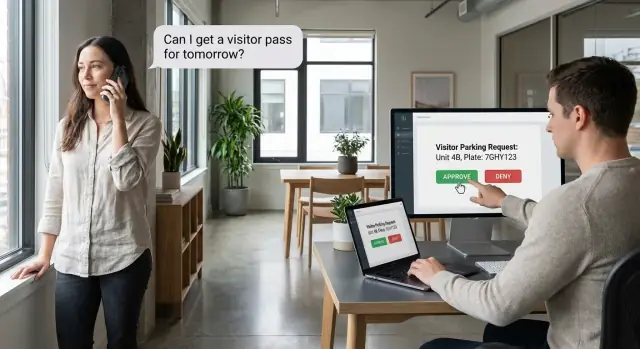
Learn how to set up visitor parking pass requests so residents pick dates and staff can approve or deny with one click, with clear rules, logs, and notifications.
Visitor parking sounds simple until it runs on phone calls, forwarded emails, and sticky notes. A resident asks for a pass “this weekend,” the front desk hears “next weekend,” security gets a different version, and nobody can point to a single approved record. Small requests turn into daily interruptions and tense conversations.
A visitor parking pass request flow should solve one core problem: clarity. Who is requesting a pass, for what dates, and what decision was made.
When details are scattered across inboxes and informal chats, two things happen fast: requests get lost and parking gets double-booked. Staff burn time on follow-up questions, approvals vary depending on who’s working, residents don’t get a clear yes or no, and security ends up acting on outdated information. When a dispute happens, there’s no clean record to settle it.
What “good” looks like is boring in the best way. Residents pick start and end dates, add the few details you actually need, and get a fast decision. Staff approve or deny in seconds. Security sees the same current list, not a screenshot from three days ago.
A simple example: a resident requests a pass for Friday through Sunday. Without a shared system, the front desk approves it by email, security never sees the message, and the guest gets stopped at the gate. With visitor parking pass requests in one place, security checks the active pass list and moves on.
The payoff isn’t just happier residents. Front desk teams get fewer interruptions, security gets reliable information, and property managers get fewer complaints and clearer accountability.
A smooth resident parking permit workflow starts with clear roles. If you blur who can do what, you get front desk arguments, “missing” approvals, and privacy complaints.
Residents typically need three actions: submit a request, edit it while it’s still pending, or cancel it. After approval, lock the dates and key details so staff aren’t chasing a moving target. If residents need a change after approval, require a new request (or a staff-approved change) so the audit trail stays clean.
Staff permissions should be stronger, but still specific. Beyond approve and deny, staff often need to revoke a pass when circumstances change (move-out, repeated violations, or a mistaken approval). Staff also need history so “who approved this?” is answered in seconds.
Residents should only see their own requests and outcomes. They don’t need visibility into other units, other license plates, or internal notes.
Staff need visibility across the property to spot conflicts and patterns. A practical baseline looks like this:
Some properties add a security role. Security usually needs read-only access plus the ability to confirm whether a pass is valid right now, without seeing resident-private details like phone numbers.
Test your rules with a common scenario: a resident requests a weekend pass, then realizes the dates are wrong. If staff already approved, do you cancel the approval and require a new decision, or block edits and require a new request? Decide it upfront and enforce it with permissions.
The fastest way to create extra work later is to build the workflow before you agree on the data.
If you get the fields right, the parking pass request form stays short, staff decisions stay consistent, and reports make sense.
Keep the request focused on what staff needs to approve quickly. Dates come first because most rules depend on them.
A simple set of fields covers most cases:
Decide which fields are required. Many properties require a plate for enforcement but allow “TBD” if the resident truly doesn’t know yet. If you allow that, you need an edit window and a reminder process.
Write down the rule data your team already applies informally: maximum active passes per unit, maximum length of a pass, blackout dates (snow removal, maintenance nights, special events). If these aren’t stored as data, staff will keep re-checking a document or relying on memory.
Also decide what “inventory” means for your property. Some buildings don’t care about specific spots, only that a pass exists. Others need zones, visitor spot counts, or permit types (garage, surface, loading). Choose the model that matches how towing and security actually work.
Finally, keep statuses small and clear. Typical statuses are pending, approved, denied, canceled, and expired. Define who can change each one, and what triggers “expired” (usually the end date passing, handled automatically).
Example: Unit 12A requests a pass from Friday to Monday. Your rules allow one active pass per unit and a 3-day limit. The system should flag the request before staff clicks approve, cutting down on back-and-forth.
A good parking pass request form starts with one thing: the dates. A simple calendar picker beats a blank text box every time.
Use clear labels like “Pass start” and “Pass end.” If you only care about days, keep it date-only. If towing rules or gate access depend on time, include time and show the time zone on the form (for example, “All times are local to the property”).
Set expectations right on the form, in plain language. Keep it short: minimum notice, maximum duration, and any blackout rules.
Every extra field lowers completion rates and increases bad data. If staff only checks dates, unit, and plate number, don’t ask for make, model, color, and a story.
A practical short form includes resident name (auto-filled if possible) and unit number, start and end dates, license plate, and an optional note.
Add a readable confirmation screen before submit: “You’re requesting a pass from May 14 to May 16 for plate ABC-1234.” This prevents a lot of “I picked the wrong day” follow-ups, especially on mobile.
Validation should help without being annoying:
Don’t skip accessibility basics: large tap targets, strong contrast, plain-language errors, and a layout that works on a phone without horizontal scrolling.
Once residents submit visitor parking pass requests, staff should land on a simple queue that answers one question fast: can I approve this right now?
Use a “newest first” list so fresh requests don’t get buried. Add a few filters so staff can find issues without opening every record: status, unit or resident name, and a date range.
When a staff member opens a request, keep the page simple: dates at the top, unit and resident below, then two clear actions. One-click approval for parking passes should mean exactly that. If staff needs to deny, require (or strongly encourage) a short note like “Lot is full Saturday, try Sunday.” A brief reason reduces follow-up calls.
Before approval, run automatic checks. These aren’t “security” features, they’re everyday guardrails that prevent mistakes:
If a check fails, don’t dump a wall of text. Show a short reason and let staff deny or override if they have permission.
After a decision, residents should see the exact details, not just “approved.” For example: “Approved for Unit 12B, May 10-12. Guest spot G-3. Note: display pass on dashboard.” If it’s denied, show the reason and the next step (new dates, fewer days, contact the office).
Fast approvals help, but people still need clarity. A property management request system works best when residents don’t have to chase the office, and staff can pull up a clean record when someone disagrees later.
Use four plain notifications: request received, approved, denied, and canceled. Keep messages short and include dates, unit number, and a pass ID so everyone refers to the same record.
An audit trail doesn’t need to be fancy. It just needs to answer who did what, and when. Store:
That last item matters in disputes. If someone says, “I requested Friday to Sunday,” the record should show whether the dates were edited after submission and by whom.
After approval, generate a pass that’s easy for security or a tow vendor to verify. Keep it simple: pass ID, unit, start date, end date, and optional plate.
If you want it scannable, a QR code that contains the pass ID is enough. The scan should show current status and dates, so staff isn’t relying on screenshots.
Most parking pass issues aren’t about the form. They happen when two reasonable requests collide, or when plans change after approval. If you set rules now, staff won’t have to improvise later.
Decide what “conflict” means. Is it any overlap for the same unit, or only when approved passes exceed available visitor spots?
A simple approach is one active pass per unit at a time. A more flexible approach is allowing multiple passes but capping total approved passes per building or lot per day.
Write down one rule staff can explain in one sentence. Example: “We approve up to 5 visitor passes per day across the property, first approved wins.”
Long stays need limits or they slowly turn visitor parking into resident parking. Pick a policy you can enforce consistently: a rolling limit per unit, a limit per guest, or a hard cap per request.
For last-minute requests, decide what happens after hours: queue until staff returns, auto-approve within limits, or allow a short temporary pass that expires unless confirmed.
Also define cancellations and revocations. If a resident cancels, do those days immediately return to the pool? If staff revokes an approved pass, require a short note and limit who can do it.
If you want to implement this quickly, a vibe-coding platform like Koder.ai can help you turn plain-language rules into an app without starting from scratch.
Keep the build small and testable:
A good first version can be very small. Collect only what staff needs to decide: unit, start date, end date, plate (optional), and a note.
Most support tickets don’t come from rare edge cases. They come from small gaps that confuse residents or let staff make an easy mistake.
The most common patterns:
A simple example: a resident requests Friday to Sunday. Staff approves from a phone, but there’s already a pass for the same unit on Saturday. The guest gets towed and now you have a dispute.
Prevent this with two rules: block approval when dates overlap, and require a short denial reason. Keep statuses plain and action-oriented, like “Waiting for review,” “Approved (active),” and “Denied (see note).”
Before you launch, confirm the basics:
A quick test that catches most issues: create three requests for the same unit (two overlapping, one not). Approve the valid one, try to approve the overlapping one, and deny the third with a short reason. You should see the block before approval, and the audit trail should show exactly what happened.
If you’re building this in Koder.ai (koder.ai), start by writing your rules in Planning Mode, then generate the request form and staff queue. Keep changes small after launch, take a snapshot before updates, and use rollback if a new rule causes unexpected denials. If you later want full control, export the source code and keep it in your own repository.
Aim for one shared, up-to-date record of every request and decision. Residents, staff, and security should all see the same status and dates so approvals don’t get lost in email threads.
Start with clear roles: residents can submit, edit while pending, and cancel while pending; staff can approve, deny, revoke, and add internal notes. Lock key details after approval so the approved record doesn’t quietly change.
Keep it minimal: start date, end date, unit/resident identity, and license plate if enforcement depends on it. Add an optional note for context, and avoid extra fields that staff won’t actually use.
Put dates first with a calendar picker, then show a confirmation step that repeats the chosen range and plate. Use simple validation like “end date must be after start date” and clear error messages that work well on mobile.
Use a short, newest-first queue with quick filters so staff can find a request in seconds. Show dates at the top and keep the actions limited to approve or deny, with a short denial note when needed.
Run overlap checks, limit checks, blackout date checks, and required-field checks before approval. If something fails, show one clear reason and let authorized staff override only when that’s part of your policy.
Send four simple updates: request received, approved, denied, and canceled. Each message should include the pass dates and a unique pass ID so everyone can refer to the same record.
Store who changed what, when it happened, and the status history from submission through expiration. This prevents “he said, she said” arguments and makes it easy to answer “who approved this?” without digging through messages.
Decide rules for overlaps, long stays, last-minute requests, cancellations, and staff revocations before you launch. The best default is a rule staff can explain in one sentence and enforce the same way every time.
Build a small first version with a request form, a staff queue, and an audit log, then test real scenarios like overlapping requests and date changes. In Koder.ai, you can describe the rules in Planning Mode, generate the screens quickly, and use snapshots and rollback to safely adjust policies after launch.