

Nov 12, 2025·8 min
User interviews with a working prototype in 48 hours
Plan user interviews with a working prototype in 48 hours: recruit quickly, write task scripts, capture notes, and turn feedback into clear build requests.
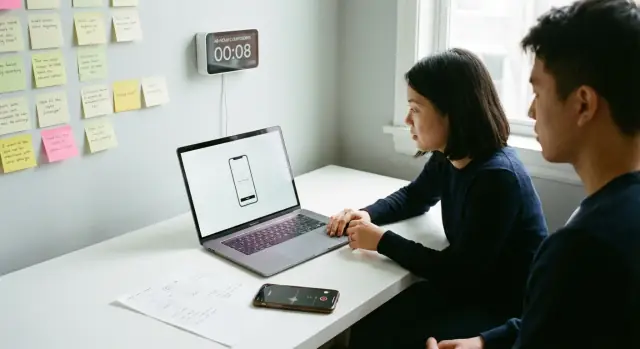
Plan user interviews with a working prototype in 48 hours: recruit quickly, write task scripts, capture notes, and turn feedback into clear build requests.
A working prototype ends most arguments fast. When someone tries to complete a real task, you stop guessing what they would do and start seeing what they actually do. That’s why user interviews with a working prototype beat debating ideas in chat, even if the prototype is rough.
With 3 to 6 sessions, you can learn a lot if you keep the scope tight. You won’t get perfect statistics, but you will get repeated patterns you can fix this week.
In 48 hours, you can reliably uncover where people get stuck or backtrack, which labels confuse them, what they try first (and what they ignore), what feels missing before they trust the flow, and which moments create doubt, like pricing, permissions, or saving progress.
This approach avoids big research projects, long surveys, and open-ended fishing trips. You’re not trying to map the whole market. You’re trying to remove the biggest friction in one important flow.
Define a single learning goal before you schedule anyone. A simple format works well: “Can a first-time user do X in under Y minutes without help?” If you’re building a simple CRM, that might be: “Can a new user add a contact, tag it, and find it again?”
If you built your prototype quickly in a tool like Koder.ai, the goal stays the same: pick one flow, watch real people try it, and capture exactly what needs to change.
A 48-hour round only works if you reduce scope. Pick one specific user type and one scenario they already understand. If you try to cover onboarding, pricing, settings, and edge cases in the same session, you’ll end up with opinions instead of evidence.
Write a one-sentence goal like: “Can a first-time freelance designer create an invoice and send it in under 3 minutes without help?” That sentence tells you who the person is, what they must do, and what “good” looks like.
Decide what you’ll measure before you talk to anyone. Keep it simple and visible during the session. For most teams, that’s a mix of speed (time to finish), friction (how often they get stuck or ask “what now?”), navigation problems (hesitation, rereading, backtracking), and trust signals (worry about payment, privacy, or errors).
Then write 3 to 5 questions you must answer by the end of the round. Examples:
Don’t keep interviewing just because you can. Decide upfront when to stop so you can switch back to building. A practical rule: stop after five sessions, or earlier if the same top two issues repeat in three sessions in a row.
Example: if three out of five participants can’t find “Create invoice” because it’s hidden under “Billing,” you already have a clear build request: rename the label, move the entry point, and retest that one change.
You can run useful user interviews with a working prototype in two days if you treat it like a short sprint: recruit, prep, run, then synthesize while details are fresh. Aim for 3 to 5 sessions. Three is the minimum to spot the biggest problems. Five usually shows patterns.
A realistic plan looks like this:
If recruiting is slow, don’t wait. Reduce scope and widen availability. Offer more time slots (including early morning or evening), shorten sessions to 15 minutes, or recruit from a closer circle that still matches your user type.
To keep things organized, set up a tiny folder system before the first call:
01_Recruiting02_Recordings03_Notes04_Synthesis05_TicketsName files like P01_2026-01-16_Record.mp4 and P01_Notes.md. That small habit makes prototype usability testing easier to review later.
Speed matters more than perfection. Your goal isn’t a statistically perfect sample. It’s 5 to 8 real people who roughly match the users you want, booked within a day.
Start with the fastest pools first, then widen. Begin with people already asking for the product (customers, trial users, waitlist), then move to recent conversations (support threads, demo requests, email replies). If you need more, look for communities where the problem is discussed, ask friends of friends for intros (not opinions), and reach out to past colleagues or clients with the same workflow.
Keep the invite short and specific. Make it clear it’s not a sales call, and that you’re testing the product, not the person. Include what you’re building and for whom, the ask (20 minutes on video or voice), what they’ll do (try 2 to 3 tasks on a prototype), and a simple thank-you like a small gift card, a free month, or a donation. Offer two time options today or tomorrow.
If you built a quick internal CRM prototype (say, in Koder.ai) for freelancers, invite both “messy spreadsheet” users and people already using a CRM. That mix helps you avoid feedback only from power users. Also, don’t rely only on close friends. They’ll try to be nice.
Incentives should feel normal, not awkward. A small fixed amount works better than “pay what you think.” If you offer a free month, make sure it doesn’t require a purchase.
Finally, book extras. Aim to recruit two more people than you need. No-shows happen, and backups keep your schedule intact.
Save hours by treating screening, scheduling, and consent as one quick flow. Confirm they look like your real user, book a time, and make recording and note-taking clear before you ever meet.
A lightweight screener can be just three questions:
Watch for red flags that waste sessions. People who are far from your target will give confident feedback that doesn’t fit. People who are too invested (a close friend, a partner, someone building the same thing) tend to push a personal agenda. People who are too busy will rush, multitask, or no-show.
For scheduling, keep it tight: 30-minute sessions with a 15-minute buffer. The buffer is where you write clean notes, name recordings, and reset the prototype. If you stack calls back-to-back, your notes get sloppy and patterns get missed.
Consent can be one short message: ask permission to record, explain that notes will be used to improve the product, and that quotes will be anonymized if shared. Give an easy opt-out: they can say no to recording and you’ll take notes instead.
Send a simple pre-call message with the time, expected length, agenda (5 minutes intro, 20 minutes tasks, 5 minutes wrap-up), and what they need (laptop vs phone, login if required, quiet place). This prevents “I joined on mobile” surprises that derail prototype usability testing.
A good interview can still fail if the prototype is messy. The goal isn’t to impress people with breadth. It’s to make it easy for them to attempt the tasks without hitting dead ends or needing you to explain.
Keep the prototype small. Only include the screens and paths your tasks require, and hide everything else. A shorter path beats a “full app” that’s half-finished.
Make the content feel real. Replace lorem ipsum with believable copy and data so users react naturally. If you’re testing a CRM flow, show 6 to 10 contacts with names, companies, and a few notes. If you’re testing checkout, use realistic prices and delivery options. Fake but specific beats generic.
Before sessions, decide what you’ll observe and write down every time: where they click first, moments of confusion (what they say and what they do next), where they loop or backtrack, the words they use for features, and questions that reveal missing information.
Set up a dedicated test account and a reset routine so every participant starts from the same state. If the prototype creates records, keep a short reset checklist (clear the cart, delete the last created item, return to the home screen, log out and back in).
Pick capture tools before you talk to anyone. Record the call if you can, and keep a simple notes template with three columns: Task, Observations (what happened), and Quotes (exact words). If you’re using Koder.ai, taking a snapshot before the first session makes it easier to roll back if you accidentally change something mid-day.
A good task script makes people behave like they would in real life, not like they’re taking a test. Keep it short, repeatable, and tied to one main scenario. For a working prototype, 2 to 4 tasks is usually enough to spot patterns without rushing.
Start by naming the main scenario in plain words (for example: “I want to set up my first project and invite a teammate”). Then pick tasks that represent the moments where failure would hurt most: first-time setup, finding a key feature, and completing one meaningful action.
Use the same structure every session so results are comparable:
Write each task prompt so it doesn’t reveal the button name or the exact path. Bad: “Click Snapshots and roll back.” Better: “You made a mistake and want to return to yesterday’s version. Show me what you would do.”
After each task, ask one short question. Before they click: “Where would you start?” After: “What made you choose that path?” If they get stuck, ask “What are you looking for right now?” not “Did you see the menu?”
If you built the prototype in Koder.ai, keep tasks anchored to outcomes (create an app, export source code, set a custom domain) rather than platform terms. That way, your notes translate cleanly into build requests.
Start every session the same way. It lowers nerves and makes results easier to compare across people.
Open with a quick script: thank them, explain you’re testing the product (not them), and that there are no wrong answers. Ask them to think out loud and share what they expect before they click.
Give one task at a time, then stay quiet. Your main job is to watch where they hesitate and to ask short, neutral questions like “What are you thinking?” and “What did you expect to see?” Avoid teaching, praising, or defending the prototype.
When they get stuck, nudge before you rescue. A good nudge is about their goal, not the interface: “What would you try next?” or “Where would you look for that?” If they’re truly blocked for more than a minute, move on and note it as a high-severity issue. Resist the urge to fix the prototype mid-call. Capture it and keep the session moving.
Feature requests are useful, but don’t debate them. Park them with one question: “What problem would that solve for you?” Then return to the current task.
Close consistently too. Ask what they liked, what frustrated them, whether they’d pay (and what feels fair), and whether you can contact them again after the next update.
Good notes aren’t “everything that happened.” They’re small, consistent units you can sort later. If you keep the structure the same across sessions, patterns show up after the third interview.
Pick one notes doc or spreadsheet that every observer uses. Create one row per task attempt and write short, factual notes in the same places each time. A simple layout:
Time stamps let you jump back to recordings and verify wording. Task numbers keep you from mixing issues across flows.
When something goes wrong, write it as one plain sentence a teammate could understand without context. Include the moment, not your interpretation.
Example: “T2 06:14: Clicked ‘Save’ expecting a confirmation, but nothing changed and they asked if it worked.”
Add a quote when it strengthens the point, especially for trust or confusion (“I’m not sure if this is secure” or “Where do I start?”). Quotes make prioritization easier because they show impact.
Keep tags small so you can filter quickly:
If your prototype was built in Koder.ai, keep notes focused on user behavior and product behavior, not how the prototype was generated.
A final rule: if you can’t turn a note into a ticket title, rewrite it until you can.
The fastest way to lose momentum is to keep feedback as quotes and vibes. Turn what you saw into build requests a builder can act on without guessing.
Start by grouping issues by task, not by person. If three people struggled during “create an account,” that’s one problem with multiple data points, not three separate opinions.
Use one consistent request format so every issue is comparable:
Separate “wording and clarity” fixes from “scope” changes. “I don’t know what this button does” is often a label or placement fix. “I need exports, roles, and approvals” is a bigger product decision. Mixing them creates bloated tickets.
Then decide on each issue: fix now, test again, or park for later. A simple ordering method is to assign user impact, effort, confidence (did it repeat?), and the next action (build, re-test, or park).
If you’re working in Koder.ai, write the acceptance check in plain English so you can paste it into your build chat as a clear, testable instruction.
A non-technical founder builds a simple CRM onboarding flow in Koder.ai, then runs user interviews the next day. The goal is narrow: can a sales rep get to “first deal created” without help.
Recruiting is quick: they message their network and a couple of local sales communities, offering a small gift card. Five sales reps book 20-minute slots in one afternoon.
Each session uses the same three tasks, read word-for-word:
Across five sessions, they log repeated issues and a couple of blockers. Two reps can’t find where to import. Three reps think “Reminder” is a notification setting, not a follow-up.
By the end of the day, those observations become build requests a builder can implement immediately:
That’s the point: consistent tasks, repeated patterns, and tickets written so clearly they can be built the same day.
Most bad interview results come from a few small mistakes, not from the prototype itself.
Leading questions like “This makes sense, right?” get polite agreement. Use neutral prompts like “What do you think this does?” then stay quiet.
Trying to test too much in one session creates surface comments and weak signals. Pick 2 to 3 core flows.
Changing the script midstream breaks comparability. Park new ideas in a backlog and keep tasks stable.
Messy notes are another quiet failure. If you rely on memory, you’ll remember the funny parts, not the painful parts. Write down the exact step where they got stuck and what they tried next.
A simple reality check: if a participant says “Looks good” but takes 90 seconds to find the next button, their actions are the data. The compliment is noise.
One loud opinion can become the plan. Treat strong opinions as a hypothesis until you see the same issue across multiple sessions.
If you make big edits, re-test quickly. Even two short sessions can confirm you fixed the problem instead of moving it.
Before you book the first call, lock the basics:
Right after each session, do a three-minute check while it’s still fresh: write down your top three issues and one surprise. If you can’t name them, your tasks may be too broad or your notes are too vague.
Same day, do a short wrap-up that turns raw notes into decisions. Group similar problems, pick what matters most, and define what you’ll change next.
Then schedule a re-test within 72 hours of shipping fixes. Even three quick sessions can confirm whether the change worked.
If you’re iterating in Koder.ai (koder.ai), Planning Mode can help you rewrite findings as scoped tasks (“Change X so user can do Y without Z”), and snapshots make it easy to try fixes quickly without losing a stable version.
Aim for 3 to 5 sessions. Three usually reveals the biggest blockers, and five is often enough to confirm patterns. Stop early if the same top issues repeat in three sessions in a row, then switch back to fixing and re-testing.
Use one sentence that names the user, the task, and a measurable bar. A good format is: “Can a first-time [user type] do [task] in under [time] without help?” That keeps the session focused on behavior you can actually observe.
Pick 2 to 4 tasks that represent the most important moments in one flow, like first-time setup and completing one meaningful action. Keep the tasks outcome-based so you’re testing whether people can succeed, not whether they can find a specific button name.
Start with the fastest sources: people already close to the product like trial users, waitlist signups, recent support threads, or demo requests. Keep the invite short, make it clear it’s not a sales call, and offer two specific time options today or tomorrow to reduce back-and-forth.
Ask three quick questions: what they use today, what happened the last time they did the task, and which role best describes them (and why). Avoid people who are far from your target user, overly invested (close friends or competitors), or too busy to show up and focus.
Ask permission to record, say what the recording and notes are used for (improving the product), and promise anonymized quotes if you share learnings. Give an easy opt-out so they can decline recording and still participate while you take notes.
Limit the prototype to only the screens needed for your tasks, and make the content feel real so people react naturally. Create a dedicated test account and a simple reset routine so every participant starts from the same state, which makes results comparable.
Run each session the same way: same intro, same tasks, and mostly silence while they work. Ask neutral questions like “What are you looking for right now?” and avoid teaching or defending the design, because that hides where the product truly fails.
Write short, consistent notes per task attempt: what they tried, what they expected, and what happened, plus one quote when it matters. Add a simple severity tag (blocker, slows down, minor) so you can prioritize quickly while the evidence is still fresh.
Turn each repeated issue into a build request with five parts: the problem, the evidence, the impact, a proposed change, and a simple acceptance check you can verify in the next test. Group issues by task rather than by participant so you don’t treat one problem as five separate opinions.