

Dec 17, 2025·7 min
Tournament Bracket Builder for Small Leagues That Stays Updated
Use a tournament bracket builder for small leagues to enter teams once, auto-generate matchups, and update results after each game with less confusion.
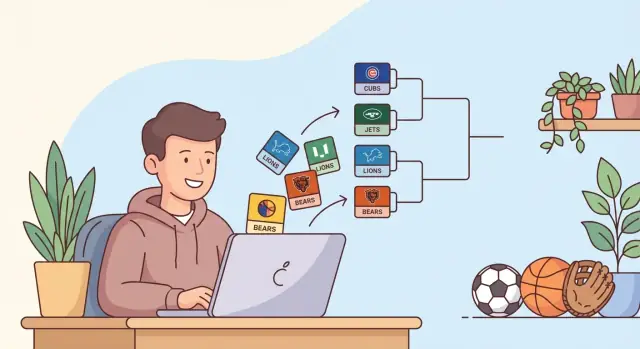
Use a tournament bracket builder for small leagues to enter teams once, auto-generate matchups, and update results after each game with less confusion.
Small leagues usually don’t struggle with the games. They struggle with the admin.
A bracket turns into a second job when it lives in a spreadsheet everyone edits, or a PDF someone has to rebuild after every result.
A common pattern is duplicate entry: teams get typed into one file for registration, then retyped again into a bracket template. One typo, one missing team, and the whole thing starts drifting. Team names also “evolve” halfway through ("Tigers" becomes "Tigers U12"), and suddenly you’re policing consistency instead of tracking results.
When people say “enter teams once,” they mean one source of truth. Add the team list a single time, generate the bracket from that same list, and from then on you only record outcomes. You’re not copying names between rounds, and you’re not rebuilding the structure after a late change.
After each game, only a few things change, but they’re easy to mess up by hand: the winner advances into a specific slot, the score gets recorded, and sometimes the schedule shifts when a game runs late. Occasionally a team drops out, which forces a bye or a reschedule. A good bracket tool updates cleanly without “messy edits” that break the tree.
This is built for school clubs, rec leagues, community tournaments, and charity events where one or two volunteers run the whole day. If you have 6 to 20 teams and limited time, the biggest win is reducing rework so you can keep games on schedule and players informed.
Most bracket chaos starts before game one: people generate something quickly, then try to force reality to fit it.
Single elimination is the simplest. Lose once and you’re out. It’s a good fit when time is tight, court space is limited, or attendance is uncertain. The downside is obvious: one bad game can send a strong team home early.
Double elimination gives teams a second chance, which feels fairer when people paid a fee or traveled. But it adds games and increases the updating load. If you’re short on volunteers to record scores, or you expect late arrivals and no-shows, it’s harder to manage.
Round robin isn’t really a bracket tree. Everyone plays everyone (or within a small group), then you rank by wins. It’s great when you want guaranteed play time, but the match count grows fast. With 6 teams it’s manageable. With 12, it can take all day.
Before you pick a format, answer a few practical questions:
Example: with 10 teams, one court, and a 4-hour window, single elimination with a few byes is realistic. With two courts and a full day, double elimination can be worth the extra work.
Bracket tools work best when your inputs are clean. Ten minutes of prep saves you from last-minute edits, confusion, and angry texts right before the first game.
Start with one reliable team list in one place, and decide who is allowed to change it. At minimum, capture: the team name (plus a short version if needed), a captain contact, and seeding (or “TBD” if you’ll seed later). If availability is uneven (late arrival, hard stop time), note it. Also confirm eligibility or payment before you generate anything so you don’t remove a team mid-bracket.
Next, write down your real-world constraints before you hit “generate.” Your bracket has to fit your courts and your clock, not the other way around. If you have two courts from 10:00 to 2:00 and two teams can only play after noon, you may need early byes or placement that avoids scheduling conflicts.
Set the rules up front, because small rule changes can reshape the schedule. Decide game format (best-of-1 vs best-of-3), tie-breakers, forfeits (including grace period and how the score is recorded), and roster rules.
Finally, decide how you’ll share updates. Printed brackets are great for the venue wall, but you still need one “source of truth” you update after every game, whether that’s a shared document or a simple web view.
A bracket feels fair when strong teams aren’t knocked out too early and everyone can see why matchups happened. That usually comes down to two decisions: how you seed teams, and where you place byes when the team count isn’t a perfect power of two.
Seed when teams vary in skill or when standings exist (last season results, a league table, or a qualifier). Use a random draw for casual events, mixed-skill tournaments, or when you truly have no signal and want to avoid ranking arguments.
Byes happen whenever you have fewer teams than the next bracket size (8, 16, 32). The clean approach is to assign byes to the highest seeds first, so the reward for ranking well is consistent and easy to explain.
A few simple habits keep things fair without getting complicated:
Avoiding early rematches matters most when teams already played in groups. A practical approach is to place group winners into different halves (or quarters) and fill in the rest after.
For readability, use the “next size up” and label rounds clearly. With 6 teams, two byes typically go to the semifinals (Seeds 1 and 2) and you run two quarterfinals (3 vs 6, 4 vs 5). With 10 teams, you can run a play-in round (Seeds 7-10) to reach 8 while Seeds 1-6 wait.
The easiest way to avoid bracket mess is to treat the team list as the source of truth. Enter teams once, then the bracket is just a view of that list.
Start with a roster table and keep names consistent. If you have seeds, add a seed number column. If you don’t, leave it blank and seed or randomize later.
After you generate, do one sanity check: every team appears exactly once in round one (unless they have a bye), and every game has a clear time and place.
Keeping a bracket accurate is mostly about consistency. After every game, update the result the same way, every time, so nobody has to guess later.
Record results in one place (your bracket tool, spreadsheet, or app). Don’t rely on memory or a photo of the scoreboard.
The minimum info that prevents arguments later is simple: winner and loser, final score, when it was played, any special note (forfeit, injury, ended early), and who confirmed it.
Once the result is saved, the winner should advance into the next match slot. If your tool doesn’t auto-advance, do it immediately while the score is still fresh. Then quickly check the next round for common errors: wrong matchup, inconsistent spelling, or a team accidentally duplicated because someone typed a name twice.
Postponed or replayed games are where brackets fall apart. The safest approach is to keep the original matchup in place, mark it clearly, and avoid advancing anyone until the replay is final. If you need to move the schedule, change the time, not the bracket structure. Write “Postponed to 6pm” in notes and leave the winner blank.
To protect yourself from bad edits, use versioning. Save a snapshot before you start round updates, and another after the round is complete. If someone later says “that should have been a forfeit,” you can roll back to the last clean state and re-apply only the correct changes.
Most bracket problems aren’t about the format. They come from small habits that multiply as soon as round 2 starts.
The biggest trap is retyping team names in later rounds. It feels faster, but it creates typos, nicknames, and mismatches (“Tigers” vs “The Tigers”). Always advance teams by selection, not by typing.
Another common trigger is changing the team list after round 1 with no stated policy. If a team drops out, decide in advance what happens (forfeit, substitute, or no replacements). Without a rule, every change looks unfair.
Unlabeled matches also cause trouble. If games aren’t numbered, announcements get messy and results end up written into the wrong box.
Two quieter problems show up later: mixing schedule edits with score edits (so you can’t tell what changed), and starting the day with no backup.
A few habits prevent most disasters:
Example: if Game 5 moved from 2:00 to 3:00, log that as a schedule change, not in the score box. Later, nobody confuses a time move with an unreported result.
A smooth tournament day starts before the first whistle. Everyone should be able to find their match, results should get recorded fast, and the bracket should stay trustworthy.
Lock the team list. Enter each team once, and keep names consistent across the bracket, score sheets, and announcements (pick “Eastside FC” and don’t switch to “East Side” later).
Confirm the format and byes, then make them visible. If byes are random, say so ahead of time. If they’re seeded, be clear about the method.
Use this last-pass checklist before round 1:
Decide how results get reported. Pick one person to accept scores, and require a quick confirmation from both captains before you advance a team. If multiple people will report scores, it helps to use a tool that supports snapshots so you can recover quickly from one bad update.
A common setup is a 10-team weekend tournament with two courts and single elimination. You want the bracket to move quickly, but you also want it to feel fair.
Start by ranking teams 1-10 (even a simple points table works). Because 10 isn’t a power of two, you usually run two play-in games to get down to 8.
To create a clean 8-team quarterfinal round, the top 6 seeds get byes, and seeds 7-10 play first. That rewards stronger teams without locking lower seeds out.
The first phase looks like this:
With two courts, you can run Game A and Game B at the same time, then post the quarterfinal matchups immediately.
Treat the bracket as a source of truth. After a game ends, do one update in one place, then let everything else follow from that.
A simple rhythm that works:
To communicate changes cleanly, keep one visible bracket (printed or on a whiteboard) and one digital version that matches it exactly. If something changes (injury, delay, wrong score), announce the correction and update both views immediately.
A small league runs best when the bracket is easy to read and hard to accidentally edit. Use a printed bracket for the wall or scorer’s table, but keep one master version you update after every game. The printout is for visibility. The master is what you trust.
Update the master immediately after a final score, then refresh what everyone sees. If you wait “until later,” you’ll forget a result or advance the wrong team.
A straightforward setup:
Simple naming rules prevent most confusion. Pick one naming style and stick to it. If you have divisions, add a short tag like “(East)” or “(Rec)” so similar names don’t collide.
Late additions and dropouts happen. Decide the policy before the first whistle and say it out loud.
If a late team shows up, only add them if it doesn’t force reseeding. If someone drops before play, treat it as a bye for the opponent. If someone drops mid-event, record forfeits consistently the same way for everyone.
For sharing updates, keep one channel and one “current bracket” image. Post a screenshot after each round, and announce matchups from that same version. Avoid multiple copies floating around.
If you run a few events a year, a spreadsheet can be enough when the bracket is small and one person updates it. Many organizers start there and only switch tools when updates get messy.
You’ll want a dedicated bracket builder when multiple people ask for live results, you need phone-friendly updates, or you keep fixing the same formatting mistakes every round.
Look for basics that reduce stress: admin-only edits, a public read-only view, mobile-friendly score entry, automatic byes and advancement, and a simple undo or history.
If you decide to build your own, write requirements in plain language before anyone writes code. For example: “I paste one team list, pick single or double elimination, it creates rounds, then I tap the winner after each game and the next matchup appears.” Add the small rules that matter to your event (third-place match, seeding method, rematches).
If you want to prototype a custom bracket web app without a long build cycle, Koder.ai (koder.ai) is one option: you can describe the workflow in chat and generate a simple app with an admin view, a public view, and features like snapshots and rollback for safer updates.
It means you maintain one master roster and the bracket is generated from that same roster. After that, you only record results and the winner advances, instead of retyping team names into later rounds or separate files.
Pick single elimination when time, space, or staffing is tight and you need a champion quickly. Pick double elimination when you want a second chance and can handle extra games and more score updates. Use round robin when guaranteed play time matters more than having a classic bracket.
Seed when you have clear skill differences or past standings, because it prevents strong teams from meeting too early. Randomize when it’s a casual event or you don’t have reliable rankings, and announce that you’re randomizing before teams show up.
Byes fill the gap when your team count isn’t 8, 16, or 32. The simplest fair default is giving byes to the top seeds so the reward for seeding is consistent and easy to explain, then placing the remaining teams so the bracket looks balanced.
Lock the bracket once play begins and only make changes for real emergencies. If a team drops before they play, treat it like a forfeit or a bye based on your published rule; if they drop mid-event, record forfeits the same way every time so it doesn’t look selective.
Record the winner and score in one place immediately, then advance the winner into the next slot while the result is still fresh. If you also need to adjust timing, change the schedule fields, not the bracket structure, so you don’t accidentally break future matchups.
Retyping team names in later rounds is the biggest cause of bracket drift because nicknames and typos pile up fast. Advancing should be a selection from the existing team list, so the same name follows the team through every round without manual re-entry.
Save a snapshot before the day starts and after each round, so you can recover from one wrong edit without rebuilding everything. This also helps when a dispute happens later, because you can see what the bracket looked like at a specific moment and correct only what changed.
Use match IDs and require a quick confirmation of the final score from both captains or a designated referee. This prevents the most common mistake, which is writing a correct score into the wrong match box and advancing the wrong team.
If one person updates and the bracket is small, a spreadsheet can work, but it breaks down when multiple people need live updates, mobile entry, or a read-only public view. A dedicated tool is worth it when you keep fighting formatting, duplicating names, or needing an undo history; platforms like Koder.ai can also help you prototype a simple custom bracket app with an admin view, public view, and rollback.