

Dec 17, 2025·8 min
Table Turn Time Tracker for Busy Nights and Faster Seating
Set clearer wait quotes on busy nights with a table turn time tracker that logs seating times, targets turn times, and shows likely openings.
Why busy nights break your seating plan
A seating plan works best when the room changes at a steady pace. Busy nights do the opposite. Orders take longer, parties linger, and one late ticket can ripple across the dining room. That’s why a wait quote that felt right at 6:00 can be wrong by 6:30.
The biggest reason quotes drift during a rush is that your inputs change faster than your team can update them. A host might start with a reasonable estimate based on a “normal” dinner length, then the bar backs up, the kitchen gets slammed, or a large party asks for separate checks. Now the quote is based on a room that no longer exists.
When table status lives in people’s heads, the room turns into a guessing game. Hosts are juggling phone calls, walk-ins, and seating preferences, so they default to memory: “I think 12 is close to done.” One missed detail (desserts just dropped, check not requested, a server got double-sat) can add 15 minutes without anyone noticing.
Missed turns hurt twice. Guests wait longer than promised, and staff stress climbs because every decision becomes reactive. It usually shows up as a few familiar problems:
- A table is marked “almost done” for too long
- A party is held at the door while a clean table sits unnoticed
- Servers get triple-sat because the next openings were misread
- The waitlist grows, but the room feels stuck
“Likely freeing up” is simple: the tables with the best chance of being available soon, based on when they were seated and how long that table usually takes on a night like this. A table turn time tracker turns that into a shared view so hosts aren’t forced to guess under pressure.
Example: if a 2-top was seated 52 minutes ago and your typical turn is 60 to 70 minutes, it’s a strong candidate. If a 6-top was seated 40 minutes ago and those usually run 90 minutes, it’s probably not your next opening, even if it “feels” close.
The minimum data you need to track
A table turn time tracker only works if the team can keep it up when the line is out the door. The goal isn’t perfect data. It’s a few fields that explain what’s likely to free up next, and why something isn’t moving.
Start with one rule: every table gets a clear start time the moment guests sit down. Everything else exists to help you predict the finish.
The 5 fields that actually matter
Keep it to essentials so hosts and managers can update it in seconds:
- Table ID + table type (2-top, 4-top, booth, patio)
- Seated time (a timestamp)
- Party size
- Current status (seated, paid, bussed/ready)
- Delay note (one short reason when needed, not a story)
If you add one optional field, make it the server section. It helps you spot bottlenecks fast, like one section going “paid” but not getting bussed, or one server’s tables running 20 minutes longer than the rest.
What “target turn time” should look like in your tracker
Don’t store one turn time for the whole restaurant. Busy nights fail because different tables behave differently. Set a target turn time by table type (and sometimes by time window).
For example, you might target 60 to 75 minutes for 2-tops, 75 to 95 for 4-tops, and longer for patio if guests tend to linger. The tracker should show the target next to the seated time so anyone can glance and see when a table is running over.
Keep delay notes rare and meaningful. If every table has a note, the host stops trusting the system. Save notes for true exceptions that change the wait, like a birthday cake, a late-arriving guest, or a kitchen slowdown affecting a specific course.
How to set realistic target turn times
A target turn time only helps if it matches how your dining room actually runs. Start with real averages from recent shifts, not the number you wish you had on a perfect night. If you don’t have data yet, do a quick baseline: pick 2 to 3 recent busy services and write down when each table was seated and when it paid. Rough notes still beat guesswork.
A simple way to set your numbers
Targets should change with the daypart and the day of week. Lunch is often faster and more predictable. Weekend dinner usually runs longer, with more drinks, more desserts, and more pacing.
A practical approach is to set targets by party size, then split them by lunch vs dinner (and optionally weekday vs weekend). A 2-top at Tuesday lunch can behave very differently than a 4-top on Saturday night.
To keep it easy for the team, use a small set of targets they can remember:
- 2-tops, 4-tops, 6+ parties
- Lunch targets
- Dinner targets
Then adjust only for what really moves the clock: large parties, prix fixe or tasting menus, special events, and anything that adds coursing. A 6-top celebrating a birthday can easily run 20 to 30 minutes longer than your normal average, even when service is great.
If you track exceptions, use a clear rule: when a table is “slow by design” (tasting menu, big party, VIP pacing), the target should shift so the host isn’t waiting for a table that was never going to flip on the standard clock.
Who can change targets during a shift
Decide this before the rush. Most teams do best with one owner for mid-shift changes, like the manager or floor lead. Hosts should be able to mark exceptions (large party, tasting menu), but not rewrite the targets for the whole dining room.
A good rule is to change targets only for a specific table or section, and only when you can explain why in one sentence. That keeps quotes consistent and prevents targets from drifting into wishful thinking.
What the host needs to see at a glance
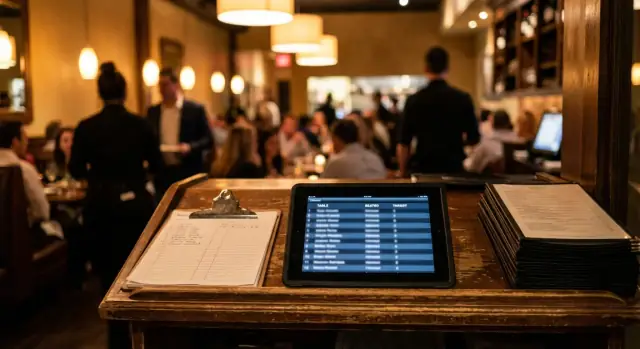
A host on a busy night doesn’t have time to interpret a spreadsheet. The view has to answer one question in about three seconds: which tables are likely to free up next, and which ones are starting to drift.
A useful tracker screen is basically a short list of active tables with a few fields that never change positions. Keep the layout consistent so the host can scan it without thinking.
The 3-second screen
The simplest version shows only what helps seating decisions:
- Table (and size): “12 (4-top)”
- Seated at: “6:18”
- Target turn: “75 min”
- Expected free: “7:33”
- Status: “On track” or “Late”
That’s enough to decide whether to quote 10 minutes or 25 minutes, and whether to seat a 2-top now or hold for a 4-top.
On track vs running late (make it obvious)
Make “late” obvious so the host isn’t doing math. If you can use color, keep it simple:
- Green: On track
- Yellow: Watch (5 to 10 minutes behind)
- Red: Late (more than 10 minutes behind)
- Gray: Unknown (table is combined/split or timing was missed)
If you can’t use colors, use tags like OK, WATCH, LATE.
Expected free time (simple calculation)
Expected free time should be automatic and boring:
Expected free = Seated time + Target turn time.
Example: Table 12 seated at 6:18 with a 75-minute target should show 7:33. If it’s already 7:35 and the table is still dining, it flips to Late.
When tables combine or split
This is where tracking often breaks. Give the host one fast action: mark a table group.
If two tables combine (12 + 13 become an 8-top), start a new “combined” entry with one seated time (when the party sat) and set the original tables to “Merged” so they stop affecting quotes.
If a table splits (party moves, or checks split and one side stays), keep the original seated time unless the table truly reset. If the table was cleared and re-seated, start a fresh entry. The goal is simple: the expected free time should match what guests actually experienced, not what the floor plan used to be.
Step-by-step workflow during service
Lower Costs with Credits
Get credits when you share what you built or refer someone to Koder.ai.
A table turn time tracker only works on a busy night if the actions stay tiny and consistent. Every table needs one current status and one timestamp the host can trust.
1) Start strong before the first rush
Take two minutes before doors open to make the tracker match the room. Clear out yesterday’s data, confirm table numbers, and set tonight’s target turn times (often different for bar, patio, and dining room). If staffing changed, note it now because it changes pace.
A simple start-of-shift setup:
- Reset every table to “available” and verify server sections
- Load tonight’s targets by table size
- Decide what you’ll record every time (seat time, party size, server)
- Pick one person responsible for accuracy (usually the host)
- Agree on one rule for exceptions (large parties, tasting menus)
2) During seating: capture the moment, not later
When a party is sat, log it right then. If you wait “until things calm down,” you lose the one detail that matters most: the true start time.
Example: a 4-top sits at 7:12 with Server Maya. If the target is 75 minutes, the host can expect a likely opening around 8:25 to 8:35 once you add a small buffer for checkout and bussing.
3) During service: update status with quick taps
You don’t need perfect details, just clean status changes that match how tables really flow. The two updates that help most are when the check is paid and when the table is bussed.
Keep the rhythm consistent: Paid means the table is in the checkout window. Bussed means it’s truly ready to reset or already reset.
4) Quoting waits: use “likely openings,” not hope
When the walk-in line stacks up, quote based on the tables that are closest to target, plus a realistic buffer. If three 2-tops are already past target, don’t promise them as “next.” Treat them as late until they flip to paid.
If you want a lightweight way to build a tracker that fits your floor plan and your wording, a chat-built internal tool on Koder.ai (koder.ai) can be a practical option. The point is to keep the host view simple, fast to update, and consistent across handoffs.
5) End-of-shift: a two-minute review that improves tomorrow
Before you close the book on the night, scan the tables that ran long and jot one plain reason for each. You’re not looking for blame. You’re looking for patterns you can plan around next shift.
Choosing a simple tracker setup that fits your team
A tracker only works if your hosts actually use it when the line is out the door. The best setup is the one that takes the fewest taps, never leaves the host guessing, and survives a shift change.
Paper can be a good backup. A single sheet with table numbers and check-in times is fast when the POS is down or Wi‑Fi is shaky. It falls apart when the wait gets long because erasing, rewriting, and passing the sheet between hosts creates gaps.
Spreadsheets sit in the middle. They’re cheap and flexible, and many teams already know them. The downside is speed: scrolling, tiny cells, and accidental edits slow you down. If you go this route, keep it tight: table number, seated time, target time, status.
Paper, spreadsheet, or a simple app?
A simple app is usually best when you have multi-host handoffs or a manager who needs the same view from across the room. A basic tracker can lock the layout, prevent bad edits, and make “freeing soon” obvious without mental math.
If you build or buy an app, focus on one screen and a few actions: seat, update, clear.
Decide where it runs
The device choice matters more than people expect. Pick one home for the tracker during service:
- Host stand tablet for speed and a shared view
- Host stand PC if you want a bigger screen and a keyboard
- Phone only if you have one host and a tight space
- Two devices only if the tool handles handoffs cleanly
A quick reality check: if it takes more than 5 seconds to record a seating, your team will stop using it on the busiest nights.
Using the tracker to make better wait quotes
Own the Tracker Source
Download the source code anytime to keep full control of your tool.
Accurate wait quotes are less about guessing and more about knowing what’s likely to open next. A table turn time tracker helps you quote waits based on real seating times and expected turn times, not vibes.
Start with the basics: only promise a table when it’s actually usable. A party leaving isn’t the same as a table being ready. If your tracker shows a table as “paid” or “departed” but not “clean and reset,” treat it as unavailable. This alone cuts down on the painful pattern of calling a name, then scrambling because the table still needs bussing.
Quote waits from what opens soon, not what opened last
Keep a simple “next 15 minutes” view. You’re not trying to forecast the whole night. You just need to know which tables are most likely to free up soon, and which ones are slipping.
Before you give a number, glance at two things: the tables that should turn within 15 minutes, and whether those tables are in the right area. If all your soonest turns are in one section, seating three parties there can overload that server and slow the next round of turns.
When you quote, use a range and say what could move it. A tight promise turns into an argument when a table lingers. A range gives you room to stay honest when timing changes.
A pattern that works on busy nights:
- Identify the next two likely tables for that party size and their expected ready times.
- Check status: payment isn’t the same as clean, and clean isn’t the same as reset.
- Balance by area: if one section is slammed, use the next table in a calmer section even if it’s a few minutes later.
- Quote a range (for example, 20 to 30 minutes) and set a quick check-in time (like 10 minutes).
- When a table slips, widen the range and tell waiting parties early.
Example: you see two 4-tops due around 7:10, but both are on the patio and the patio server is already at capacity. You quote 25 to 35 minutes instead of 15 to 20, and you aim to seat the next 4-top inside at 7:15 to keep service moving.
Example: a Friday dinner rush with real decisions
It’s 7:00 pm on a Friday. The waitlist has 10 parties, mostly couples and groups of four. The dining room is full, and the host is getting the same question every 30 seconds: “How long?” A simple tracker shows two things the host can trust: when each table was seated, and the target turn time for that table size.
Two 4-tops are running late. They were seated at 5:45 with a 75-minute target, so they “should” be close. But the notes show dessert was just fired, and one table asked for separate checks. That matters because those two tables are the next best fit for the four-person parties waiting. If they slip by 15 minutes, the whole 4-top line backs up.
The host makes two different quotes using what’s on the board, not hope. A 2-top is likely to open first (seated at 6:10 with a 60-minute target, already paid). A 4-top is less certain (those late tables plus one 4-top that hasn’t gotten entrees yet).
Here’s how the quotes land in real time:
- Parties of 2: “15 to 20 minutes” (one table is in check drop, one is being bussed)
- Parties of 4: “25 to 35 minutes” (two tables are behind target, and the next clean 4-top isn’t close)
Then a bussing delay hits: the busser gets pulled to the patio, and a finished 2-top sits dirty for 8 minutes. The tracker now shows a gap between “expected up” and “ready to seat,” so the host adjusts the next quote up slightly and stops overpromising.
When the manager sees the bottleneck (several tables finished but not flipping), they can act fast: reassign a section temporarily, have a manager help pre-bus, or pause new patio seating for 10 minutes so tables inside can turn cleanly.
Common mistakes that make tracking useless
Start Small, Iterate Weekly
Test 2-top and 4-top targets first, then expand after one weekend.
A table turn time tracker only helps if the data stays clean and the host can trust what they see. Most teams don’t fail because they picked the wrong tool. They fail because a few small habits quietly break the picture.
One of the biggest issues is missing key status updates like paid, bussed, or reset. If a table is shown as dining when it’s actually ready, the ripple effect is immediate: the waitlist looks longer than it is, guests get worse quotes, and servers get double-sat later to “catch up.”
Another common trap is using one turn time for every table type. A two-top near the bar often turns faster than a four-top in a booth. And a patio table on a cold night behaves differently than the same table in perfect weather. If you force one number across all tables, your “likely freeing up” view becomes guesswork.
A few mistakes show up again and again:
- Overriding the tracker (or seat order) without noting why, so you can’t learn from patterns like late arrivals or VIP pacing
- Ignoring course pacing when the kitchen is backed up and entrees take longer than usual
- Treating large parties like regular tables even though they seat slower, order slower, and pay slower
- Letting updates pile up until the host is “catching up” instead of using it live
A quick example: it’s 7:10 pm and the host thinks three 4-tops will open by 7:25. But two actually paid at 7:05 and were bussed at 7:12, and nobody marked it. You quote 25 minutes instead of 10, the walk-in leaves, and you seat a reservation out of order to fill the gap. That’s not a busy-night problem. It’s a tracking discipline problem.
The fix is straightforward: keep updates tiny and tied to natural moments (seat, pay, bus). If the tracker feels like a second job, it won’t get used, and any “predictions” will be noise.
Quick checks and next steps
When the dining room is full, a table turn time tracker only helps if it stays simple and consistent. Before you add more rules, make sure the basics are happening every shift.
Quick checks before your next busy night
Use this as a fast pre-shift check with the host and manager:
- Are we logging the exact seated time for every table, every time?
- Do target turn times match reality for each table type and shift?
- Can a host update a table status in about 2 taps (or a single quick action) without hunting through screens?
- Is there one clear source of truth for status so servers, hosts, and managers aren’t working from different notes?
- Are we capturing a simple reason when a table runs late (kitchen delay, slow ordering, check delayed, waiting on a ride)?
If you answered “no” to any of these, fix that first. A fancy dashboard won’t save a messy habit.
Next steps that actually stick
Start small, then tighten the loop with real data from one weekend:
- Standardize two table types first (for example, 2-tops and 4-tops) and set one target for each by shift.
- Train one rule: the seated timestamp is non-negotiable. If it’s missing, the wait quote becomes a guess.
- Add one optional field for late turns: a short reason list. Keep it to 4 to 5 choices so people use it.
- Do a 10-minute weekly review: find the top three causes of late turns and choose one fix to try next week.
- If you want a lightweight host-stand tool (instead of paper or a spreadsheet), build a simple tracker app and iterate after one weekend of real data.
A good sign you’re on the right track: hosts stop asking “any tables close?” and start saying “three 4-tops are likely freeing up in 12 to 18 minutes, unless the kitchen slips.” That’s when wait quotes get calmer and seating gets faster.