

Dec 16, 2025·7 min
Side Project Idea Inbox: Capture, Tag, and Take Next Actions
Build a side project idea inbox that captures ideas with a simple tag and a next action, so you can review weekly and move the best ones forward.
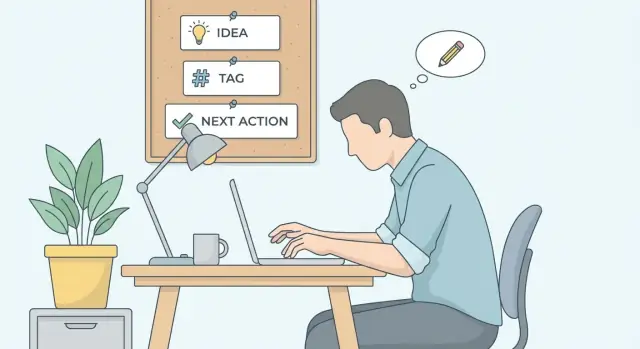
Build a side project idea inbox that captures ideas with a simple tag and a next action, so you can review weekly and move the best ones forward.
Most side project ideas don’t fail because they’re bad. They fail because they vanish. You think of something on a walk, in the shower, or during a boring meeting, and it’s gone by the time you sit down.
That usually happens for three simple reasons: there’s no single place to put the idea, there’s no context for why it felt promising, and there’s no next step to keep it alive.
A side project idea inbox is just one dedicated spot where every new idea goes first, before you judge it. It can be a note, a doc, a spreadsheet, or a simple board. The tool doesn’t matter. What matters is that you always know where to drop an idea so you can get back to your day.
The difference between an idea inbox and a normal notes app is the tiny structure you add to each entry:
That tag and next action solve the “random list of thoughts” problem. A tag helps you spot patterns later (you keep saving “mobile app” ideas, or you keep circling “B2B tools”). A next action keeps the idea from turning into a vague wish.
Keep it small on purpose. You only need two habits: capture ideas immediately, and review them once a week to decide what to delete, what to park, and what to try.
Example: you hear a friend complain about scheduling volunteer shifts. Instead of writing “volunteer scheduling app” and forgetting it, capture: tag “web app” and next action “write 5 questions to ask volunteers about their pain points.” That’s enough to keep the idea real without turning your day into a planning session.
A side project idea inbox works best when every entry has the same three fields. You’re not writing a plan. You’re saving a spark in a form you can act on later.
Idea is the raw thought in one or two sentences. Make it specific enough that future-you understands it. “An app for habits” is vague. “A habit tracker that only asks one question per day” is clear.
Tag is a short label that tells you what bucket the idea belongs to. Tags let you scan and compare ideas quickly without rereading everything. Keep your tag set small (aim for 5 to 10 total), or you’ll spend more time tagging than deciding.
Useful tag styles include platform (web, mobile), type (tool, content, automation), goal (revenue, learning, portfolio), audience (creators, students, small business), or status (explore, build, someday).
Next action is the key. It’s one small step that moves the idea forward, not a big promise. Write it so you could do it in 15 to 30 minutes. If it takes longer, shrink it. “Build landing page” is too big. “Draft 5 headline options” is right-sized.
You can add extra fields, but keep them optional so your inbox stays lightweight. Helpful extras: date captured, source, effort (S/M/L), and one or two lines of notes.
A quick example:
Idea: “A tiny expense tracker for freelancers that shows cash flow weekly.”
Tag: “web” (or “revenue”).
Next action: “Write 10 must-have features and cut it down to 3.”
When you capture ideas this way, your inbox stays clean. Every entry is understandable, sortable, and one small step away from progress.
Pick one place where every new idea will go. One place is the whole point. Choose what you already open every day: a notes app, a simple spreadsheet, or a tiny form that drops entries into a file.
If you’re torn, pick the option with the fewest taps on your phone. Ideas usually show up when you’re walking, waiting, or half-asleep.
Next, create a capture template you can reuse in seconds. Keep it short so you’ll actually fill it out:
Then choose five starter tags. Don’t try to predict your whole future. You can rename tags later, but you can’t recover ideas you never captured.
Decide where supporting details will live, if you want them at all. Most ideas don’t need research right away, so skip the heavy folder system. A simple approach is to keep the inbox entry clean and only add supporting notes when an idea survives your weekly review.
When you’re done, do a quick test: capture a fake idea right now. If it takes more than 60 seconds, remove a field or shorten the template.
A side project idea inbox only works if adding a new idea feels almost too easy. You’re not writing a mini spec. You’re saving the spark with just enough structure that future-you can act on it.
Here’s a capture flow you can repeat anywhere (notes app, spreadsheet, task manager):
A quick test: could someone else read the idea, the tag, and the next action and know what to do next? If yes, you’re done.
Example entry: “A tiny habit tracker that only tracks one habit at a time” | tag: “mobile app” | next action: “Sketch the main screen with 3 states (empty, tracking, done).”
A good next action is small, clear, and doable in one sitting. If you can do it in 10 to 30 minutes, you’ll actually start. If it requires a meeting with your future self, it’ll sit there.
Treat the inbox as a place where every idea has one concrete “first move.” You’re not promising to build the whole thing. You’re giving yourself an easy on-ramp.
Next actions work best when they produce something you can look at or decide from. A few examples:
Weak next actions are usually vague or too big. If your action contains words like “plan,” “research,” or “build,” it probably needs tightening. Add a number, a time limit, or a visible output.
Examples of weak next actions (and better versions):
If your next action is blocked, make the blocker the next action. “Blocked” isn’t a status, it’s a clue. “Can’t prototype until I pick a login method” becomes “Choose email vs magic link and write one sentence why.”
Give yourself permission to park ideas you like but can’t focus on right now. A simple “parking” tag keeps your list from turning into a guilt machine.
An idea inbox only works if you open it regularly. Otherwise it becomes a pile of “maybe someday” notes. The fix is simple: set a weekly 20 minute review time. Same day, same time. Treat it like taking out the trash. Quick, boring, and it keeps your space usable.
Start by sorting your ideas by tag (for example: “mobile,” “automation,” “content,” “business,” “learning”). Tags help you compare similar ideas instead of bouncing between unrelated ones.
A clean 20 minute review looks like this:
The scoring isn’t science. It just forces trade-offs. If an idea is a 5 for excitement but a 1 for impact, it still might be worth doing as a weekend toy. If effort is a 5, ask if you can shrink it into a tiny version.
“Touching” an idea should be specific: write a one-sentence pitch, list the first three screens, or test one assumption by asking two friends. The goal is that your weekly review leads to something you can see, not more planning.
Be ruthless with archiving. A light inbox makes good ideas easier to spot, and it reduces the stress of “having too many options.”
You have a good month. Twelve new ideas show up while you walk, scroll, talk to friends, or notice a problem at work. You capture them fast, but by week four you feel worse, not better. Everything sounds exciting, and you can’t tell what to do next.
Here’s what an inbox might look like after a month. Each item has a tag and one next action that takes less than 30 minutes:
Notice what changed: you’re not trying to build anything yet. You’re giving each idea a small, clear first step.
Now it’s review day. You scan the list and ask two questions: which idea still feels real after a week, and which next action will teach you the most?
You pick “Invoice reminder emails for freelancers” because the problem is clear and the next action is easy. You set a one-week mini goal:
Build a simple prototype that can send one scheduled reminder email, and get feedback from 2 freelancers.
What happens to the other ideas?
After one or two reviews like this, the inbox stops being a guilt list. It becomes a decision tool.
An idea inbox should reduce stress, not create a second hobby called “organizing.” Most systems fail for boring reasons: the setup gets fussy, the actions stay unclear, and nobody checks it again.
The first trap is tag overload. If you have tags like “startup,” “business,” “product,” and “saas,” you’re tagging the same thing four times. When tags overlap, you stop trusting them. Then you stop using them.
Another common failure is writing next actions that are more like wishes than steps. “Build MVP,” “research competitors,” or “learn Flutter” sounds productive, but it doesn’t tell you what to do when you have 20 minutes on a Tuesday.
It also falls apart when ideas are scattered across places: a note app, a chat with yourself, a task manager, screenshots, emails. Each one feels reasonable in the moment. Together, they guarantee you’ll forget something good because you can’t remember where you put it.
The biggest one is no review. Without a weekly check-in, your inbox becomes storage, not a tool. The list grows, your brain learns it’s a graveyard, and you stop adding ideas because it feels pointless.
Finally, people often protect “perfect” ideas and throw away small, practical ones. Small ideas are usually the ones you can actually test, finish, and learn from.
Warning signs to watch for:
A simple fix is to enforce two rules: keep tags to a short set you can remember, and make next actions so small they feel almost silly.
Use this check once a week (or whenever things start to feel messy) to keep your system light:
If you can’t check at least three of these boxes right now, don’t rebuild the whole system. Make one change today (usually: cut tags, add next actions, or archive old items) and keep going.
The point of a side project idea inbox isn’t to collect forever. It’s to help you pick one idea and act while you still have energy.
Today, choose where you’ll capture ideas and create a tiny template with three fields: Idea, Tag, Next action. Keep it one line each. If it feels heavy, it won’t get used.
Then do a review right now, even if it isn’t “weekly” yet. Scan your ideas and choose one you can test in a week. Don’t choose the “best” idea. Choose the one with the clearest next action and the smallest risk.
For the one-week test, keep the commitment simple:
If your idea becomes an app, define a tiny first version. Think in screens or flows, not big feature lists. A helpful constraint is “3 screens or flows max”: capture input, show a result, and include one action that saves time.
If you want to prototype through chat instead of setting up everything by hand, a platform like Koder.ai (koder.ai) can turn a plain-English description into a starter app and let you iterate safely with planning mode, snapshots, and rollback. Your goal for the next 7 days stays the same either way: one idea, one tiny build, one decision.
Use it when you keep having good ideas but rarely start them. The inbox gives every idea a single home and forces one small next step so it doesn’t fade into a vague note.
A notes app is fine for capture, but it often becomes a pile of thoughts with no “what now.” The inbox adds two tiny fields—a tag and a next action—so you can sort ideas and restart quickly later.
Pick the place you’ll open instantly on your phone and laptop, and commit to using only that one spot. If you’re unsure, choose the simplest option that takes the fewest taps to add an entry.
Keep it to one sentence that future-you will understand without extra context. If you can’t reread it a week later and know what you meant, rewrite it until it’s specific.
Use a small set you can remember, usually 5 to 10. Tag by what it is right now (like web, mobile, automation, content, learning) rather than what you hope it becomes.
Write one action you can finish in 15 to 30 minutes and that starts with a verb. Aim for a visible output like a sketch, a short list, a draft, or a few questions to ask someone.
Shrink it until it fits one sitting and has a clear finish line. “Research competitors” becomes something like “find 5 similar tools and note their prices,” so you can actually complete it.
Review once a week for about 20 minutes and make decisions, not plans. Delete unclear items, archive ideas you’re not excited about, and pick 1 to 3 ideas to do a next action for that week.
Yes, if you treat it as a decision tool instead of a collection. If the list starts to feel heavy, that’s usually a sign you need to archive more and keep only the ideas with clear next actions.
Use it when you’re ready to turn a one-week test into something tangible, like a tiny prototype or a starter app. For app ideas, tools like Koder.ai can help you turn a plain-English description into a starting point quickly, but you still want a small scope and a clear decision at the end of the week.