

Dec 23, 2025·6 min
Service quote builder with templates for fast, clean quotes
Use a service quote builder with templates to pick a layout, enter a few numbers, and generate a clean quote you can send in minutes with fewer mistakes.
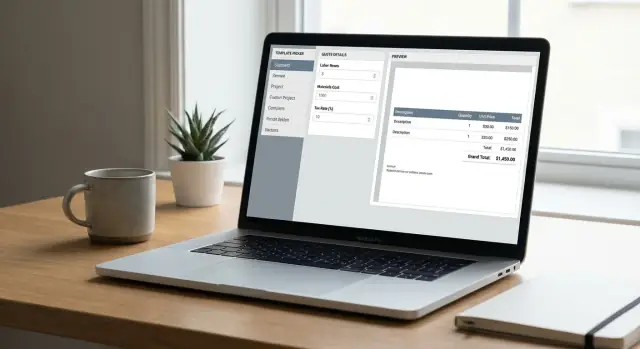
Use a service quote builder with templates to pick a layout, enter a few numbers, and generate a clean quote you can send in minutes with fewer mistakes.
Quoting looks like quick admin until you do it a few times in a row. Most delays come from rebuilding the same document over and over: finding an old file, changing names and dates, fixing formatting, and double-checking that nothing outdated slipped in.
It slows down fast when you’re:
The bigger reason quotes stall is missing details. When scope is vague or pricing is hard to follow, customers reply with questions instead of approval. That back-and-forth can add days even when the work itself is simple.
A quote doesn’t need to look fancy to be approve-ready. It just needs to make three things obvious: what the customer gets, what it costs (all-in), and what happens next. Clear headings, a short scope, a simple price breakdown, and basic terms (timeline, payment, validity) beat perfect design.
A small cleaning business sending a move-out quote is a good example. They know the home size, the add-ons (oven, fridge), and a travel fee. Without a template, it’s easy to spend 30 minutes polishing the layout and still forget key notes like “supplies included” or when payment is due. The customer replies with questions, and the quote sits.
A service quote builder with templates is most useful when you quote the same jobs repeatedly, your pricing is driven by a few inputs (hours, units, packages), and you want consistent scope and terms every time.
A clean quote answers two questions fast: what you’re going to do, and what it will cost (all-in). If either part is fuzzy, customers hesitate, ask for clarifications, or compare you to someone who feels clearer.
Templates help because they force a consistent structure. They only work, though, if the content is specific and easy to scan.
Customers expect a few basics. Keep them in plain language:
A simple test: if a customer forwards your quote to a partner, that person should understand it in one read.
People use these words loosely, so label your document clearly.
An estimate is a best guess based on what you know now, and the numbers may change. A quote is a fixed offer for a defined scope, valid for a defined time. An invoice is the bill after work is done (or after a milestone) requesting payment.
If you’re not ready to commit to a fixed price, call it an estimate and say what could change the price (for example, hidden damage or extra revisions).
Most approvals come down to clarity and confidence, not design. Customers scan for a scope that feels specific, a price that feels complete, dates and deliverables that feel realistic, and terms that feel fair.
Keep the wording direct. One line like “If you need anything outside this scope, we’ll confirm the price in writing before starting” prevents a lot of disputes.
Quotes feel hard when you try to calculate everything at once. Most service pricing fits one of three models, with a couple of clear adjustments.
Fixed-price works best when the scope is predictable and the deliverable is easy to describe (like installing three ceiling fans). Hourly works when scope is uncertain, but only if you set a clear range and define what counts as billable time. Unit pricing is useful when the work scales by quantity (per room, per device, per page, per visit).
To keep it simple, capture just a few inputs: quantity (hours, units, or one project), rate (per hour/unit, or a project price), materials or pass-through costs (if any), and a validity period. If you use hourly or variable work, add an expected range.
Your math should be boring: base labor (quantity x rate) + materials = subtotal. A service quote builder with templates works well when these are the only fields you fill in most of the time.
Clients get nervous when the final number changes at the end. If you add tax, permit fees, travel, or other fees that aren’t fully under your control, list them as separate lines.
Discounts are easiest to trust when they’re explicit: show the subtotal, then a single discount line (percent or fixed amount), then the new total.
A deposit is clearer when you say what it does, not just the percentage. For example: “Deposit reserves your slot and covers materials.” If the job lasts more than a week, add a schedule clients can predict:
Example: a move-out clean at 6 hours x $55 = $330, plus $25 supplies = $355 subtotal, no tax, and a $50 weekday discount. Total: $305, with a $100 deposit due to confirm the date.
A template-based quote builder is straightforward. You start with a ready layout, enter a few inputs, and generate a clean quote you can send. The point isn’t to design a new document each time. It’s to reuse the same structure so you can focus on scope and pricing.
Most setups split content into two types: structured fields and flexible notes. Structured fields stay consistent and are easy to calculate. Notes are where you add context without breaking the format.
Structured fields usually cover customer and job details, line items, tax/discount/deposit, totals, and the approval and payment terms. Notes handle details that change often, like access instructions, scheduling windows, exclusions (“does not include patching drywall”), and assumptions (“client provides parking”). Keeping these as free text prevents the template from turning into a huge form.
Defaults are what make templates fast. Set your usual labor rate, any tax settings, and standard terms once, then adjust only when needed.
You’ll usually need more than one template if your services price differently. Keep the number small, then add a second or third template only when a real pattern repeats (one-off vs recurring, package tiers, residential vs commercial).
Speed comes from making the same decisions once, then reusing them. Templates work best when they match your real jobs: hourly work, fixed packages, or a mix.
Start with a template that fits the job type (hourly labor plus materials, or a fixed package). It should already include your default terms and the way you present totals.
Add customer details and a short job summary. Keep it plain and specific: what you’ll do, where, and what’s not included. That one paragraph prevents most follow-up questions.
Then build the price with simple line items. Stick to quantities or hours. Don’t mix both unless it genuinely helps the customer understand.
A quick flow that keeps you from missing anything:
Review it like a customer would: does the scope match the price, do the totals read clearly, and is the validity period realistic (for example, 14 days)? If you take a deposit, state when it’s due and when the remaining balance is due.
Example: a handyman quote might include “Labor: 3 hours @ $75/hr”, “Materials allowance: $40”, and “Trip fee: $25”, plus one scope note: “Includes patch and paint touch-up. Does not include full wall repaint.”
A quote looks professional when it’s consistent, not flashy. Clients want to scan it quickly, understand what they’re paying for, and feel confident nothing is hidden.
Put the same basics in the same place every time: your business name and contact details at the top, then the client details, then a short quote summary. If you use a logo, keep it small and predictable.
Consistency matters most with numbers. Use one date format (for example, 2026-01-21). Use one currency style (like $1,250 or $1,250.00) and stick to it. Keep units consistent too: hours, visits, sq ft, materials.
Tone is another part of design. Write like you speak, but keep it direct. Clear labels like “Labor”, “Materials”, “Travel”, “Discount”, “Tax”, and “Total” beat long descriptions.
A clean structure that stays readable:
Add optional sections only when they prevent surprises. A short “Assumptions” section can cover access hours or client-provided materials. A short “Exclusions” section sets boundaries.
A standard home services job like fixing a leaking kitchen faucet usually breaks into three parts: a call-out fee, labor time, and materials.
A simple template with those three sections keeps the quote to one page.
Example inputs:
The quote reads clearly because the breakdown is clean:
Scope: Diagnose leak, replace cartridge and seals, test and verify no leaks.
Pricing
Add two short lines to reduce last-minute questions: what’s included, and what would change the price. For example: “Quote includes standard parts listed above” and “If the valve body is damaged, we’ll confirm options and price before doing extra work.”
If the customer asks for a change, don’t rewrite the quote from scratch. Duplicate it, change only what’s different, and regenerate. For example, add an optional line for “New faucet supply and install”, add the faucet cost, add one more labor hour, and let the totals update.
Most quote pushback isn’t about price. It’s about uncertainty. If the client can’t see exactly what they’re paying for, they assume something is missing, padded, or likely to change.
Missing scope details are a common problem. “Install sink” can mean removal, new supply lines, disposal, cleanup, and testing. If those details aren’t written down, the first change request turns into a dispute about what was included.
Vague line items also raise eyebrows. Words like “work”, “labor”, or “misc” read like placeholders. Even if the total is fair, the client has nothing concrete to compare.
Hidden fees are another trust killer. If travel, materials, disposal, or permits are buried inside one total, clients feel surprised when they ask for a breakdown. Separate lines are easier to approve and easier to defend.
Terms matter too. Without an expiry date, your quote can come back months later when costs have changed. Without payment terms, clients don’t know what booking requires.
Quick fixes that prevent most questions:
If labor is 6.5 hours at $95/hour, keep the math consistent across the quote. Don’t round hours up in one place and down in another.
A quote can look perfect and still trigger questions if one small detail is off. Take two minutes to scan it like you’re the customer seeing it for the first time.
Check:
Even with templates, do a quick sanity check on the numbers. Common mistakes include copying an old tax rate or leaving a $0 line item that confuses the customer.
Save a copy for your records before sending. That can be a PDF export, a snapshot in your quoting tool, or a saved version in your project folder. When a customer asks a month later, “What did this include again?”, you want the exact version you sent.
Speed comes from not making the same decisions every time. Start small: one template for your most common job, and one catch-all template for everything else. After you send 10-20 quotes, you’ll know what to tweak based on real questions customers ask.
Decide the few inputs you always need. Most service quotes can be created from the same small set of numbers if you write them the same way each time: labor rate (or fixed labor price), estimated hours (or quantity), materials, any tax/fees, and a valid-until date with payment terms.
Then decide how you want to deliver quotes. Some customers want something they can forward, others want something they can approve quickly on their phone. You can support both by keeping the same template and using it in two formats (for example, a one-page PDF for official sending and a short message version that mirrors the total, scope summary, key assumptions, and how to accept).
If you outgrow spreadsheets and docs, you can also build a lightweight quote flow as a simple internal tool. Koder.ai (koder.ai) is one option for turning a plain description of your quote process into a small web app with a form, consistent layout, and auto-updating totals.
The goal isn’t perfection. It’s consistency: fewer edits, fewer questions, and faster approvals. "}
The fastest approach is a template with default terms and a few fill-in fields like customer info, scope summary, line items, and validity date. You should only change what’s different for that job, not redesign the document each time.
A quote is a fixed offer for a clearly defined scope and a defined time window, so the customer can approve it as-is. An estimate is a best guess that can change if conditions change, and an invoice is the request for payment after work is done or a milestone is reached.
Keep it short, specific, and measurable by stating what you will do, where you will do it, and what is not included. If a customer can’t tell what they’re buying in one read, they’ll reply with questions instead of approval.
Use specific line items with a clear unit, quantity, rate, and subtotal so the math is easy to follow. Separate labor, materials, travel, tax, discounts, and deposits so the final total doesn’t feel like it appeared out of nowhere.
Pick fixed price when the scope is predictable and the deliverable is easy to describe. Pick hourly when the scope can change, but include an expected range and define what counts as billable time so the customer isn’t surprised.
List any tax, permit, travel, or disposal fees as separate lines and apply them consistently. If a number is uncertain, label it clearly and explain what would change it so the client understands the risk before approving.
Ask for a deposit when you need to reserve time on your calendar or buy materials, and say that in plain language. Always include when the deposit is due and when the remaining balance is due so there’s no confusion at booking time.
Start with one template for your most common job and one general template for everything else. Add a new template only when you see the same pricing structure repeating often, such as residential vs commercial or one-off vs recurring work.
Duplicate the approved quote, change only the parts that are different, and generate a new version with an updated total and validity date. This keeps your formatting and terms consistent and makes it obvious what changed.
You can turn your quoting process into a simple internal web app that collects the same inputs every time and auto-calculates totals. Tools like Koder.ai can help you build that flow from a chat description, and you can still keep your templates and terms consistent across jobs.