

Jan 20, 2026·7 min
Screen Time Limit Tracker for Families That Stays Simple
Use a screen time limit tracker for families to set a daily target, log minutes fast, and keep rules consistent without charts or complicated reports.
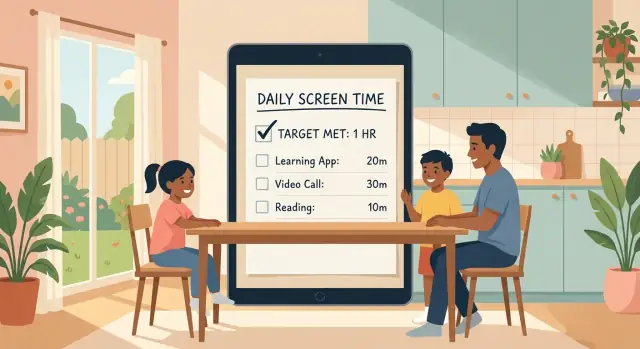
Use a screen time limit tracker for families to set a daily target, log minutes fast, and keep rules consistent without charts or complicated reports.
Most families don’t struggle because they don’t care. They struggle because real life is noisy. Work calls run late, dinner shifts, homework takes longer than expected, and screens become the easiest pause button when everyone’s tired.
A big issue is guessing. If no one knows what “today’s screen time” actually is, every decision turns into a debate. Kids feel like they’re being treated unfairly, and parents feel like they’re constantly saying no without a clear reason.
Rules also shift depending on the day and the adult in charge. One parent might allow an extra episode to keep peace while cooking, while the other sticks to the limit. Even small differences add up, and kids quickly learn to negotiate: “But you said yes yesterday.”
Another problem is that tracking tools often feel like homework. If a tracker looks like a dashboard full of charts, it gets used for two days and then forgotten. When tracking is hard, the family falls back to mood-based decisions.
Most of the mess comes from the same few situations:
The fix isn’t perfect control. It’s replacing guessing with one clear daily target and a tiny log, so expectations are predictable and arguments shrink.
A tracker works best when it tracks one clear goal, not every detail of what happened on every device. The point is to reduce arguments and make choices easier.
It helps to separate three things that often get mixed together:
When you measure screen time, pick a format that matches how your family thinks:
If you only choose one metric, choose something everyone can understand at a glance: “minutes used today” or “blocks used today.” Avoid tracking both minutes and sessions unless you truly need it.
A simple way to decide is to ask what causes the most conflict. If the fight is about the total amount, track minutes or blocks. If the fight is about frequent interruptions, track sessions for a week, then switch back to minutes once habits improve.
Example: If you set a 60-minute target, log four 15-minute blocks. When the fourth block is done, the decision is already made. You’re not negotiating every extra minute.
A daily target only works if it matches real life. Start small. Pick a number you can actually keep most days, and treat it as a family agreement, not a punishment.
Decide whether you want one target per child or one shared family target. Per-child targets usually feel fair when kids are different ages. A shared target can reduce scorekeeping if your kids tend to compare. If you go shared, be clear about how it splits (for example, each child gets a turn, or screens are only used together).
Next, choose when the day resets. This matters more than most people expect because it decides what happens after a late movie night or an early-morning cartoon. Pick one reset point and stick to it for at least two weeks so it becomes predictable.
Then define what counts before you start logging. If you leave it fuzzy, you’ll end up debating every day instead of tracking.
A simple definition many families use:
Example: If your target is 60 minutes after school, decide whether the bus ride video counts. If it does, it comes out of the same 60. If it doesn’t, write down that exception once so you’re not renegotiating it at 5 pm.
A tracker only helps if people actually use it. For most families, the fastest path is a tiny log that answers one question: how many minutes today, and what was it mostly for?
Start with just a few categories that are easy to tell apart, like learning, games, social, and TV. Don’t worry about perfect labels. If something feels like both learning and games, pick the one your child would pick and move on.
To keep logging to about 10 seconds, avoid typing and avoid totals-by-the-minute. Use quick adds like +5, +10, and +15 minutes. That way a parent can record time right after it happens, and kids can self-log without turning it into a debate.
A simple pattern that works:
Exceptions are where tracking usually breaks. Handle them with a single word tag and no lecture. “Travel”, “Sick”, and “Holiday” are enough. The goal is to keep the routine going, not to pretend every day is normal.
Example: It’s Tuesday, your child is home with a cold. They watch 30 minutes of TV in the morning and do 10 minutes of a reading app later. You log +30 under TV, +10 under learning, and tag the day “Sick”. No arguing about fairness, and no guilt later when you review the week.
If the log starts feeling like homework, it’s too complex. The best kids screen time log is the one that takes seconds and gives you clear, calm choices at the end of the day.
The fastest routine is the one that happens right after a screen session ends. If you wait until bedtime, people forget, totals get argued about, and the log stops.
Pick one place to log (a note on the fridge, a shared note, or a simple app). Then use the same three words every time: target, used, left. It keeps the conversation neutral and short.
Here’s a flow that takes about 30 to 60 seconds:
Roles matter, especially with younger kids. For ages 4 to 8, an adult should log. For ages 9 to 12, kids can say the minutes and the adult writes it. Teens can self-log, but keep the rule that logging happens immediately after the session, not later.
Example: Mia (7) watches 25 minutes after school. Dad logs “Target 60, used 25, left 35.” Later, Mia plays 15 minutes of a game. Dad adds it right away: “Used 40, left 20.” No chart, no debate.
The goal isn’t perfect accuracy. The goal is a tiny habit that stops arguments before they start.
A weekly reset keeps tracking useful without turning Sundays into a debate. Keep it short, calm, and predictable. Ten minutes is enough if you only answer a few clear questions.
Pick one consistent moment (for example, after dinner on Sunday). Everyone shares two things: what worked this week, and what felt unfair. “Unfair” might mean the target was too low on homework nights, or that one child got more time because their game “needed finishing.” Write those notes down, but don’t try to solve everything.
Make just one adjustment per week. That single rule prevents endless renegotiation and keeps kids from pushing for daily exceptions.
Simple changes that often help:
Weekends often break the system because the day feels wide open. Instead of tossing the rules, treat weekends as different, not looser. Keep the same daily target as a base, then add a weekend add-on that’s planned, not begged for.
Example: If weekdays are 90 minutes, keep 90 on Saturday and Sunday, then allow one extra 60-minute block on one weekend day only, chosen at the weekly reset. Kids know what to expect, parents stop negotiating in the moment, and the log stays simple.
Most families don’t quit because they don’t care. They quit because tracking starts to feel like homework. A simple system works when it stays easier than the arguments it’s trying to prevent.
If you try to log every app, every device, and every minute, you’ll fall behind by day two. Then the log feels “wrong”, so you stop using it. Keep it to one or two numbers that matter, like total minutes for the day, or minutes after homework.
A good rule: if you can’t update it in 10 seconds, it’s too detailed.
Nothing starts a fight faster than moving the goalposts. If a child hears “You have 90 minutes today,” and later it becomes “Actually, 60,” the tracker becomes the villain.
If you need to adjust, treat it as tomorrow’s change. For today, stick to what you set unless there’s a clear one-time exception you name out loud (like a long car ride).
A tracker is a tool, not a report card. Comments like “Look how bad this is” turn logging into something kids want to avoid or cheat.
Try language that guides instead:
If the log appears only during conflict, it becomes a punishment. Use it on calm days too, even if it’s just a quick note. That’s how it becomes a normal habit, not a threat.
Example: If Tuesday ends smoothly at 85 minutes, still log it. On Wednesday, when someone asks for “just 10 more,” you can point to the same simple process you used yesterday, not a new rule made in the moment.
A simple tracker works when it becomes a habit. This check takes about 20 seconds and keeps everyone on the same page without turning screen time into a daily debate.
Run it once in the morning (so the target is clear) and once in the evening (so the log stays honest). If you answer “no” to anything, fix it right away while it’s still small.
If logging is missing, make the log a single note on the fridge or a one-line entry in whatever you already use. If the target is unclear, say it out loud at breakfast: “Today you have 60 minutes after homework.”
The last question is the real peacekeeper: what happens when time is used up. For example, “When the timer ends, devices go on the charger, then you can pick music or a board game.” When everyone knows the next step, tracking feels like a routine, not a punishment.
Here’s a realistic weekday setup for a family with two kids who use screens for different reasons. Maya (10) likes games and videos. Leo (14) needs a laptop for homework and group chats. The parents want a system that feels fair, but doesn’t turn into daily negotiations.
They set one clear rule for school days: screens are allowed after school tasks are done, and the day ends with a short wind-down. The targets are simple: Maya gets 60 minutes of fun screen time, Leo gets 90 minutes, and schoolwork time is tracked separately so it doesn’t steal from their free time.
A weekday plan that works:
The key is logging in the moment, not at the end of the day. At 5:05, Maya starts a game, so a parent notes “Maya +15” right away. At 5:35, she switches to videos, and another “+15” goes in. By 6:00, everyone already knows where the total stands. That prevents the 8:30 pm surprise of “you’re already over,” which is where most arguments begin.
Small exceptions happen, and the plan stays calm because the exception is visible. For example, Leo has a math test and asks for 20 extra minutes on a study video after dinner. The parent logs it as “Leo +20 (study, one-time)” and says when they’ll talk about it: tomorrow at breakfast. The next morning, they decide whether to keep it as a rare exception or adjust the target for test weeks.
This only works when it still feels easy on your busiest days. The goal isn’t perfect numbers. It’s fewer surprises and fewer arguments.
Pick one moment each day when tracking happens automatically. Many families pair it with something they already do, like right after dinner or right before brushing teeth. If you miss a day, don’t “catch up” with guesses. Just restart tomorrow.
Decide in advance when targets change so it doesn’t turn into a debate. A simple rule helps: normal weeks use the normal target; special weeks use a preset “holiday” or “exam” target.
To handle target changes without negotiating every day:
Rewards can help, but only when they support habits. Tie rewards to actions you want to see (starting homework on time, putting phones away at bedtime), not to winning a fight or squeezing in extra minutes. Keep rewards small and predictable, like choosing the family movie on Friday.
Sustainable beats strict. If your plan fails twice in a week, it’s usually too hard or too unclear. Make one tiny change: raise the target by 10 minutes, simplify the log, or remove one exception. Consistency builds trust, and trust is what makes the rule feel fair.
A tracker helps most when your rules are clear but follow-through is messy. The sweet spot is a shared view (so everyone sees the same number), a fast way to log time (one tap or one short entry), and gentle reminders at the moments you usually forget (after school, after dinner, before bed).
Start by building the smallest version you’d actually use every day. If it needs charts, categories, and reports, it will get skipped the first busy week.
A basic tracker can be as simple as:
Keep the log honest, not perfect. If Maya used 20 minutes on a school app and 30 minutes on games, you can log “50 minutes” and note “mix of school + games.” The point is fewer arguments, not courtroom-level detail.
If you want to create a lightweight tracker yourself, a small web or mobile app is enough. With Koder.ai (koder.ai), you can describe what you want in plain language (daily target, quick log button, notes, weekly review) and generate a first version, then adjust it in small steps. Snapshots and rollback can help if a change makes logging slower, because you can return to the last simple version quickly.
Aim for a tool that takes 10 seconds to update. If it can’t do that, make it smaller.
Start with one clear daily target and one place to log it. When everyone can see “used” and “left,” most arguments shrink because you’re not relying on memory or mood.
A good default is to track total entertainment time, not every app or device. Include TV, videos, games, and social; exclude school-required work and family video calls unless they turn into browsing.
Pick blocks if you keep fighting over “two more minutes.” Fifteen-minute chunks are a strong default because they’re easy to add quickly and they reduce tiny negotiations.
Set one reset time and keep it for at least two weeks. Midnight works for many families, but “wake-up time” or “after breakfast” can work better if early-morning screens are the main issue.
Keep the log so simple it takes about 10 seconds: add a chunk, update what’s left, move on. If you need to type a lot or do math later at night, the system usually collapses within a week.
Set the target in the morning and don’t change it mid-day. If you need an exception, name it once (“travel” or “sick”) and log it, then decide later if it should change tomorrow’s target.
Use one shared target per child and keep the same rules no matter the device. The consistent rule is what prevents loopholes like “tablet doesn’t count” or “TV is different.”
For younger kids, an adult should log right after each session. For pre-teens, let the child say the minutes while the adult writes it; for teens, self-logging can work if it still happens immediately, not at bedtime.
Do a 10-minute check-in once a week and change only one thing. A steady “one-change rule” keeps you from renegotiating every day and helps kids trust that rules won’t swing around.
Build the smallest version you’d actually use every day: a daily target, quick add buttons, a short note field, and a simple weekly review. If you build it with Koder.ai, keep asking for fewer taps and fewer screens until logging feels effortless, and use snapshots to roll back if a change makes it slower.