

Dec 21, 2025·8 min
Scorekeeping app for pickup games: simple score + stats
Build a scorekeeping app for pickup games that tracks score, fouls, and a few stats, then shares a clean recap to your group in seconds.
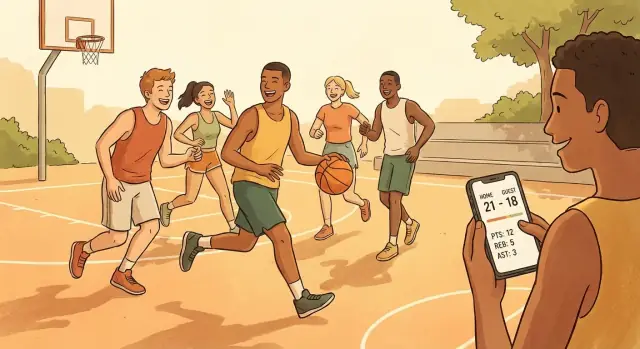
Build a scorekeeping app for pickup games that tracks score, fouls, and a few stats, then shares a clean recap to your group in seconds.
Pickup games are casual, but the score still matters. People want to know who won, what it ended at, and enough context to feel the game was fair. When nobody is sure whether it was 11-9 or 12-10, the fun turns into a debate.
Most pickup scorekeeping fails in predictable ways. One person tries to remember everything, then gets subbed out. Someone else starts counting makes while another counts possessions. A note gets typed into a phone, but it’s missing who played, which court, or whether you were playing win-by-2. Five minutes later, half the group is already walking to their cars.
A score tracker for pickup games doesn’t need to feel like a league system. “Good enough” tracking for casual runs usually means a clear score that updates in one tap, team names or colors that match what people see on the court, a simple way to note who was on each team, and a short recap you can share after the game.
That’s it. If you add too many stats, you slow the game down and people stop using it.
Lightweight also beats the tools people try to use today. Spreadsheets are awkward on a phone and take too long to update mid-play. A group chat message like “We won 11-8” gets buried, and it never includes the basics like teams, date, or a quick highlight.
Picture a tight 3v3 where the last two points were disputed. If you can show a clean timeline of scoring and the final score within seconds, the argument ends. Everyone gets a quick recap, and you get back to playing instead of replaying the game from memory.
A pickup score app fails when it tries to do everything. For casual runs, the win is simple: one person can keep a clean score, capture a few moments, and send a recap that everyone trusts.
Start by picking one sport and one repeatable format. “Basketball, half-court, first to 21, 1s and 2s” is a clear start. “All sports, any rules” usually turns into too many screens and confusing options.
Next, decide who actually uses the app during play. In most groups, a single scorekeeper works best. Everyone else is running, arguing calls, and forgetting to tap buttons. If you allow multiple phones, keep it to one shared game code and one source of truth, or you’ll spend the whole time fixing mismatched scores.
Make the sharing destination part of the product. People don’t want a fancy feed. They want a short recap they can paste into the same place they already talk.
A tight scope looks like this:
Keep the goal simple: accurate score, plus just enough to answer “who scored, who hit the game-winner, and what was the final?” If you’re prototyping, tools like Koder.ai can help you turn that narrow scope into a working test build quickly, before you add anything extra.
The best feature is the one that gets used while people are tired and in a hurry. Start with a tiny set of fields that make the game easy to run and the recap easy to share.
Capture the basics that give context later: two team names (or colors), a short player list, the game date/time, and a location nickname like “South Park Court” or “Gym A.” Don’t overthink identity. For pickup, first names or nicknames are usually enough.
For scoring, keep actions fast: +1, +2, +3, and Undo. Undo matters because pickup games are loud, and someone will call out “that was a two” after you already tapped three. A single-tap undo (or tap-to-edit last play) prevents arguments and keeps the game moving.
Only track what people naturally remember and talk about right after the game. For most runs, this is enough:
Notice what’s missing: shot charts, turnovers, blocks, steals, plus/minus. They sound fun, but they slow down the person holding the phone, and they’re hard to record honestly.
If your group rotates players, add one optional feature: a “next game” queue or simple substitutions. Keep it lightweight: select who’s in, who’s out, and who’s waiting. If it takes more than a couple taps, it won’t get used.
A practical example: in a Saturday 3v3, you can run the whole game with just score taps and occasional rebounds/assists. At the end, your recap has the final score, who played, and a few stats that feel real.
If you’re building this quickly (for example, prototyping in Koder.ai), lock the core fields and scoring first, then test in one real run before adding anything else.
A pickup game UI has one job: let someone update the score in two seconds, without thinking. If it takes a lot of taps, small targets, or typing, it’ll get ignored after the first couple possessions.
Start with input that works one-handed. Big buttons, high contrast, and a layout that keeps the two teams separate cuts down on mistakes. Put the most common action (add points) in the same place every time, and make Undo obvious and instant. People will mis-tap when they’re sweaty or jogging back on defense.
Offline-first matters more than it sounds. Basements, parks, and school gyms often have weak signal. The app should keep running, save locally, and sync later if you have accounts.
Keep player selection fast too. When someone subs in, you should be able to pick them from a short recent list and a nickname, not scroll a directory. Better yet, let the game run even if you skip assigning a stat to a specific player.
UI choices that tend to work on-court:
If you’re prototyping, tools like Koder.ai can help you generate a working React or Flutter UI quickly, so you can test it on-court and fix what feels slow before you add anything extra.
A good pickup score tracker should feel like a quick routine, not a chore. The whole flow can fit into a few taps, even when you’re breathing hard.
Pick the two teams and choose how the game ends: first to a target score (like 11 or 21), or a time limit (like 12 minutes). If your group plays win-by-2, make that a simple toggle.
Pull from a recent list so you can add people with one tap. When someone new shows up, let you type a name and move on. Avoid accounts and profiles for this step unless the group asks for it.
A fast pattern is: tap the player, tap the action, and the app updates the team score automatically.
To keep it consistent, limit actions to a small set, such as made shot (2 or 3), free throw, foul (optional), and turnover (optional).
Mistaps happen. Make “Undo last” big and instant. Also allow editing a single play (change scorer or points) and a last-resort “Adjust score” that leaves a note like “+1 correction.”
When the game ends, lock the results so the score can’t accidentally change in someone’s pocket. Then show a clean recap: final score, top scorers, and any stats you tracked.
Example: you finish a quick 21-point run, hit End Game, and the app produces a shareable summary on one screen, ready to copy into a message.
It’s Saturday, you’ve got 6 people, and you’re playing 3v3 to 21, win by 2. One person volunteers to keep score on their phone. The goal is simple: nobody argues later, and you can share a clean recap.
Before the first check, the scorekeeper creates “Park 3v3” and picks Team Black and Team Gray. They add player names like Jay, Marco, Eli, Sam, Chris, and Devin. Tip: use short names so you can tap fast.
A few possessions in, Jay hits a two from the wing off a quick dish from Marco. In a good pickup scorekeeping app, that play is two quick steps:
No typing, no extra screens. The app bumps the team score automatically and adds the stat to the right player.
Mid-game, a mistake happens. The scorekeeper accidentally taps Eli instead of Devin for a made one. Instead of digging through menus, they hit Undo once, then re-log it correctly: tap Devin, tap “1PT”. The score stays trustworthy, and nobody has to pause the game.
At 21-19, Team Black scores again to make it 22-19 and wins by 2. The recap screen is ready right away: final score, top scorer, team totals, and quick fouls (if you tracked them).
The share message should be short and readable, like:
One tap sends that summary to the group, so everyone gets the same result without a long back-and-forth.
Most people want the outcome, not a novel. The app should make it easy to share a recap that fits on one screen and doesn’t trigger a flood of replies.
Keep the default recap short and predictable. One clean message is usually enough: date and location label (optional), final score, a few key stats (points, assists, rebounds, or makes), the rules format (timed vs first to 21), and an optional next-game note.
Then offer details only for the people who care. A simple “player box score” view works well because it answers the common arguments fast (who scored, how much, and what else they did) without forcing everyone to read it.
| Player | PTS | AST | REB |
|---|---|---|---|
| Sam | 9 | 2 | 4 |
| Jordan | 6 | 3 | 2 |
| Lee | 4 | 1 | 5 |
Sharing should be flexible. Let users copy a plain-text recap so it works in any chat app, even when someone has notifications muted or uses a different phone. Example:
“Sat 3v3 (Jan 21): Black 21, Red 17. Sam 9 pts, Jordan 3 ast, Lee 5 reb.”
An optional shareable image recap can be nice too: a simple card with the score, date, and 2-3 highlights. Keep it optional, because images can feel noisy in a busy group chat.
Finally, add a correction flow. Pickup games are messy, and people will disagree. Keep it calm: allow a “request edit” with a short note, or mark a stat as disputed so the recap can say “score confirmed, assists disputed” instead of starting an argument.
A scorekeeping app only works if it stays out of the way. If it makes the game stop, people abandon it and go back to arguing about the score.
The biggest trap is trying to turn a casual run into a full stat system. The best feature is speed: tap, confirm, keep playing.
Mistakes that usually cause friction:
A small example: you tap the wrong team for a 2-pointer, then the game moves fast. If the only way to fix it is digging through menus, you won’t do it. A simple “Undo last action” button and a clear event log solves most of this.
Also decide how ties work before the first check. If your group plays to 21 win-by-2, show “20-20, win by 2” on the scoreboard so nobody has to debate it mid-game.
A pickup scorekeeping app succeeds or fails on tiny moments: you’re tired, someone is arguing a point, and you have one hand on your phone.
Hand your app to someone who has never seen it. If they can’t start a new game fast, they won’t use it next week.
If you fail any of these, fix them before you add more stats. Speed matters more than polish.
Test the messy parts: bad reception, bright sun, and post-game chaos. Keep the recap and sharing simple so it feels helpful, not like homework.
One more check: play a full game using only the app, then try to share results. If the recap is clean, you should be able to copy it into a message without spamming the group chat.
If you’re prototyping quickly, tools like Koder.ai can help you turn this checklist into a working test build fast, so you can try it during a real run instead of guessing at your desk.
A pickup game is casual. Your scorekeeping should be too, including how you handle data. Most people trust a pickup score tracker more if it works without sign-ups and keeps everything private by default.
Start with the simplest option: store games on the phone. If someone logs a 3v3 at the park, they shouldn’t wonder where that info went, or who can see it.
If you later add accounts (for syncing across devices or sharing recaps), be plain about what you save and why. “We store your games so you can access them on a new phone” is clear. “We collect data to improve the experience” is vague and makes people nervous.
A few choices do most of the work:
If you do host game history, plan where it lives. Some groups prefer data to stay in a specific country for privacy rules at work or school. Platforms that let you choose where the app runs can help. For example, Koder.ai deployments can run in different countries on AWS, which makes it easier to align with data residency needs.
Keep the mindset simple: track just enough to be useful, and keep everything else out.
Start smaller than you think. Pick one sport, one scoring mode, and one recap screen. If your first version can start a game, add points fast, and end with a clean summary, you’re already ahead of most “feature-rich” apps.
Build a prototype you can use with sweaty hands and a loud court. That means big buttons, almost no typing, and a way to undo the last tap. Save the fancy stuff for later.
A simple first test that works well is to ask two friends to scorekeep the same run, separately, on their own phones. After the game, compare results. Where did they disagree? Where did they hesitate? Those moments are your real product roadmap.
A practical way to run that first week of testing:
If you want to move fast on the build, Koder.ai (koder.ai) can help you chat your way to a working app, whether you start with a React web version or a Flutter mobile version later. If you need accounts, it can also generate a Go backend with PostgreSQL, and you can export the source code when you’re ready to own it.
The goal of your first prototype isn’t to impress. It’s to survive a real pickup game without slowing anything down, and to produce a recap people actually want to share.
Start with a single clear format, like one sport and one default ruleset. That keeps the screens simple and makes the app usable mid-play. Add more formats only after you’ve tested that the basic flow works on a real court.
Use one scorekeeper as the default. It avoids mismatched scores and constant “who’s right?” debates. If you add multiple phones later, make sure there’s one source of truth and an easy handoff so the score doesn’t fork.
Track the minimum that settles common arguments: team score, who played, and a few basic stats people actually talk about right after the game. In most groups that means points plus optional rebounds, assists, and fouls, because they’re quick to log and easy to trust.
Make scoring a one-tap action with a big, obvious Undo that reverses the last event immediately. People will mis-tap when they’re tired or the gym is loud, and a fast correction keeps the game moving without a debate.
Design for one-handed use with large targets and high contrast, and keep the main screen focused on scoring. If the scorekeeper has to type or hunt through menus, they’ll stop using it after a few possessions.
Build it to work offline and save locally first, then sync later if you add accounts. Parks, basements, and school gyms often have bad reception, and the app shouldn’t fail just because the signal drops.
Default to a short plain-text recap that fits in one message: teams, final score, the rules format, and one or two highlights like top scorer. Make deeper details optional so the group chat doesn’t turn into spam.
Keep the basic flow flexible by treating substitutions and queues as optional, not required. A simple “who’s in” and “who’s waiting” works if it takes only a couple taps; anything more tends to get ignored in real games.
Make privacy simple: no sign-up required, nicknames are fine, and games stay on the device by default. If you add cloud sync, be clear about what gets stored and provide an easy way to delete a game and clear history.
Prototype the narrow flow first: start game, add points fast, undo, end game, generate recap. Tools like Koder.ai can help you build a quick React or Flutter prototype and, if needed later, a Go backend with PostgreSQL, so you can test on-court before expanding features.