

Aug 07, 2025·8 min
Restaurant Websites That Convert: Menu, Ordering & SEO Basics
Learn the essentials for restaurant websites that drive orders and bookings: menu structure, fast mobile pages, clear CTAs, and local SEO basics.
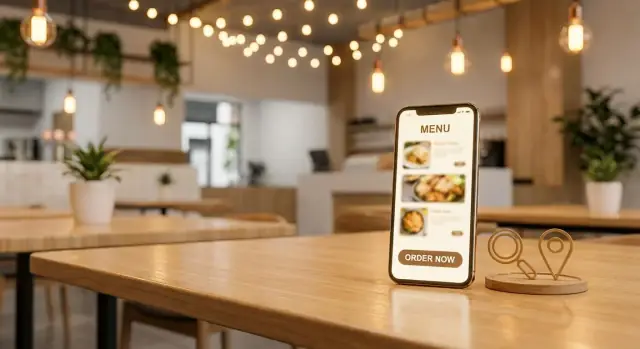
Learn the essentials for restaurant websites that drive orders and bookings: menu structure, fast mobile pages, clear CTAs, and local SEO basics.
A “conversion” isn’t always a credit-card checkout. For restaurants, it’s any action that moves someone from “thinking about dinner” to “I’m doing it.” The first step is choosing your primary goal—because your homepage, buttons, and even your SEO snippets should all point to that one outcome.
Most restaurants fit into one of these primary goals:
You can still support the others, but avoid treating every action as equal. If online ordering is your main revenue driver, it should visually win.
Think in terms of intent:
Designing for both usually increases conversions without adding complexity.
Before someone scrolls, they should be able to find:
Choose 2–4 simple metrics to track monthly:
Once these are defined, every website change becomes easier to evaluate: did it increase the actions that matter?
Your homepage has one job: help hungry people take the next step in seconds. That usually means ordering, reserving, or calling—before they scroll, before they think, and definitely before they bounce.
Treat your top actions as persistent buttons (especially on mobile): Order Online, Reserve, and Call. A sticky header or bottom bar works well because the actions stay available while people skim photos or check details.
Use clear, literal labels. “Learn more” forces extra thinking; “Order Online” tells people exactly what happens next. If you offer delivery and pickup, consider a simple split button or a short chooser (Pickup / Delivery) instead of sending visitors into a maze.
Near the top of the page, include:
This reduces friction for guests deciding whether to come now or later, and it helps locals confirm you’re the right spot without digging through the site.
People decide quickly if you fit their needs. Add a compact “at a glance” line near the hero area or under the main buttons:
These details prevent mismatched clicks and increase the quality of visits—fewer “maybe” visitors, more people ready to order or book.
Your homepage doesn’t need everything. A simple structure often converts best:
If someone can’t find your menu or ordering in the first few seconds, they’ll find another restaurant instead.
Your menu page is usually the most-visited page on a restaurant site—and often the moment a visitor decides to order, book, or bounce. A “pretty” menu isn’t enough; it has to be fast to scan, easy to understand, and readable by search engines.
People don’t read menus online like a brochure. They hunt.
Use clear sections (Starters, Mains, Desserts, Drinks) and add quick jump links at the top. On mobile, a sticky category bar (that stays visible as someone scrolls) helps guests move instantly to what they want—especially for larger menus.
Small UX details matter here: keep item names left-aligned, prices easy to spot, and spacing consistent. If you run weekly specials, place them near the top of the relevant category instead of hiding them in a separate PDF.
Search engines can’t reliably “understand” a menu that’s only an image or a PDF, and neither can many assistive technologies.
Publish your menu as real HTML text. You can still design it beautifully, but the content should be selectable, searchable, and accessible. This improves menu SEO, helps your items show up for searches like “gluten-free pizza near me,” and makes it easier for guests to share items with friends.
Missing prices are a conversion killer. Add clear pricing, short descriptions that explain what makes the dish appealing, and simple dietary tags such as:
Keep tags consistent and don’t overdo icons—clarity beats decoration.
If you have signature dishes or high-margin items, give them a gentle nudge: “House Favorite,” “Chef’s Special,” or a small visual accent. Avoid shouting with giant badges everywhere; one or two highlights per section is usually enough.
Some guests still want a printable menu. Provide a “Print menu” option, but don’t replace your main menu with a download. The primary menu should stay in-page as text so both people and Google can read it.
Online ordering is where “I’m hungry” turns into revenue—so the flow has to feel immediate and predictable. The goal is simple: get people from your homepage (or menu) to a ready-to-order screen with as little decision fatigue as possible.
You typically have three options:
Whatever you choose, make the entry point unmistakable: a primary Order Online button that goes directly to the ordering destination—not to a general menu page.
If you have multiple locations, don’t make guests repeat themselves. From the first click, try to:
A practical rule: if someone has to click more than once after “Order Online” before they can add an item, you’re leaking orders.
Many drop-offs happen at the “how do I get it?” moment. Place Pickup and Delivery choices near the top, styled like big buttons, and keep the language consistent across your site and the ordering experience.
If delivery is through a partner, label it clearly (e.g., “Delivery via DoorDash”). Surprises feel like friction.
If your ordering experience includes third-party service fees, small-order fees, or delivery surcharges, show that early—before checkout. A short note like “Delivery fees set by delivery partner” near the delivery toggle reduces abandoned carts and angry calls.
Ordering pages break, stores close early, and POS integrations go down. Build in a simple fallback:
This keeps the guest moving forward—even when the ideal path isn’t available.
A call to action (CTA) is the “next step” you’re asking a hungry visitor to take. On restaurant sites, the best CTAs are simple: Order online, Reserve a table, or Call. If you make that decision for people (instead of offering five competing options), more of them will follow through.
Each core page should have a single main goal:
Secondary links (gift cards, catering, events) can exist—just don’t let them visually compete with the primary button.
People decide after they’ve seen something reassuring. Place the CTA again right after key sections like:
This reduces scrolling back up and keeps momentum.
Most restaurant traffic is on phones, so your CTAs should be:
A tiny line under the button can answer the question that stops the click:
Avoid pop-ups that cover the menu or CTA—especially on mobile. If you must announce something (holiday hours), use a slim banner that can be dismissed and doesn’t interrupt ordering.
If a guest is ready to order, book, or walk in, your website shouldn’t make them work to answer basic questions. The “where are you, are you open, and how do I reach you?” details are often the last step before a conversion—and also the easiest place to lose someone.
If you have more than one spot, don’t cram everything into a single footer line. Create a dedicated page (or at least a clearly separated section) for each location with its own:
These pages also help with local SEO for restaurants because they make it obvious to both people and Google which location matches their intent.
NAP means Name, Address, Phone. Use the exact same formatting across your site (header/footer, location pages, contact page) and match what you use in your Google Business Profile and other listings. Small differences like “St.” vs “Street” can create confusion for directories and search engines.
Add an embedded map on each location page, but don’t stop there. Include a prominent “Get Directions” link that opens the user’s map app—especially important on a mobile-friendly restaurant site.
If you want to go one step further, add a short “Finding us” paragraph:
List hours per location in a scannable format and keep them current. Add holiday updates (or a note like “Holiday hours may vary—check here for updates”) and include service-specific hours if they differ (brunch vs dinner, delivery vs dine-in).
Provide one-tap phone links and a simple contact method for non-urgent needs (email or a short form). If you take reservations, make the reservation button as visible as the ordering button—and keep both consistent across the site so guests don’t have to re-learn where to click.
Local SEO is what helps nearby guests find you when they search “tacos near me” or “best brunch in your neighborhood.” The goal is simple: make it easy for Google (and people) to understand where you are, what you serve, and how to order or book.
Your Google Business Profile is often the first “website” guests see. Make sure the basics are accurate and complete:
On your homepage, location page, and key menu/ordering pages, include the city and neighborhood in a way that reads naturally:
“Wood-fired pizza in Ballard, Seattle” works better than repeating “Seattle pizza restaurant” ten times. Add details that build relevance: nearby landmarks, delivery radius, or “near [street/area].”
Adding Restaurant schema helps search engines understand your hours, location, and menu. If you have dedicated pages, you can also mark up:
Actively ask happy guests to leave reviews after a visit or pickup, but don’t offer incentives. On your site, link to a simple /reviews page (or your contact page) that points people to the platforms you care about.
If you offer catering or private dining, give them their own pages (e.g., /catering and /private-dining). These searches are often high-value—and a dedicated page can rank far better than a single paragraph buried on the homepage.
Most restaurant customers hit your site from a phone—often while walking, driving (as a passenger), or deciding “right now.” If the page feels cramped, slow, or confusing, they won’t browse. They’ll bounce and pick the next option.
A mobile-friendly restaurant site is less about fancy design and more about comfort and clarity:
Slow pages quietly kill orders. A few practical moves usually make the biggest difference:
If you must feature big photography, load it thoughtfully so the menu and buttons appear first.
Don’t only test on office Wi‑Fi and a new phone. Check the site on:
Open the homepage and ask: “Can I order within 5 seconds?” If not, simplify.
Every extra field is a reason to quit. For reservation or catering inquiries, keep forms lean—typically:
Name, phone/email, date/time, party size.
Anything else can be handled after the initial confirmation. The goal is to capture intent while it’s hot.
On-page SEO is the part you control: what your pages are called, how they’re organized, and whether Google can understand them. For restaurant sites, a few small fixes on the Home, Menu, and Locations pages can noticeably improve visibility—without adding “blog work.”
Treat your title tag like your page’s headline in Google. Keep it specific and location-aware where it helps.
For meta descriptions, don’t keyword-stuff—sell the click with what people want: ordering, reservations, popular items, and hours.
Clean URLs build trust for users and reduce confusion for search engines.
Use simple, predictable paths like:
Then link to them consistently in your header and within page copy (for example, a short “Order online” line near the top of /menu that points to /order). This helps both navigation and SEO.
Alt text is primarily for accessibility, but it also gives context to search engines.
Keep it short and descriptive:
Avoid stuffing keywords or repeating the same alt text across multiple images.
A common SEO problem: the same menu appears on multiple URLs (PDF, “menu” page, third-party embeds, seasonal pages). Pick one primary menu page (usually /menu).
If you must have a PDF, link to it from /menu, but don’t let it compete as a separate “main menu” page. Also avoid creating near-identical pages like /menu-lunch and /lunch-menu unless the content is genuinely different.
Make it easy for Google to find your pages:
If you do only one thing here: make sure /menu, /order, and /locations are indexable, fast, and clearly linked from your homepage.
Great photos and believable proof do more than look nice—they answer the questions that stop people from ordering or booking.
Use a small set of high-quality, real photos that show what guests will actually get. A strong hero dish on the homepage helps first-time visitors decide quickly, but don’t stop there.
Aim to include:
Keep key info near photos—people shouldn’t have to scroll for basics. If you have a homepage gallery, pair it with your cuisine type, address, and today’s hours, plus direct buttons like /order or /reservations.
Reviews work best when they’re specific. Pick a few short testimonials that mention something real (a dish, fast pickup, service, atmosphere). Avoid editing quotes into marketing copy—use them accurately, with the source (Google, Yelp, or a guest name if you have permission).
If you have press mentions or awards, display them modestly (logos or a single line) so they support the decision without distracting from ordering.
Be clear about policies in plain language, especially where people decide to book or buy:
Clarity builds confidence—and confident visitors click.
Good restaurant content isn’t about becoming a publisher. It’s about giving past guests a reason to come back—and making it easy for new guests to decide faster.
Build a simple /offers page that you can edit without touching your design. Keep it flexible: a few cards with a title, short description, and an end date.
Examples that work:
Add a clear button on each offer: Order Now (link to your ordering page) or Reserve (link to your reservations page). This page also becomes a handy link for social posts and email campaigns.
If you host live music, tastings, holiday prix-fixe menus, or pop-ups, create an event page per event (or per recurring series). Include: date, start/end time, location, cover/ticket info, and what guests can expect.
Most importantly, place the conversion action near the top:
When the event ends, either remove it or mark it as “Past” and link to upcoming dates.
Add a short signup form in your footer and on /offers. Promise something specific: “Get weekly specials,” “Be first to know about tastings,” or “Early access to holiday reservations.”
Keep it minimal (email only), and link to a simple /privacy page.
You don’t need long blogs. Post short updates like seasonal menu changes, a chef note, or a community event you’re supporting. One photo and 100–200 words is enough.
At the end of each post or event page, add a relevant CTA: “Order the new ramen special” or “Reserve for Friday jazz night.” Content should always point back to the action you want guests to take.
A restaurant website isn’t “done” when it’s published. The best converting sites get small, regular tweaks based on what guests actually do—especially on mobile.
Set up analytics events for the actions that map to revenue and foot traffic:
In GA4, these can be simple click events. If your ordering tool lives on another domain, you still want to measure the exit clicks so you can compare performance across pages and campaigns.
If you send people to a third‑party platform (ordering, reservations, gift cards), add UTM tags to your website links so you can see which page drove the visit.
Example (format only):
/order?utm_source=website&utm_medium=button&utm_campaign=order_online
Keep a small doc with your standard UTMs so they stay consistent.
In Google Search Console, review:
If your menu page gets impressions but few clicks, improve the title/meta description. If it gets clicks but few orders, your calls to action may need work.
Test one change at a time for 2–4 weeks: CTA text (“Order pickup” vs “Order now”), button color, or hero layout. Make a note of what you changed and the date.
If you’re iterating quickly, tools and workflows matter. Platforms like Koder.ai can help teams prototype and ship restaurant website changes faster (for example, adjusting CTA placement, rebuilding /menu as real text, or adding location pages) via a chat-driven build flow—then roll back safely using snapshots if a test underperforms.
Put a monthly reminder on the calendar to verify menu accuracy, hours, and phone number—and schedule a separate check for holiday hours and special closures. Consistency prevents avoidable drop-offs.
For restaurant sites, a conversion is any action that moves a visitor closer to buying or visiting—like tapping Order Online, booking a table, calling, or getting directions.
Pick one primary conversion (the one most tied to revenue) and design the homepage and navigation to make that action the easiest next step.
Choose the action that most directly drives revenue for your business model:
Then set a clear secondary goal, but don’t let it visually compete with the primary button.
Above the fold (before scrolling), visitors should immediately see:
New visitors need reassurance fast:
Returning visitors want shortcuts:
PDF/image-only menus hurt both usability and SEO. Real HTML text menus are:
If you want, offer a printable option—but keep the main menu as text on /menu.
Aim for one click from Order Online to an ordering-ready screen.
Practical improvements:
Create a dedicated page (or clearly separated section) for each location with:
Also keep your NAP (Name, Address, Phone) formatting consistent across the site and your Google Business Profile to reduce confusion and improve local SEO.
Start with the basics:
These steps help Google understand what you serve, where you are, and which page to show for high-intent searches.
Focus on speed and thumb-friendly actions:
Test on real cellular conditions—not just office Wi‑Fi—to catch slow menu and ordering pages.
Track actions that map to revenue and visits:
If you send users off-site (ordering/reservations), add UTM tags to your buttons so you can compare which pages and campaigns drive the most intent. Then make one change at a time and review monthly.
If someone can’t confirm “Are you open?” and “Can I order/book right now?” quickly, they’ll leave.
Design for both by keeping primary actions persistent and details easy to scan.