

Aug 21, 2025·8 min
PostgreSQL LISTEN/NOTIFY: When It’s Enough for Live Updates
PostgreSQL LISTEN/NOTIFY can power live dashboards and alerts with minimal setup. Learn where it fits, its limits, and when to add a broker.
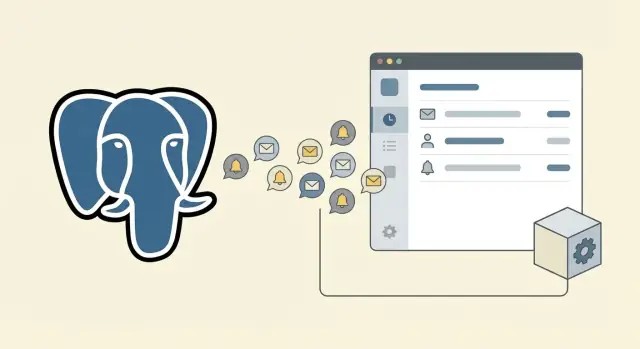
PostgreSQL LISTEN/NOTIFY can power live dashboards and alerts with minimal setup. Learn where it fits, its limits, and when to add a broker.
“Live updates” in a product UI usually means the screen changes soon after something happens, without the user refreshing. A number increments on a dashboard, a red badge appears on an inbox, an admin sees a new order, or a toast pops up that says “Build finished” or “Payment failed”. The key is timing: it feels instant, even if it’s actually a second or two.
Many teams start with polling: the browser asks the server “anything new?” every few seconds. Polling works, but it has two common downsides.
First, it feels laggy because users only see changes on the next poll.
Second, it can get expensive because you’re doing repeated checks even when nothing changed. Multiply that by thousands of users and it turns into noise.
PostgreSQL LISTEN/NOTIFY exists for a simpler case: “tell me when something changed.” Instead of asking over and over, your app can wait and react when the database sends a small signal.
It’s a good fit for UIs where a nudge is enough. For example:
The tradeoff is simplicity vs guarantees. LISTEN/NOTIFY is easy to add because it’s already in Postgres, but it’s not a full messaging system. The notification is a hint, not a durable record. If a listener is disconnected, it might miss the signal.
A practical way to use it: let NOTIFY wake your app up, then have your app read the truth from tables.
Think of PostgreSQL LISTEN/NOTIFY as a simple doorbell built into your database. Your app can wait for the bell to ring, and another part of your system can ring it when something changes.
A notification has two parts: a channel name and an optional payload. The channel is like a topic label (for example, orders_changed). The payload is a short text message you attach (for example, an order id). PostgreSQL doesn’t enforce any structure, so teams often send small JSON strings.
A notification can be triggered from application code (your API server runs NOTIFY) or from the database itself using a trigger (a trigger runs NOTIFY after an insert/update/delete).
On the receiving side, your app server opens a database connection and runs LISTEN channel_name. That connection stays open. When a NOTIFY channel_name, 'payload' happens, PostgreSQL pushes a message to all connections listening on that channel. Your app then reacts (refresh cache, fetch the changed row, push a WebSocket event to the browser, and so on).
NOTIFY is best understood as a signal, not a delivery service:
Used this way, PostgreSQL LISTEN/NOTIFY can power live UI updates without adding extra infrastructure.
LISTEN/NOTIFY shines when your UI only needs a nudge that something changed, not a full event stream. Think “refresh this widget” or “there’s a new item” rather than “process every click in order.”
It works best when the database is already your source of truth and you want the UI to stay in sync with it. A common pattern is: write the row, send a small notification that includes an ID, and have the UI (or an API) fetch the latest state.
LISTEN/NOTIFY is usually enough when most of these are true:
A concrete example: an internal support dashboard shows “open tickets” and a badge for “new notes.” When an agent adds a note, your backend writes it to Postgres and NOTIFYs ticket_changed with the ticket ID. The browser receives it over a WebSocket connection and refetches that one ticket card. No extra infrastructure, and the UI still feels live.
LISTEN/NOTIFY can feel great at first, but it has hard limits. Those limits show up when you treat notifications like a message system instead of a light “tap on the shoulder.”
The biggest gap is durability. A NOTIFY is not a queued job. If nobody is listening at that moment, the message is missed. Even when a listener is connected, a crash, deploy, network hiccup, or database restart can drop the connection. You won’t automatically get the “missed” notifications back.
Disconnects are especially painful for user-facing features. Imagine a dashboard that shows new orders. A browser tab sleeps, the WebSocket reconnects, and the UI looks “stuck” because it missed a few events. You can work around this, but the workaround is no longer “just LISTEN/NOTIFY”: you rebuild state by querying the database and using NOTIFY only as a hint to refresh.
Fan-out is another common issue. One event can wake up hundreds or thousands of listeners (many app servers, many users). If you use one noisy channel like orders, every listener wakes up even if only one user cares. That can create bursts of CPU and connection pressure at the worst time.
Payload size and frequency are the final traps. NOTIFY payloads are small, and high-frequency events can stack up faster than clients can handle.
Watch for these signs:
At that point, keep NOTIFY as a “poke,” and move the reliability to a table or a proper message broker.
A reliable pattern with LISTEN/NOTIFY is to treat NOTIFY as a nudge, not the source of truth. The database row is the truth; the notification tells your app when to look.
Do the write inside a transaction, and only send the notification after the data change is committed. If you notify too early, clients can wake up and not find the data yet.
A common setup is a trigger that fires on INSERT/UPDATE and sends a small message.
NOTIFY dashboard_updates, '{\"type\":\"order_changed\",\"order_id\":123}'::text;
Channel naming works best when it matches how people think about the system. Examples: dashboard_updates, user_notifications, or per-tenant like tenant_42_updates.
Keep the payload small. Put identifiers and a type, not full records. A useful default shape is:
type (what happened)id (what changed)tenant_id or user_idThis keeps bandwidth down and avoids leaking sensitive data into notification logs.
Connections drop. Plan for it.
On connect, run LISTEN for all needed channels. On disconnect, reconnect with a short backoff. On reconnect, LISTEN again (subscriptions don’t carry over). After reconnect, do a quick refetch of “recent changes” to cover missed events.
For most live UI updates, refetching is the safest move: the client receives {type, id} then asks the server for the latest state.
Incremental patching can be faster, but it’s easier to get wrong (out-of-order events, partial failures). A good middle ground is: refetch small slices (one order row, one ticket card, one badge count) and leave heavier aggregates on a short timer.
When you move from one admin dashboard to many users watching the same numbers, good habits matter more than clever SQL. LISTEN/NOTIFY can still work well, but you need to shape how events flow from the database to browsers.
A common baseline is: each app instance opens one long-lived connection that LISTENs, then pushes updates to connected clients. This “one listener per instance” setup is simple and often fine if you have a small number of app servers and you can tolerate occasional reconnects.
If you have many app instances (or serverless workers), a shared listener service can be easier. One small process listens once, then fans out updates to the rest of your stack. It also gives you one place to add batching, metrics, and backpressure.
For browsers, you typically push with WebSockets (bidirectional, great for interactive UIs) or Server-Sent Events (SSE) (one-way, simpler for dashboards). Either way, avoid sending “refresh everything.” Send compact signals like “order 123 changed” so the UI can refetch only what it needs.
To keep the UI from thrashing, add a few guardrails:
Channel design matters too. Instead of one global channel, partition by tenant, team, or feature so clients only receive relevant events. For example: notify:tenant_42:billing and notify:tenant_42:ops.
LISTEN/NOTIFY feels simple, which is why teams ship it fast and then get surprised in production. Most problems come from treating it like a guaranteed message queue.
If your app reconnects (deploy, network blip, DB failover), any NOTIFY sent while you were disconnected is gone. The fix is to make the notification a signal, then re-check the database.
A practical pattern: store the real event in a table (with an id and created_at), then on reconnect fetch anything newer than your last seen id.
LISTEN/NOTIFY payloads aren’t meant for large JSON blobs. Big payloads create extra work, more parsing, and more chances to hit limits.
Use payloads for tiny hints like "order:123". Then the app reads the latest state from the database.
A common mistake is to design the UI around the payload content, as if it were the source of truth. That makes schema changes and client versions painful.
Keep a clean split: notify that something changed, then fetch current data with a normal query.
Triggers that NOTIFY on every row change can flood your system, especially for busy tables.
Notify only on meaningful transitions (for example, status changes). If you have very noisy updates, batch changes (one notify per transaction or per time window) or move those updates out of the notify path.
Even if the database can send notifications, your UI can still choke. A dashboard that re-renders on every event can freeze.
Debounce updates on the client, collapse bursts into one refresh, and prefer “invalidate and refetch” over “apply every delta.” For example: a notification bell can update instantly, but the dropdown list can refresh at most once every few seconds.
LISTEN/NOTIFY is great when you want a small “something changed” signal so the app can fetch fresh data. It’s not a full messaging system.
Before you build the UI around it, answer these questions:
A practical rule: if you can treat NOTIFY as a nudge (“go re-read the row”) rather than as the payload itself, you’re in the safe zone.
Example: an admin dashboard shows new orders. If a notification is missed, the next poll or page refresh still shows the correct count. That’s a good fit. But if you’re sending “charge this card” or “ship this package” events, missing one is a real incident.
Imagine a small sales app: a dashboard shows today’s revenue, total orders, and a “recent orders” list. At the same time, each salesperson should get a quick notification when an order they own is paid or shipped.
A simple approach is to treat PostgreSQL as the source of truth, and use LISTEN/NOTIFY only as the tap on the shoulder that something changed.
When an order is created or its status changes, your backend does two things in one request: it writes the row (or updates it) and then sends a NOTIFY with a tiny payload (often just the order ID and event type). The UI doesn’t rely on the NOTIFY payload for the full data.
A practical flow looks like this:
orders_events with {\"type\":\"status_changed\",\"order_id\":123}.This keeps NOTIFY lightweight and limits expensive queries.
When traffic grows, the cracks show: a spike of events can overwhelm a single listener, notifications can be missed on reconnect, and you start needing guaranteed delivery and replay. That’s usually when you add a more reliable layer (an outbox table plus a worker, then a broker if needed) while keeping Postgres as the source of truth.
LISTEN/NOTIFY is great when you need a quick “something changed” signal. It’s not built to be a full messaging system. When you start relying on events as a source of truth, it’s time to add a broker.
If any of these show up, a broker will save you pain:
LISTEN/NOTIFY doesn’t store messages for later. It’s a push signal, not a persisted log. That’s perfect for “refresh this dashboard widget,” but risky for “trigger billing” or “ship this package.”
A broker gives you a real message flow model: queues (work to be done), topics (broadcast to many), retention (keep messages for minutes to days), and acknowledgments (a consumer confirms processing). That lets you separate “the database changed” from “everything that should happen because it changed.”
You don’t have to pick the most complex tool. Common options people evaluate are Redis (pub/sub or streams), NATS, RabbitMQ, and Kafka. The right choice depends on whether you need simple work queues, fan-out to many services, or the ability to replay history.
You can move without a big rewrite. A practical pattern is to keep NOTIFY as a wake-up signal while the broker becomes the source of delivery.
Start by writing an “event row” into a table inside the same transaction as your business change, then have a worker publish that event to the broker. During the transition, NOTIFY can still tell your UI layer “check for new events,” while background workers consume from the broker with retries and auditing.
This way, dashboards stay snappy, and critical workflows stop depending on best-effort notifications.
Pick one screen (a dashboard tile, a badge count, a “new notification” toast) and wire it end to end. With LISTEN/NOTIFY you can get a useful result fast, as long as you keep the scope tight and measure what happens under real traffic.
Start with the simplest reliable pattern: write the row, commit, then emit a small signal that something changed. In the UI, react to the signal by fetching the latest state (or the slice you need). This keeps payloads small and avoids subtle bugs when messages arrive out of order.
Add basic observability early. You don’t need fancy tools to start, but you do need answers when the system gets noisy:
Keep contracts boring and written down. Decide channel names, event names, and the shape of any payload (even if it’s just an ID). A short “event catalog” in your repo prevents drift.
If you’re building quickly and want to keep the stack simple, a platform like Koder.ai (koder.ai) can help you ship the first version with a React UI, a Go backend, and PostgreSQL, then iterate as your requirements get clearer.
Use LISTEN/NOTIFY when you only need a quick signal that something changed, like refreshing a badge count or a dashboard tile. Treat the notification as a nudge to refetch the real data from tables, not as the data itself.
Polling checks for changes on a schedule, so users often see updates late and your server does work even when nothing changed. LISTEN/NOTIFY pushes a small signal right when the change happens, which usually feels faster and avoids lots of empty requests.
No, it’s best-effort. If the listener is disconnected during a NOTIFY, it can miss the signal because notifications aren’t stored for later replay.
Keep it small and treat it as a hint. A practical default is a tiny JSON string with a type and an id, then have your app query Postgres for the current state.
A common pattern is to send the notification only after the write is committed. If you notify too early, a client can wake up and not find the new row yet.
Application code is usually easier to understand and test because it’s explicit. Triggers are useful when many different writers touch the same table and you want consistent behavior no matter who made the change.
Plan for reconnects as normal behavior. On reconnect, re-run LISTEN for the channels you need and do a quick refetch of recent state to cover anything you might have missed while offline.
Don’t have every browser connect to Postgres. A typical setup is one long-lived listener connection per backend instance, then your backend forwards events to browsers via WebSockets or SSE and the UI refetches what it needs.
Use narrower channels so only the right consumers wake up, and batch noisy bursts. Debouncing for a few hundred milliseconds and coalescing duplicate updates keeps your UI and backend from thrashing.
Graduate when you need durability, retries, consumer groups, ordering guarantees, or auditing/replay. If missing an event would cause a real incident (billing, shipping, irreversible workflows), use an outbox table plus a worker or a dedicated broker instead of relying on NOTIFY alone.