

Aug 29, 2025·8 min
Multi-currency subscription invoicing: rounding rules that match
Multi-currency subscription invoicing: practical rounding and minimal-table approaches to keep totals consistent across web, mobile, and accounting exports.
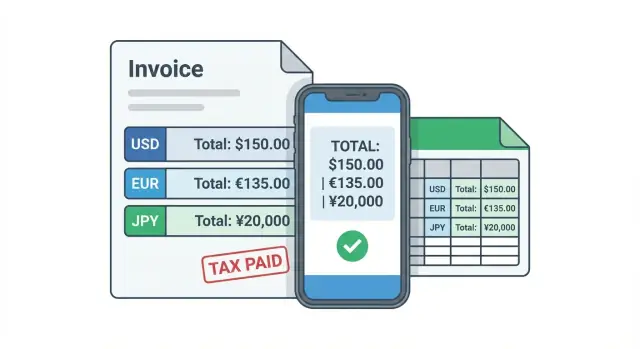
Multi-currency subscription invoicing: practical rounding and minimal-table approaches to keep totals consistent across web, mobile, and accounting exports.
A common headache: the web checkout shows one total, the mobile app shows a slightly different total, and the accounting export lands on a third number. Each system is doing "reasonable" math, but not the same math.
Subscriptions make this worse because you repeat the calculation over and over. Small differences compound across renewals, proration when someone upgrades mid-cycle, credits and refunds, retry charges after failed payments, and partial periods at the start or end of a plan.
The drift usually starts with tiny choices that stay invisible until they don't: when to round (per line or at the end), which tax base you use (net vs gross), how you handle currencies with 0 or 3 decimal minor units, and what FX rate is applied (which timestamp, which source, which precision). If web rounds to 2 decimals per line and mobile rounds only the final total, you can get a 0.01 difference even with the same inputs.
The goal is boring but important: the same invoice should produce the same totals everywhere, every time. That keeps customers calm, reduces support tickets, and holds up in audits.
"Consistent" means that for a given invoice ID and version:
Example: a customer upgrades from EUR 19.99 to EUR 29.99 mid-month, gets a prorated charge, then a small credit for downtime. If one system rounds each prorated line and another rounds only the final total, the exported invoice can disagree with what the customer saw, even though every number looks "close enough."
Before you argue about FX rates or tax rounding rules, lock down the basics. If these are fuzzy, invoices will drift across your web app, mobile app, and accounting exports.
Every invoice line and invoice total should clearly carry three amounts: net (before tax), tax, and gross (net + tax). Pick one as the source of truth for storage and calculation, then derive the others the same way everywhere. Many teams store net and tax, then compute gross as net + tax because it makes audits and refunds easier.
Be explicit about which currency each number is in. Teams often mix three different ideas:
Those can be the same, but they don't have to be. If your invoice is in EUR but the card settles in USD, the invoice must still be consistent in EUR even if the bank deposit differs.
Next, treat money as integers in minor units (for example, cents). Storing 9.99 as a floating number is a common way to create 9.989999 problems later, especially when you add tax, discounts, proration, or multiple items. Store 999 (cents) with a currency code, and only format it for display.
Finally, decide your pricing tax mode:
A concrete check: a plan shown as 10.00 (tax-inclusive, 20% VAT) should generate the same stored gross in minor units on web and mobile, then derive net and tax with one shared rule.
FX differences often begin before tax and rounding rules. Two systems can both be "right" and still disagree because they used different sources, different timestamps, or different precision.
Rate providers rarely match exactly. Some quote mid-market rates, others include a spread. Some update every minute, others hourly or daily. Even with the same provider, one system might round the rate to 4 decimals while another keeps 8+ decimals, which changes totals once you multiply subscription amounts and taxes.
The most important decision is what your rate timestamp means. If you charge in EUR but your customer pays in USD, do you lock the FX rate when the invoice is issued, or when payment is captured? Both are common, but mixing them across web, mobile, and accounting exports guarantees mismatches.
Once you pick the rule, store the exact rate you used on the invoice. Don't recompute later from "current" rates, even if you can look up historical rates. Provider corrections, timezone differences, and small precision changes will make old invoices drift during exports or when you regenerate PDFs.
A simple example: you issue an invoice at 23:59, but payment succeeds at 00:02. Those timestamps often fall on different provider "days," so a daily rate table can produce different numbers.
Decide and document these FX details:
Special cases to handle upfront: zero-decimal currencies (like JPY), very high-precision rates, and refunds. Refunds should generally reuse the original invoice's stored FX rate. Otherwise the refund amount can differ from what the customer expects and what your accounting export shows.
If you want invoices to match across web, mobile, and accounting exports, your data model has to store results, not just inputs. The goal is simple: the same invoice should render the same minor units everywhere, even months later.
A small set of entities is usually enough:
Key rule: money fields should be integers in minor units. Store both the unit price and the computed line totals. That prevents later recalculation with a different rounding rule or a different FX source.
FX needs to be captured on the invoice, not inferred. Even if you store a shared FX table, the invoice should keep the exact fx_rate_value used at finalization time (plus where it came from) so exports can reproduce the same numbers.
You only need a separate tax breakdown table when one invoice can have multiple tax rates or jurisdictions at once (for example, mixed items, EU VAT + local levy, or address-based tax changes within one invoice). Then store one row per tax rate with taxable_base_minor and tax_amount_minor.
Finally, treat a finalized invoice as immutable. Save a snapshot of computed values at the moment it becomes final, and never recompute totals from the subscription later. That one choice eliminates most "why did the cents change?" bugs.
Rounding isn't a math detail. It's a product rule. If your web app rounds one way, your mobile app rounds another, and your accounting export rounds a third, you will get different totals even when the inputs look identical.
There are three common strategies, and they differ in where you "lock in" minor units:
For subscriptions, a good default is round per line. It's predictable for customers (each line looks correct), easy to audit (you can explain every line total), and stable across renewals. Rounding per unit can drift when quantity changes or when you show unit prices in the UI. Rounding only on the invoice total often creates "why does this line not add up?" tickets because the visible line sums may not match the displayed total.
The classic penny problem shows up when you have many small items or fractional taxes. Example: 20 lines each produce a 0.004 rounding remainder. Rounded per line, that can become 0.08 difference compared to rounding only at the end. With FX conversions, these tiny remainders appear more often and can accumulate over time in exports and revenue reports.
Whatever you choose, make it deterministic. Same inputs must always yield the same outputs across web, mobile, and exports:
If you build both web and mobile billing flows, write the rounding rule down as a testable spec, not as a UI behavior.
To keep the same numbers on web, mobile, and in accounting exports, treat the calculation like a recipe. The key idea: compute with high precision, but store and sum only integers in the invoice currency.
Start with each line item net amount in high precision. Keep extra decimals while you multiply quantity, apply discounts, and (if needed) convert currency. Then round once into the invoice currency minor units using your chosen rule. Store that integer as the line net.
Compute tax from the stored line net (or from a tax group subtotal if your rules allow grouping by rate). Apply the same rounding rule and store tax as an integer in minor units. This is where systems often drift: one side rounds before tax, the other rounds after.
Compute each line gross as (stored net + stored tax). Invoice totals are sums of the stored minors. Don't re-calculate totals from floating point values for display. Displays and exports should read the stored integers and format them.
If your local rules require invoice-level tax totals, you may need to distribute a remainder. Example: three lines at 0.01 tax each might sum to 0.03, but invoice-level rounding says 0.02. Decide a deterministic tie-breaker (for example, add or subtract 1 minor unit starting from the largest taxable line, then stable sort by line id). Store the adjustment as a small tax correction on affected lines so every system can reproduce it.
Lock the invoice. After final rounding and any remainder distribution, treat the invoice as immutable. If a subscription price changes later, create a new invoice or a credit note, but never rewrite the old numbers.
A concrete check: if a EUR 9.99 plan has 19% VAT, your stored net might be 999 cents, tax 190 cents, gross 1189 cents. Every client should render 11.89 EUR from those stored integers, not by recomputing VAT on the fly.
Tax rounding is where correct math turns into mismatched invoices. The core issue is simple: rounding earlier changes the final sum.
If you round tax per line item (or per quantity), then sum, you can get a different total than if you sum unrounded tax across the invoice and round once at the end. With many lines, the gaps add up, especially when minor units and FX conversions already create small fractions.
A concrete example (2 decimals): two lines each have taxable amount 0.05 with 10% tax. Unrounded tax per line is 0.005. If you round per line, each becomes 0.01, so total tax is 0.02. If you round at invoice level, total taxable is 0.10, tax is 0.01. Both are defensible. They just disagree.
When you must show per-line tax but also need the invoice total to match exactly, allocate the rounding remainder deterministically:
Exports can still drift when accounting groups lines (by product, tax rate, or jurisdiction). To keep exported totals equal to the invoice totals, allocate remainders within each required group first, then verify that group totals roll up to the same invoice tax and gross.
If accounting requires tax split by rate or jurisdiction but the UI shows one tax number, store the breakdown anyway (per rate or jurisdiction totals plus an audit-friendly allocation rule). The UI can display a single total, while exports carry detailed buckets without changing the invoice grand total.
Most invoice mismatches happen in the corners. Decide the rules early and they stop being surprises.
Zero-decimal currencies need special care. JPY and KRW have no minor units, so any step that assumes "cents" will quietly create differences. Decide whether you round at each line, at the tax level, or only on the final total, and make sure every client uses the same currency settings.
Cross-border VAT or GST can change the tax rate based on customer location and on what evidence you accept (billing address, IP, tax ID). The tricky part isn't the rate itself, it's when you lock it. Pick the point in time (checkout, invoice issue date, or service period start) and stick to it.
Proration is where fractions multiply. A mid-cycle upgrade can create amounts like 9.3333... per day. Decide whether you prorate net amounts, gross amounts, or the service period first, then compute the rest from there. Changing the order changes the last minor unit.
Write down these rules so they don't drift over time:
Refunds are the final trap. If the original invoice had a 0.01 rounding remainder allocated to one line, your refund should reverse that exact allocation. Otherwise the customer sees one total, and your ledger exports another.
Most invoice mismatches aren't caused by "hard math." They come from small, inconsistent choices made in different parts of the stack.
A big one is storing money as floating-point numbers. A value like 19.99 can't be represented exactly in many systems, so tiny errors build up when you sum lines, apply discounts, or calculate tax. Store amounts as integers in minor units, plus the currency code and the minor unit scale.
Another common issue is recomputing FX during export. A customer paid based on a specific rate at a specific time. If your accounting export pulls "today's" rate, you can end up with a different total even if every step is correct. Treat the invoice as a snapshot: store the FX rate used, the converted amounts, and the rounding results.
Rounding differences also show up when the UI and backend round at different stages. For example, the backend might round tax per line, while the web UI rounds only at the invoice total. Both can look reasonable, but they won't match.
Five repeat offenders explain most gaps:
A quick reality check: a mobile app shows three items at EUR 9.99 with 20% tax. If the app rounds tax at the end but the backend rounds per line, you can be off by EUR 0.01. That single cent is enough to break reconciliation and trigger support tickets.
The simplest fix is boring but effective: calculate once on the backend, store the full invoice snapshot, and have web and mobile render those stored numbers exactly.
When numbers differ between your web app, mobile app, and accounting export, it's usually not a math problem. It's a storage and rounding problem.
Start with the principle that clients should display what the invoice stores, not recompute it. Your backend should be the single source of truth, and every channel should read the same saved values.
Refunds and credit notes should mirror the original invoice's rounding outcomes. If the original invoice rounded tax per line, the refund should do the same, using the same currency precision and stored FX rate. Otherwise small remainder amounts can appear and accumulate over time.
A practical way to enforce this is to store a clear calculation snapshot with each invoice: currency, minor unit precision, rounding mode, FX rate and timestamp, and the finalized line minors.
Here is one invoice that stays consistent everywhere.
Assume the invoice is issued in EUR (2 decimals), VAT is 20%, and the customer is charged in USD. The backend stores an FX snapshot: 1 EUR = 1.0857 USD.
| Item | Net (EUR) |
|---|---|
| Pro plan (monthly) | 19.99 |
| Extra seats | 10.00 |
| Discount (10% of 29.99, rounded) | -3.00 |
Net total (EUR) = 26.99
VAT 20% (EUR) = 5.40 (because 26.99 x 0.20 = 5.398, rounded to 5.40)
Gross total (EUR) = 32.39
Now the backend derives the charge currency totals from the stored EUR totals and the stored FX snapshot:
If you also store USD per-line amounts, you will often get a 0.01 difference when you round each converted line and sum them. That's where invoices usually drift.
Make it deterministic: convert and round each line, then distribute any leftover cents (positive or negative) in a fixed order (for example by line_id ascending) until the per-line sum equals the already-fixed gross USD total.
Web and mobile should display the backend-stored line totals, tax totals, FX rate, and gross, not recompute them. The accounting export should emit the same stored numbers plus the FX snapshot (rate, timestamp or source) so the ledger matches what the customer saw.
A practical next step is to implement the computation as one shared service that outputs a single invoice snapshot (lines, taxes, totals, FX, rounding adjustments) and have every channel render from it. If you're building these flows on Koder.ai (koder.ai), keeping this snapshot model front and center helps web, mobile, and exports stay aligned because they can all read the same saved values.
Because each system often makes slightly different choices about when to round, what to round (net vs gross), and which precision to keep for tax and FX. Those tiny differences show up as 0.01–0.02 gaps, especially when proration, credits, and retries repeat the math over time.
Store amounts as integers in minor units (like cents) plus a currency code, and only format them for display. Floating-point values can’t represent many decimals exactly, so small errors appear when you add tax, discounts, or multiple lines.
Pick one as the stored source of truth and derive the others the same way everywhere. A common default is storing net and tax in minor units and computing gross = net + tax, because it makes refunds and audits easier and keeps totals stable.
Invoice currency is what the invoice totals are legally expressed in and what you should reconcile against. Display currency is what you show while browsing prices, and settlement currency is what the payment provider deposits; those can differ without the invoice being “wrong,” as long as the invoice currency calculations stay consistent.
Don’t re-fetch rates during export or PDF regeneration. Store the exact FX rate used on the invoice (value, precision, provider, and effective time), then always reuse it so old invoices reproduce the same numbers months later.
Lock one rule: either “rate at invoice issue time” or “rate at payment capture time,” then apply it everywhere. Mixing timestamps across systems is a common cause of mismatches, especially around midnight or timezone boundaries.
Default to rounding per line for subscription invoices, then sum stored line minors into totals. It’s usually the easiest to explain, avoids “line items don’t add up” support tickets, and stays stable across renewals if every channel uses the same rule.
Choose explicitly between per-line tax rounding and invoice-level tax rounding, then make it deterministic. If you must reconcile to an invoice-level target, allocate the rounding remainder in a fixed way and store the resulting per-line tax minors so every system can display the same outcome.
Proration creates repeating decimals (like daily rates), so the order of operations matters. Pick one method (for example, prorate net first, then compute tax from stored net), round at the agreed step, and store the finalized line minors so upgrades, downgrades, credits, and refunds mirror the original math.
Make the backend produce a finalized invoice snapshot (lines, taxes, totals, currency minor-unit rules, FX snapshot, rounding mode) and treat it as immutable once finalized. Then have web, mobile, PDFs, and exports render those stored integers instead of recomputing; this is also a good pattern when building billing flows on Koder.ai.