

Jun 15, 2025·8 min
Letting AI Design Backend Schemas, APIs, and Data Models
Explore how AI-generated schemas and APIs speed delivery, where they fail, and a practical workflow to review, test, and govern backend design.
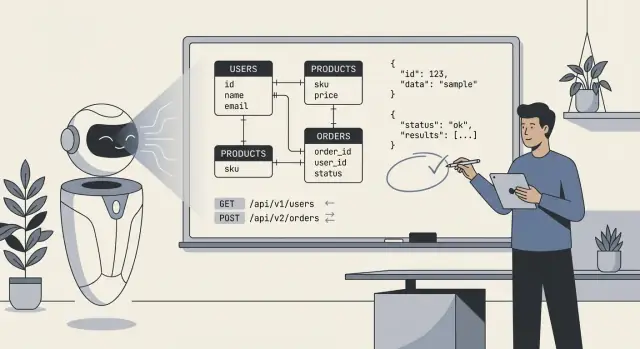
Explore how AI-generated schemas and APIs speed delivery, where they fail, and a practical workflow to review, test, and govern backend design.
When people say “AI designed our backend,” they usually mean the model produced a first draft of the core technical blueprint: database tables (or collections), how those pieces relate, and the APIs that read and write data. In practice, it’s less “AI built everything” and more “AI proposed a structure we can implement and refine.”
At a minimum, AI can generate:
users, orders, subscriptions, plus fields and basic types.AI can infer “typical” patterns, but it cannot reliably choose the right model when requirements are ambiguous or domain-specific. It won’t know your real policies for:
cancelled vs refunded vs voided).Treat AI output as a fast, structured starting point—useful for exploring options and catching omissions—but not as a spec you can ship untouched. Your job is to supply crisp rules and edge cases, then review what the AI produced the same way you’d review a junior engineer’s first draft: helpful, sometimes impressive, occasionally wrong in subtle ways.
AI can draft a schema or API quickly, but it can’t invent the missing facts that make a backend “fit” your product. The best results happen when you treat AI like a fast junior designer: you provide clear constraints, and it proposes options.
Before you ask for tables, endpoints, or models, write down the essentials:
When requirements are fuzzy, AI tends to “guess” defaults: optional fields everywhere, generic status columns, unclear ownership, and inconsistent naming. That often leads to schemas that look reasonable but break under real usage—especially around permissions, reporting, and edge cases (refunds, cancellations, partial shipments, multi-step approvals). You’ll pay for that later with migrations, workarounds, and confusing APIs.
Use this as a starting point and paste it into your prompt:
Product summary (2–3 sentences):

Entities (name → definition):
-

Workflows (steps + states):
-

Roles & permissions:
- Role:
  - Can:
  - Cannot:

Reporting questions we must answer:
-

Integrations (system → data we store):
-

Constraints:
- Compliance/retention:
- Expected scale:
- Latency/availability:

Non-goals (what we won’t support yet):
-
AI is at its best when you treat it like a fast draft machine: it can sketch a sensible first-pass data model and a matching set of endpoints in minutes. That speed changes how you work—not because the output is magically “correct,” but because you can iterate on something concrete right away.
The biggest win is eliminating the cold start. Give AI a short description of entities, key user flows, and constraints, and it can propose tables/collections, relationships, and a baseline API surface. This is especially valuable when you need a demo quickly or you’re exploring requirements that aren’t stable yet.
Speed pays off most in:
Humans get tired and drift. AI doesn’t—so it’s great at repeating conventions across the whole backend:
createdAt, updatedAt, customerId)/resources, /resources/:id) and payloadsThis consistency makes your backend easier to document, test, and hand off to another developer.
AI is also good at completeness. If you ask for a full CRUD set plus common operations (search, list, bulk updates), it will usually generate a more comprehensive starting surface area than a rushed human draft.
A common quick win is standardized errors: a uniform error envelope (code, message, details) across endpoints. Even if you later refine it, having one shape everywhere from the start prevents a messy mix of ad-hoc responses.
The key mindset: let AI produce the first 80% quickly, then spend your time on the 20% that requires judgment—business rules, edge cases, and the “why” behind the model.
AI-generated schemas often look “clean” at first glance: tidy tables, sensible names, and relationships that match the happy path. The problems usually appear when real data, real users, and real workflows hit the system.
AI can swing between extremes:
A quick smell test: if your most common pages need 6+ joins, you may be over-normalized; if updates require changing the same value in many rows, you may be under-normalized.
AI frequently omits “boring” requirements that drive real backend design:
AI may guess:
These errors usually surface as awkward migrations and application-side workarounds.
Most generated schemas don’t reflect how you’ll query:
If the model can’t describe the top 5 queries your app will run, it can’t reliably design the schema for them.
AI is often surprisingly good at producing an API that “looks standard.” It will mirror familiar patterns from popular frameworks and public APIs, which can be a real time-saver. The risk is that it may optimize for what looks plausible rather than what’s correct for your product, your data model, and your future changes.
Resource modeling basics. Given a clear domain, AI tends to pick sensible nouns and URL structures (e.g., /customers, /orders/{id}, /orders/{id}/items). It’s also good at repeating consistent naming conventions across endpoints.
Common endpoint scaffolding. AI frequently includes the essentials: list vs. detail endpoints, create/update/delete operations, and predictable request/response shapes.
Baseline conventions. If you ask explicitly, it can standardize pagination, filtering, and sorting. For example: ?limit=50&cursor=... (cursor pagination) or ?page=2&pageSize=25 (page-based), plus ?sort=-createdAt and filters like ?status=active.
Leaky abstractions. A classic failure is exposing internal tables directly as “resources,” especially when the schema has join tables, denormalized fields, or audit columns. You end up with endpoints like /user_role_assignments that reflect implementation detail rather than the user-facing concept (“roles for a user”). This makes the API harder to use and harder to change later.
Inconsistent error handling. AI may mix styles: sometimes returning 200 with an error body, sometimes using 4xx/5xx. You want a clear contract:
400, 401, 403, 404, 409, 422){ "error": { "code": "...", "message": "...", "details": [...] } })Versioning as an afterthought. Many AI-generated designs skip a versioning strategy until it’s painful. Decide on day one whether you’ll use path versioning (/v1/...) or header-based versioning, and define what triggers a breaking change. Even if you never bump the version, having the rules prevents accidental breakage.
Use AI for speed and consistency, but treat API design as a product interface. If an endpoint mirrors your database instead of your user’s mental model, it’s a hint the AI optimized for easy generation—not for long-term usability.
Treat AI like a fast junior designer: great at producing drafts, not accountable for the final system. The goal is to use its speed while keeping your architecture intentional, reviewable, and test-driven.
If you’re using a vibe-coding tool like Koder.ai, this separation of responsibilities becomes even more important: the platform can quickly draft and implement a backend (for example, Go services with PostgreSQL), but you still need to define the invariants, authorization boundaries, and migration rules you’re willing to live with.
Start with a tight prompt that describes the domain, constraints, and “what success looks like.” Ask for a conceptual model first (entities, relationships, invariants), not tables.
Then iterate in a fixed loop:
This loop works because it turns “AI suggestions” into artifacts that can be proven or rejected.
Keep three layers distinct:
Ask the AI to output these as separate sections. When something changes (say, a new status or rule), you update the conceptual layer first, then reconcile schema and API. This reduces accidental coupling and makes refactors less painful.
Every iteration should leave a trail. Use short, ADR-style summaries (one page or less) that capture:
deleted_at”).When you paste feedback back into the AI, include the relevant decision notes verbatim. That prevents the model from “forgetting” prior choices and helps your team understand the backend months later.
AI is easiest to steer when you treat prompting like a spec-writing exercise: define the domain, state the constraints, and insist on concrete outputs (DDL, endpoint tables, examples). The goal isn’t “be creative”—it’s “be precise.”
Ask for a data model and the rules that keep it consistent.
If you already have conventions, say so: naming style, ID type (UUID vs bigint), nullable policy, and indexing expectations.
Request an API table with explicit contracts, not just a list of routes.
Add business behavior: pagination style, sorting fields, and how filtering works.
Make the model think in releases.
billing_address to Customer. Provide a safe migration plan: forward migration SQL, backfill steps, feature-flag rollout, and a rollback strategy. API must remain compatible for 30 days; old clients may omit the field.”Vague prompts produce vague systems.
When you want better output, tighten the prompt: specify the rules, the edge cases, and the format of the deliverable.
AI can draft a decent backend, but shipping it safely still needs a human pass. Treat this checklist as a “release gate”: if you can’t answer an item confidently, pause and fix it before it becomes production data.
(tenant_id, slug))._id suffixes, timestamps) and apply them uniformly.Confirm the system’s rules in writing:
Before merging, run a quick “happy path + worst path” review: one normal request, one invalid request, one unauthorized request, one high-volume scenario. If the API’s behavior surprises you, it will surprise your users too.
AI can generate a plausible schema and API surface quickly, but it can’t prove that the backend behaves correctly under real traffic, real data, and future changes. Treat AI output as a draft and anchor it with tests that lock in behavior.
Start with contract tests that validate requests, responses, and error semantics—not just “happy paths.” Build a small suite that runs against a real instance (or container) of the service.
Focus on:
If you publish an OpenAPI spec, generate tests from it—but also add hand-written cases for the tricky parts your spec can’t express (authorization rules, business constraints).
AI-generated schemas often miss operational details: safe defaults, backfills, and reversibility. Add migration tests that:
Keep a scripted rollback plan for production: what to do if a migration is slow, locks tables, or breaks compatibility.
Don’t benchmark generic endpoints. Capture representative query patterns (top list views, search, joins, aggregation) and load test those.
Measure:
This is where AI designs commonly fall down: “reasonable” tables that produce expensive joins under load.
Add automated checks for:
Even basic security tests prevent the most costly class of AI mistakes: endpoints that work, but expose too much.
AI can draft a good “version 0” schema, but your backend lives through version 50. The difference between a backend that ages well and one that collapses under change is how you evolve it: migrations, controlled refactors, and clear documentation of intent.
Treat every schema change as a migration, even if AI suggests “just alter the table.” Use explicit, reversible steps: add new columns first, backfill, then tighten constraints. Prefer additive changes (new fields, new tables) over destructive ones (rename/drop) until you’ve proven nothing depends on the old shape.
When you ask AI for schema updates, include the current schema and the migration rules you follow (for example: “no dropping columns; use expand/contract”). This reduces the chance it proposes a change that’s correct in theory but risky in production.
Breaking changes are rarely a single moment; they’re a transition.
AI is helpful at producing the step-by-step plan (including SQL snippets and rollout order), but you should validate the runtime impact: locks, long-running transactions, and whether the backfill can be resumed.
Refactors should aim to isolate change. If you need to normalize, split a table, or introduce an event log, keep compatibility layers: views, translation code, or “shadow” tables. Ask AI to propose a refactor that preserves existing API contracts, and to list what must change in queries, indexes, and constraints.
Most long-term drift happens because the next prompt forgets the original intent. Keep a short “data model contract” document: naming rules, ID strategy, timestamp semantics, soft-delete policy, and invariants (“an order total is derived, not stored”). Link it in your internal docs (e.g., /docs/data-model) and reuse it in future AI prompts so the system designs within the same boundaries.
AI can draft tables and endpoints quickly, but it doesn’t “own” your risk. Treat security and privacy as first-class requirements you add to the prompt, then verify in review—especially around sensitive data.
Before you accept any schema, label fields by sensitivity (public, internal, confidential, regulated). That classification should drive what gets encrypted, masked, or minimized.
For example: passwords should never be stored (only salted hashes), tokens should be short-lived and encrypted at rest, and PII like email/phone may need masking in admin views and exports. If a field isn’t necessary for product value, don’t store it—AI will often add “nice to have” attributes that increase exposure.
AI-generated APIs often default to simple “role checks.” Role-based access control (RBAC) is easy to reason about, but breaks down with ownership rules (“users can only see their own invoices”) or context rules (“support can view data only during an active ticket”). Attribute-based access control (ABAC) handles these better, but requires explicit policies.
Be clear about the pattern you’re using, and ensure every endpoint enforces it consistently—especially list/search endpoints, which are common leakage points.
Generated code may log full request bodies, headers, or database rows during errors. That can leak passwords, auth tokens, and PII into logs and APM tools.
Set defaults like: structured logs, allowlist fields to log, redact secrets (Authorization, cookies, reset tokens), and avoid logging raw payloads on validation failures.
Design for deletion from day one: user-initiated deletes, account closure, and “right to be forgotten” workflows. Define retention windows per data class (e.g., audit events vs marketing events), and ensure you can prove what was deleted and when.
If you keep audit logs, store minimal identifiers, protect them with stricter access, and document how to export or delete data when required.
AI is at its best when you treat it like a fast junior architect: great at producing a first draft, weaker at making domain-critical tradeoffs. The right question is less “Can AI design my backend?” and more “Which parts can AI draft safely, and which parts require expert ownership?”
AI can save real time when you’re building:
Here, AI is valuable for speed, consistency, and coverage—especially when you already know how you want the product to behave and can spot mistakes.
Be cautious (or avoid AI-generated designs as anything more than inspiration) when you’re working in:
In these areas, domain expertise outweighs AI speed. Subtle requirements—legal, clinical, accounting, operational—often aren’t present in the prompt, and AI will confidently fill gaps.
A practical rule: let AI propose options, but require a final review for data model invariants, authorization boundaries, and migration strategy. If you can’t name who is accountable for the schema and API contracts, don’t ship an AI-designed backend.
If you’re evaluating workflows and guardrails, see related guides in /blog. If you want help applying these practices to your team’s process, check /pricing.
If you prefer an end-to-end workflow where you can iterate via chat, generate a working app, and still keep control via source code export and rollback-friendly snapshots, Koder.ai is designed for exactly that style of build-and-review loop.
It usually means the model generated a first draft of:
A human team still needs to validate business rules, security boundaries, query performance, and migration safety before shipping.
Provide concrete inputs the AI can’t safely guess:
The clearer the constraints, the less the AI “fills gaps” with brittle defaults.
Start with a conceptual model (business concepts + invariants), then derive:
Keeping these layers separate makes it easier to change storage without breaking the API—or to revise the API without accidentally corrupting business rules.
Common issues include:
tenant_id and composite unique constraints)deleted_at)Ask the AI to design around your top queries and then verify:
tenant_id + created_at)If you can’t list the top 5 queries/endpoints, treat any indexing plan as incomplete.
AI is good at standard scaffolding, but you should watch for:
200 with errors, inconsistent 4xx/5xx)Treat the API as a product interface: model endpoints around user concepts, not database implementation details.
Use a repeatable loop:
Use consistent HTTP codes and a single error envelope, for example:
Prioritize tests that lock in behavior:
Tests are how you “own” the design instead of inheriting the AI’s assumptions.
Use AI mainly for drafts when patterns are well-understood (CRUD-heavy MVPs, internal tools). Be cautious when:
A good policy: AI can propose options, but humans must sign off on schema invariants, authorization, and rollout/migration strategy.
A schema can look “clean” and still fail under real workflows and load.
This turns AI output into artifacts you can prove or reject instead of trusting prose.
400, 401, 403, 404, 409, 422, 429{"error":{"code":"...","message":"...","details":[...]}}
Also ensure error messages don’t leak internals (SQL, stack traces, secrets) and stay consistent across all endpoints.