

Oct 18, 2025·8 min
High-signal onboarding forms that segment users fast
High-signal onboarding forms use fewer questions to segment users and set smart defaults, so you personalize fast without hurting completion rates.
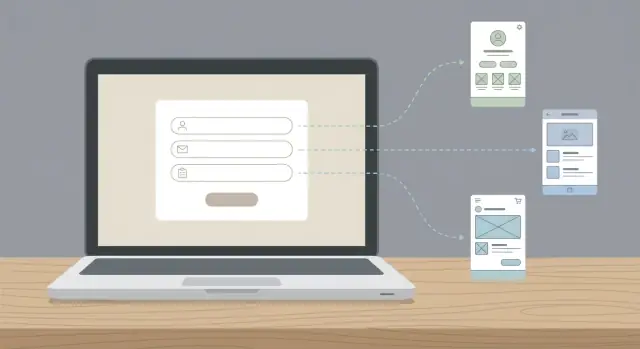
High-signal onboarding forms use fewer questions to segment users and set smart defaults, so you personalize fast without hurting completion rates.
Onboarding forms lose people for the same reason long checkout lines do: they make the payoff feel far away. Every extra field adds effort and gives users a moment to think, “Do I really want this?” When the form looks long, some users leave before they even start.
Most drop-offs come from two forces: fatigue and anxiety. Fatigue is simple friction (too many questions, too much typing, too many decisions). Anxiety is quieter: people worry they’ll pick the wrong option, share the wrong details, or get judged by their answers.
There’s always a tradeoff. You want to learn about users so you can personalize the experience, but users want to reach the product quickly. The best high-signal onboarding forms solve this by asking only what changes what happens next.
Signal in onboarding means “a decision you can act on right now.” If an answer doesn’t change the first screen, the default settings, the sample data, or the next step, it’s probably low-signal for day one.
You can usually spot the difference fast:
If someone is trying a vibe-coding tool like Koder.ai, their job title might be interesting later. But “Do you want a web app or a mobile app?” can instantly put them into the right starter project and save them minutes. That kind of momentum is what keeps completion rates high.
Every onboarding form is a trade: you get information, the user pays with time and attention. Before you write a single question, decide what the form is for.
If the goal is activation, your questions should get someone to their first meaningful moment fast (first project, first import, first message sent). If the goal is revenue, the questions should remove friction to first payment.
Next, write down the few things you’re truly willing to change based on the answers. If nothing changes, don’t ask. Strong targets are defaults that remove blank-page stress: which template to start with, what the empty state shows, what the first suggested task is, and which settings should be prefilled.
Keep segmentation small and practical. Two or three segments is often enough, as long as they actually change the experience.
A quick way to define the decisions behind high-signal onboarding forms:
Example: a build tool might ask whether you’re creating a website, an internal tool, or a mobile app. That single answer can pick a starter template, name the first project automatically, and show a tailored checklist. The user feels progress in seconds, and you get a segment that matters.
Then decide how you’ll measure success. Completion rate is the obvious metric, but time-to-value is just as important: how long it takes users to reach their first “aha” moment. If a question doesn’t improve that, cut it.
A question is high-signal when the answer changes what you do next. If it doesn’t change the next screen, the default settings, or the guidance you show, it’s probably just “nice to know.”
Use a simple rule: one question, one decision. Before you add a field, write the decision it powers in plain language. If you can’t name a decision, remove the question or move it later.
High-signal onboarding forms feel short because every question earns its place. They trade “collect everything” for “set the user up fast.”
High-signal questions usually do one of these jobs:
Low-signal questions mostly help your reporting, not the user’s first session. “How did you hear about us?” is useful, but it rarely improves the next screen. “Company size” can matter, but only if it truly changes limits, onboarding steps, or suggested features.
Here’s a concrete example for a build-from-chat product like Koder.ai: asking “What are you building?” can route someone into a website starter, a CRM starter, or a mobile app starter, and preload the right stack and screens. Asking for a logo upload on day one might look nice, but it doesn’t help them get to a first working version.
If you can learn it from behavior, do that. You can infer intent from the first template picked, the first prompt typed, the device type, or which feature they click first. Save the question for later, when the user has momentum and the answer can still improve their experience.
The fastest way to raise completion is to reduce typing. Most answers should be a tap or click so the user can keep moving without stopping to think.
Multiple choice beats free text for anything you plan to use for segmentation or defaults. It’s easier to answer, easier to analyze, and it prevents one-off replies. Save free text for the rare moments you truly need someone’s words, like “What are you trying to build?” or “What should we name your workspace?”
When you need numbers, avoid exact inputs. People hesitate on “How many users do you have?” when the honest answer is “it depends.” Use buckets like 1, 2-5, 6-20, 21+ so users can choose quickly and you still learn enough to personalize.
Include “Not sure” (or “I’ll decide later”) on questions that can feel risky. It keeps momentum and prevents drop-off while still letting confident users pick a clear option.
Write options in the user’s language, not your internal labels. “I’m building a customer portal” is clearer than “B2B self-serve.” If you need internal categories, map them behind the scenes.
Common formats that keep completion high:
Example: instead of asking “Monthly API calls?”, ask “Expected usage: testing, small team, growing, or heavy.” You still get enough signal to set sensible defaults, without forcing someone to do math on the first screen.
If you only ask a few things, focus on answers that change what the user sees next. That’s the point of high-signal onboarding forms: fewer questions, but each one triggers a different setup, example, or default.
Most products get the biggest lift from one of these three: the user’s goal, their role, or their company size. If you can only pick one, pick the one that changes the workflow. Company size matters when permissions, approvals, or reporting differ.
A small set that often earns its place:
Keep each question skimmable, with clear choices, and only ask what you’ll use right away.
A good onboarding form exists to set a few smart defaults and get the user to their first win quickly, not to satisfy curiosity.
Write down the 3 to 5 settings you wish the product could guess for a new user (for example: recommended template, notification level, dashboard layout, or first project setup). If a default won’t change the next screen, it probably doesn’t belong in onboarding.
For each default, ask: what decision tells us which option to choose? Many defaults collapse into one simple fork, like “solo vs team” or “personal vs client work.” If two defaults rely on the same decision, keep one question and set both defaults from it.
Write one question per decision. Then force yourself to remove one. If removing it doesn’t change what you show next, it wasn’t pulling its weight.
Put low-effort questions first (tap choices, role, goal). Save anything that feels like work (numbers, imports, long text) for later, or move it to progressive profiling.
Give people a “Skip for now” option and still let them proceed with decent defaults. Make the final action obvious: “Continue” or “Finish setup,” not vague labels.
Watch five people complete it without help. Note where they pause, reread, or ask “what does this mean?” Replace jargon with plain words and tighten choices until the hesitation disappears.
Collecting answers only pays off if each one changes what the user sees next. The simplest way to enforce that is to write a mapping: answer -> segment -> default. If you can’t fill in the last two steps, the question probably isn’t worth asking.
| Question | Answer (example) | Segment | Default you set immediately |
|---|---|---|---|
| What are you building? | Mobile app | Mobile builders | Start a Flutter project template and show mobile-first prompts |
| Your role | Non-technical founder | Guided builders | Turn on a planning-first setup and show a clearer step-by-step flow |
| Team size | 5+ | Team accounts | Preselect Business tier settings like shared access and deployment options |
Keep segments stable and few. Aim for 3 to 6 segments that will still make sense a year from now. If you find yourself creating 20 micro-segments (“US, agency, mobile, B2B, early stage”), stop and merge them into something you can actually support.
Personalize the first screen after onboarding. Show the result instead of explaining it. For example, a “Mobile app” segment can land on a ready-to-edit starter with the right defaults already chosen, instead of a generic dashboard.
Plan for messy data. People skip questions, pick the wrong thing, or give answers that conflict. Decide the rules upfront:
When every answer drives a visible change, you get better segmentation and higher completion rates at the same time.
Progressive profiling means asking less up front and learning more over time. High-signal onboarding forms work best when they focus on what you must know to give a good first experience, then defer everything else until the user has context and momentum.
Stick to one rule: only ask a question if you’ll change something immediately because of the answer. If you can’t name the exact default, screen, or recommendation it unlocks right now, park it for later.
Good moments to ask “later” questions are when the user is already winning, or when the question explains itself:
Instead of a long upfront form, use small in-product prompts that feel like part of the workflow. For example, once a user has generated their first app, you can ask one quick question: “Where do you want to deploy?” That answer can set hosting defaults and environments without blocking the first build.
How you store answers matters as much as when you ask. Save responses in a visible place (like Settings or Project Preferences), pre-fill fields next time, and let users edit without punishment. If they change their mind, update defaults going forward, not by breaking what they already created.
Keep each follow-up prompt to a single decision. If a prompt needs a paragraph of explanation, it’s probably not the right time to ask.
The fastest way to lose people is to ask for something sensitive before you’ve earned trust. Email, phone, company name, and team size can be fine later, but early on they can feel like a trap unless you clearly explain what they unlock (saving progress, inviting teammates, sending a setup summary).
Another quiet killer is using open text when a simple choice would do. Free text takes effort, creates anxiety (“what should I write?”), and gives you messy answers. If you only need direction, offer a small set of options and include an “Other” choice.
Order matters more than most teams think. If the first screen asks about pricing, integrations, compliance, or legal details, many users bounce because they can’t answer yet. Start with easy, confidence-building questions that help you set useful defaults, then move to heavier topics once the product has shown value.
Patterns that often sink completion rates:
A quick reality check: if you can’t point to a specific screen that changes based on an answer, remove the question. A vibe-coding tool like Koder.ai can ask what you’re building (website, CRM, mobile app) because it can immediately pick a template and set sensible defaults. But asking for a custom domain or compliance needs on step one is usually too early unless the user already came in with that goal.
Do one last pass with a simple goal: get useful signal without making people work. The best high-signal onboarding forms feel quick, and every answer leads to something the user can notice.
Use this as a final gate:
Then validate with measurements, not opinions. Track completion rate, time to complete, and activation after onboarding, broken down by the segments your questions create. A fast form that creates the wrong defaults isn’t a win, and a detailed form that nobody finishes is worse.
A simple sanity test: ask a teammate to complete it on mobile, one-handed, with notifications popping up. If they hesitate on a question, simplify the wording, reduce the options, or move it to progressive profiling.
High-signal onboarding forms work best when each answer changes something real.
A new user arrives and wants to “build something fast.” You ask only three things:
Two example paths:
If they pick “Internal tool,” “My team,” and “Guide me,” the product can set sensible defaults: an internal app starter (dashboard + CRUD screens), a private project with invites enabled and basic roles pre-created, and a higher guidance level with a clear first checklist.
If they pick “Public website,” “External customers,” and “I’ll handle details,” they get a public site template, public preview turned on, and fewer tips on screen.
Right after onboarding, the user should immediately see a ready project with the chosen template, a first task they can complete in under 5 minutes, and the next best action (for example: “Add your first page” or “Connect your database”).
Later, after they take one action, ask one missing detail at the right time. Once they click “Deploy,” prompt “Do you need login?” with choices like “No login,” “Email login,” or “Google login.” That keeps onboarding short while still personalizing what matters.
Treat your first onboarding draft like a hypothesis. For each question, write down the exact default it sets (template, permissions, suggested goal, sample data, notification settings). If an answer doesn’t change anything meaningful, it’s a weak question.
Start by shipping the smallest version that can still personalize the first session. A practical rule is 3 to 5 questions max. Keep the copy plain and make every question feel worth the effort.
Run a quick test with real people (or a small slice of new signups) and be strict about what stays. After you have even a little data, remove one question that isn’t pulling its weight. Focus on completion rate, time to complete, activation, and where users drop off.
If you’re building your own product and want to prototype onboarding quickly, a platform like Koder.ai (koder.ai) can help you generate an onboarding flow from chat and iterate without rebuilding everything each time. The key is the same either way: ask less, and make every answer immediately visible in the experience.
Start by writing the 3–5 defaults you want to set automatically on day one (template, landing screen, guidance level, permissions). Then add only the questions that directly choose those defaults. If a question doesn’t change the next screen or the first setup, move it later or delete it.
High-signal means you can point to a concrete action you take immediately after the answer. If the answer selects a template, changes onboarding steps, pre-fills settings, or prevents an early failure, it’s high-signal. If it mainly helps marketing reports or “nice to know” profiling, it’s low-signal for day one.
A good default is 3–5 questions on the first screen, especially if you want high completion on mobile. If you need more info, use progressive profiling and ask later when the user has momentum and the question clearly unlocks a next step.
Ask for the user’s goal first because it’s the easiest to answer and it most directly impacts what they should see next. “What are you building?” typically beats “company size” or “industry” because it can immediately route to the right starter flow and reduce blank-page stress.
Use click/tap choices for anything you plan to segment on, and reserve free text for the one place where the user’s words actually shape the experience (like naming a workspace or describing what they want to build). Multiple choice reduces effort, lowers anxiety, and gives you cleaner data.
Give a clear “Not sure yet” or “Skip for now” option when a decision is reversible or when users may not have enough context. You can still set safe defaults, keep them moving, and let them change it later without penalty.
Avoid exact numbers early. Use buckets (like “Just me,” “2–5,” “6–20,” “21+”) so users don’t have to do math or worry about being wrong. Only ask size at all if it changes permissions, collaboration flow, or plan defaults right away.
Order from easiest to hardest: goal and format first (what they’re building, web vs mobile), then role and experience (to tune language and guidance), and save anything heavy for later (billing, compliance, integrations, data residency). Early questions should build confidence and show progress quickly.
Show the result immediately after signup: land them in a ready project with the right defaults already applied. For example, if someone picks “mobile app,” you can start them in a Flutter-based starter and surface mobile-first prompts; if they pick “web app,” route to a React-based starter. The key is that the user can see the benefit of their answers in seconds.
Koder.ai is a chat-based vibe-coding platform that can generate web, backend, and mobile apps, so onboarding can ask questions that directly choose a starter path. Simple prompts like “Web or mobile?” and “Solo or team?” can route a user into a React web starter or a Flutter mobile starter, and enable team-friendly setup if needed. Because it supports things like deployment, hosting, custom domains, snapshots, rollback, and source code export, you can postpone those details until the moment the user is ready to use them.