

Oct 15, 2025·7 min
Email verification vs phone verification: a practical decision guide
Email verification vs phone verification: use this decision guide to balance fraud risk, signup conversion, support cost, and regional deliverability.
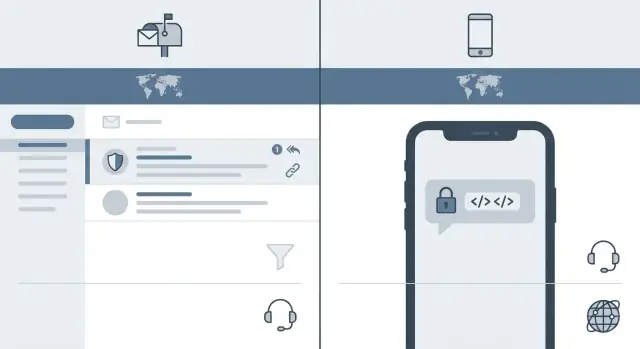
Email verification vs phone verification: use this decision guide to balance fraud risk, signup conversion, support cost, and regional deliverability.
“Verification” sounds like proving who someone is, but most of the time you’re only proving access.
Neither automatically proves real-world identity. That difference matters when you’re deciding between email and phone.
The friction shows up in small, real moments: the email lands in spam, the code expires, the user’s connection drops, or they don’t have their phone nearby. Each extra step can cut signup conversion, especially on mobile, where switching apps to fetch a code is easy to mess up.
The right choice depends on what you sell, what you’re protecting, and where your users live. A consumer app in one country may find SMS quick and familiar. A global product may see SMS OTP deliverability swing by region and carrier, while email is more consistent but easier for attackers to automate.
Before debating methods, name the job verification must do for your product. Typical goals are stopping scripted signups, reducing abuse and spam, protecting account recovery, keeping support tickets down, and meeting baseline expectations in your market.
Success isn’t “100% verified.” It’s fewer bad signups without blocking good ones, plus fewer “I never got the code” tickets. If your biggest pain is lost access and support time, optimize for the channel users can reliably receive in their region. If your biggest pain is automated abuse, optimize for what’s harder and more expensive for attackers to scale, even if it adds some friction.
When people compare email verification vs phone verification, the real question is what risk you’re trying to reduce, and how much friction your signup can take.
Email verification is usually the easiest starting point. It’s cheap, familiar, and it rarely blocks legitimate users. It works well when your main goal is to confirm you can reach the user later (receipts, password resets, product updates). But it’s a weak uniqueness signal because creating new inboxes is easy.
Email verification works best when you want to catch typos, confirm the user can receive messages, and keep signup fast for low-risk products with predictable costs.
Attackers can still get through with throwaway inboxes, aliases, and bots that auto-click verification links. If the account has value (credits, free trials, API access), expect them to adapt quickly.
Phone verification (SMS or voice OTP) adds friction and direct cost, but it can be a stronger signal of uniqueness. Most users have only a few numbers, and reusing numbers at scale is harder than reusing emails. It’s common when an account can cause real harm quickly.
Phone verification is most useful for slowing bulk signups, raising the cost of abuse, adding a second recovery channel, and adding confidence for actions like payouts or posting public content.
Phone isn’t a silver bullet. Attackers use VoIP numbers, SIM farms, and OTP relay services. And SMS OTP deliverability varies by country and carrier, so legitimate users can get blocked or delayed.
A practical rule: if a fake signup mostly wastes your storage, email is often enough. If fake signups burn expensive resources (like compute credits on a build platform), phone verification can make sense, but only if you actively monitor fraud workarounds and failed OTP support tickets.
Verification isn’t a moral test. It’s a speed bump you place where abuse is likely. The right choice depends on what attackers want, and how costly it is if they succeed.
Most abuse falls into a few buckets: farming free benefits, abusing referrals and promos, testing stolen cards, or scraping content and APIs at scale. Each goal leaves different footprints, so start by watching signals that correlate with abuse.
If several of these show up together, assume higher fraud risk and add stronger checks:
When risk is low, a simple email link is often enough. It confirms the address can receive mail, reduces typos, and keeps friction light. This fits products where the first session isn’t very valuable to an attacker, like reading content, trying a free tool, or saving preferences.
Phone verification is justified when one successful fake account can do real damage or cost you money. Common examples are signups that instantly trigger credits or cash-like value (referrals, signup bonuses), actions that hit paid third parties (SMS sending, API calls), or anything tied to payments (including card testing). If you run an earn-credits or referral program, phone checks can help when you see bursts of new accounts created just to claim rewards.
A practical middle ground is risk-based escalation: default to email, then require phone only when signals spike or when the user attempts a high-risk action.
Verification is a trade: you reduce abuse, but you also lose some real users. The biggest drops usually happen when people have to pause, switch apps, or guess what went wrong.
Email verification often fails quietly. People don’t see the message, it lands in spam, or they get distracted while searching their inbox.
Phone verification fails loudly. A code doesn’t arrive, the user is stuck on the same screen, and every extra attempt makes the product feel broken.
Timing matters as much as method. If you force verification in the first session, you’re asking for trust before the user gets value. Many teams get better signup conversion by letting a new user start, then requiring verification when they try something that matters (inviting a teammate, exporting data, publishing, starting a trial, or sending messages). This is especially helpful when your product has a fast “wow moment.”
A simple rule: verify earlier when the action creates risk for you or other users, and later when the action is mostly personal exploration.
To keep the experience simple without weakening security, remove dead-ends:
Example: if users can start drafting a project right away, you can defer verification until they try to deploy, connect a custom domain, or invite others. You still reduce fraud risk onboarding issues, without taxing the first five minutes when interest is fragile.
Email verification is usually cheap to send, but it isn’t free. You pay for your email provider, reputation work (keeping spam complaints low), and the support time when people can’t find the message.
Phone verification (SMS OTP) has a clearer price tag: every attempt costs money, and failed delivery often triggers retries. If you add voice calls as a fallback, that’s another paid channel. The bill grows quickly when users request multiple codes, or when delivery is shaky in certain regions.
The costs to plan for are delivery fees, resend overhead, support tickets (“no code received”, “link expired”, “wrong number”), account recovery work, and fraud cleanup.
Hidden costs are where teams get surprised. Phone numbers change often, and carriers recycle numbers. A “verified” phone can later belong to someone else, which creates support issues and can add account takeover risk if you treat the phone as a recovery key. Shared phones (families, small shops, team devices) also create edge cases, like one number tied to many accounts.
To estimate monthly spend, include realistic failure rates, not best-case assumptions. A simple model is:
total signups x percent needing verification x average attempts per user x cost per attempt
Example: 50,000 signups/month, 60% verified by SMS, 1.4 attempts on average (because of resends), and $0.03 per SMS is about $1,260/month just in messages, before voice fallback and support time.
If you’re building and shipping quickly, track these numbers from week one. Verification costs can look small at launch, then quietly become a line item you can’t ignore.
Verification isn’t just a security choice. It’s also a deliverability choice, and deliverability changes by country, carrier, and even by email provider. The same flow can feel smooth in one market and break in another.
Email has its own problems: messages land in spam or promotions (especially for new domains), corporate gateways quarantine automated login messages, typos are common (gmial.com), and some inboxes delay delivery for minutes.
SMS looks simple, but carriers treat it like a regulated channel. Many countries enforce A2P rules, template approvals, and sender registration. Carriers also filter aggressively for scams, so certain keywords, short links, or too many retries can get blocked. Routing matters too: an international route may arrive late or not at all.
This is why “email verification vs phone verification” is rarely a global yes-or-no. If you operate across regions, you often need a regional default and a reliable fallback.
A practical approach is to design a primary method per region and keep a clear backup:
Example: an e-commerce app sees strong SMS OTP deliverability in the US, but high failure rates in India during peak hours and more email delays for corporate users in Germany. The fix isn’t a new UI. It’s splitting defaults by region, tightening retry rules to avoid carrier blocking, and adding a backup so users can still finish signup without contacting support.
Start by naming the main harm you’re trying to stop. “Fraud” is broad. Are you protecting a free trial, reducing account takeovers, or protecting payouts and refunds? The goal changes what “good verification” means.
Use this flow to pick your default, then add extra checks only when needed.
If you mainly need to prove someone controls an inbox and keep friction low, start with email. If you need a stronger check against bots and you can handle regional SMS issues, start with phone. If the action has real money risk (payouts, high-value orders), consider using both, but avoid forcing both on day one.
Most users should see one simple step. Save extra friction for accounts that look suspicious (unusual signup velocity, disposable emails, repeated failures) or when the user hits a sensitive action (changing payout details, large purchase, password reset).
Decide these up front so support doesn’t end up making rules on the fly:
Treat it like an experiment: measure abuse, signup conversion rate, and tickets, then adjust thresholds.
The biggest mistake is treating verification as a default setting instead of a risk decision. Verification is friction. If you add it too early, you pay for it in lost signups, angry users, and extra support.
A common trap is forcing phone verification at first touch for low-risk products. If you sell a newsletter, a simple free trial, or a small personal tool, SMS can feel like a “why do you need this?” moment. People bounce, especially if they’re on a tablet, traveling, or don’t want to share a number.
Another trap is having no fallback when SMS fails. When the code never arrives, users retry until they give up or they contact support, and that quickly becomes a cost problem.
Watch out for these patterns:
Lockouts deserve special care. Bots can rotate numbers and devices, but real users mistype, switch apps, or receive delayed messages. If you lock them out for 24 hours, you often lose them forever.
A realistic example: a SaaS app adds SMS verification to stop fake accounts. Signups drop in two regions where messages arrive late. Support tickets jump, and fraud only shrinks a little because attackers use rented numbers. A better fix is to verify email at signup, then require phone only for higher-risk actions (high-volume invites, exporting data, or changing payout details).
Picking between email and phone isn’t about what feels “more secure.” It’s about what your users can finish quickly, what your fraud profile needs, and what your team can support.
Imagine a real user traveling: they sign up from a new country, SMS fails due to roaming, and they try three resends. What happens next? If the answer is “they open a ticket,” you designed a support cost problem.
Imagine a freemium SaaS that lets new users start for free, then rewards them with credits when they refer friends or publish content about the product. Growth is great, but so is the incentive for abuse.
A low-friction path works well for most people: sign up with email, confirm it, and get into the product fast. The key detail is timing. Instead of demanding verification before the user sees anything, the product asks for it after the first value moment, like creating a first project or inviting a teammate.
Then the rules tighten where rewards appear. When a user tries to generate a referral link, redeem credits, or request any payout-like benefit, the system looks for risk signals: many accounts from the same device, repeated signups with similar patterns, unusual location changes, or rapid-fire referrals. If those patterns show up, it escalates and requires phone confirmation before the reward goes through.
Regional reality still matters. In a country where SMS OTP deliverability is unreliable, users get stuck and tickets spike. The fix is to keep phone verification for high-risk actions, but add an email fallback when SMS fails (for example, a one-time link sent to an already verified email). That reduces lockouts without making abuse effortless.
To keep this honest, the team tracks a small set of numbers each week: referral abuse rate, signup completion rate, support volume tied to verification, time to first value moment, and cost per verified user (messages plus support time).
If you’re stuck between email verification vs phone verification, don’t guess. Run a small test that matches how you actually grow: one market, one signup flow, and a short time window where you can watch the numbers closely.
Pick success metrics before you ship. Otherwise every team will “feel” like their preferred option is winning.
A simple test plan:
Review outcomes monthly, not once. Verification performance drifts as fraud tactics change and as email providers and carriers adjust filtering. Your goal is to balance three curves: fraud losses, signup conversion rate, and support time spent on “I didn’t get the code.”
Put your rules in writing so support and product stay aligned, including what to do when someone can’t receive a code and when agents can override.
If you need to prototype multiple onboarding variants quickly, Koder.ai (koder.ai) can help you build and compare flows such as email-first vs SMS-first or step-up verification after suspicious activity, without rebuilding everything from scratch.
Plan for change. Re-test when you expand to a new region, change pricing, see a spike in chargebacks, or notice deliverability complaints climbing.
Verification usually proves access, not real-world identity. Email checks that someone can open an inbox; phone checks they can receive an SMS or call. Treat it as a speed bump for abuse, not a full identity check.
Start with email verification when your main goal is deliverability for receipts, resets, and updates and the cost of a fake account is low. It’s cheaper, familiar, and less likely to block legitimate users.
Use phone verification when one fake account can quickly cost you money or harm other users, like farming credits, spamming, or triggering paid actions. It raises the cost for attackers, but it also adds friction and ongoing SMS spend.
A practical default is email first, then require phone only when risk signals appear or the user tries a sensitive action. This keeps early signup smooth while still protecting high-risk moments like payouts, referrals, or heavy usage.
Attackers can automate email clicks with throwaway inboxes, and they can also bypass phone checks using VoIP numbers, SIM farms, or OTP relay services. Verification works best when paired with monitoring and step-up checks, not as a one-time set-and-forget gate.
Email failures are often quiet (spam, delays, distractions), so users just drop off. Phone failures are loud (no code arrives), so users get stuck and retry until they quit or contact support. If you must use OTP, make recovery and fallback fast.
Regional deliverability varies a lot. SMS can be blocked or delayed by carriers, regulations, and routing, while email can be filtered by spam systems or corporate gateways. Plan a regional default and a working fallback so users aren’t trapped.
Email costs are mostly provider fees plus the support time from “I didn’t get it” problems. SMS has a direct per-attempt cost that grows with resends and failures, and it can create extra account-recovery work when numbers change or get recycled.
Don’t hard-block people with long lockouts after a couple mistakes. Codes arrive late, users mistype, and networks drop. Use short expirations with clear resends, and after a few failures, offer a clean fallback rather than punishing legitimate users.
Track completion rate, time to verify, resend rate, and support tickets, split by country, carrier, and email domain. Also measure downstream abuse (fake signups, promo/referral abuse, suspicious velocity) to see whether added friction is actually paying off.