

Jan 07, 2026·6 min
Elder care check-in log: keep family notes clear and shared
Use an elder care check-in log to track visits, mood, meds, and concerns so family members share updates, spot patterns, and respond faster.
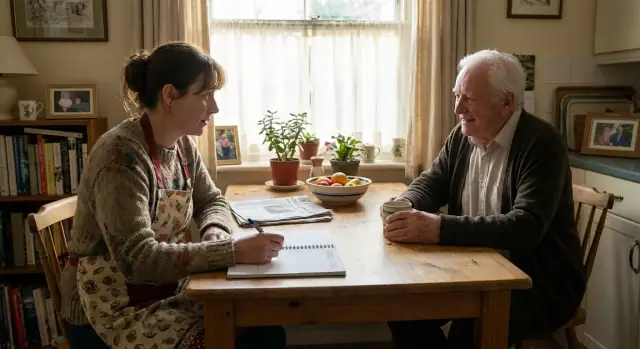
Use an elder care check-in log to track visits, mood, meds, and concerns so family members share updates, spot patterns, and respond faster.
Most families start with good intentions: a quick text after a visit, a call on the drive home, a note in a personal notebook. Then real life happens. Messages get buried, different people hear different versions, and no one is sure what was last checked.
Small gaps turn into big stress. One sibling asks the same questions because they missed yesterday’s update. Another assumes a task was handled because “someone mentioned it.” Meanwhile, early warning signs slip by: a new bruise, a changing appetite, a growing pile of unopened mail. Each one is easy to shrug off once. Patterns are what matter.
An elder care check-in log gives everyone one shared place to look before they call, worry, or guess. It doesn’t have to be fancy. The goal is simple: every visit (or call) leaves a short trail of what you saw, what you did, and what needs follow-up.
A shared log also helps people beyond immediate family: relatives who visit less often, friends or neighbors who help with errands, paid caregivers who need context between shifts, and long-distance family members who coordinate appointments.
The mindset shift is simple: quick notes beat perfect notes. If the log feels like homework, people stop using it. A 60-second update is enough when it’s consistent.
An elder care check-in log is a shared record of everyday touchpoints with an older adult. Family members leave clear notes so the next person doesn’t have to guess what happened, what was promised, or what changed.
A “check-in” isn’t only an in-person visit. It can be a phone or video call, a delivery (groceries, meds, supplies), a ride to an appointment, or a quick task like paying a bill or fixing something in the house.
What the log should capture is simple: what happened, and what changed. The best notes answer a few basic questions in plain language:
Over time, the log helps you spot patterns that are easy to miss in scattered texts. One note about “skipped lunch” might not mean much. Three notes in two weeks can point to appetite changes, mood issues, or trouble cooking.
It also lowers the stress on the primary caregiver. Instead of being the only person who remembers everything, they can point the family to the shared log. That cuts down repeated questions, prevents double-work (two people buying the same items), and makes handoffs clearer.
A check-in log keeps everyone aligned, but it doesn’t replace medical records or real conversations. It is not:
Used well, it becomes a calm source of truth: short notes that keep care coordinated and make changes visible early.
A good elder care check-in log is boring on purpose. It captures the same basics every time so patterns stand out, and so family members don’t have to guess what “fine” means.
Start each entry with a simple header. Think: who, when, how, what you saw, what you did, and what happens next.
Use these as your default set, even for quick phone calls:
After the fields, add 2-4 plain sentences. Keep them concrete. Instead of “seems off,” write what you noticed: “ate half of lunch, took a long nap, asked the same question three times.” Specific details help siblings, paid caregivers, and doctors understand what you mean.
One habit that helps: end every entry with one clear next step. It can be small (“bring more protein shakes”) or urgent (“call the clinic about dizziness”). If nothing is needed, say that too. “No follow-up needed” prevents duplicate calls and unnecessary worry.
Health notes should answer one basic question: “Did anything change since the last check-in?” You’re not writing a medical chart. You’re leaving useful clues for the next person.
Only record medication details when something needs attention: a missed dose, a possible side effect, a refill coming up, or a change in instructions. Keep it plain and specific. “Skipped morning pill because of nausea” is more helpful than “meds issue.” If you don’t know the pill name, write what you can see on the bottle or describe it.
To keep notes consistent, use a few repeatable phrases:
Don’t start tracking numbers just because you have a log. If the home already checks blood pressure, blood sugar, weight, or temperature, record the reading and time. If not, stick to what you can observe.
Use clear words for symptoms: pain (where and how strong), dizziness (when it happens), swelling (where, better or worse), and shortness of breath (at rest or only when walking). Note behavior and memory changes with examples, not labels: “Asked the same question five times in 10 minutes” or “More irritable during bathing than usual.”
Keep one spot for “doctor advice and care plan changes,” such as: “Clinic said stop ibuprofen, start new stomach med, follow-up in 2 weeks.” That prevents misunderstandings and helps everyone follow the same plan.
A log only works if the busiest, most tired person can use it in 30 seconds.
Pick a format based on what your family will actually stick with. If the main helper is there every morning and doesn’t like apps, paper often wins. If siblings live in different cities and visit once a month, digital usually wins.
Choose one “home” for the log and don’t move it around. For paper, that might be a notebook on the kitchen counter or a clipboard by the front door. For digital, make it one shared file or one shared note, not a mix of texts, emails, and photos of sticky notes.
A few simple rules prevent drift:
Urgent notes are where families get burned. A log entry can be missed for hours, so agree on what must trigger a direct alert:
You don’t need the perfect system on day one. You need a simple elder care check-in log that people will use after each visit or call.
Choose the tool your family already opens without thinking: a shared notebook, a shared document, or a shared note app. Then decide the minimum fields you’ll require every time.
A clean starting set:
Agree on one rule: the check-in isn’t done until the note is written. Aim for 2-5 sentences, not an essay.
A simple habit that works: write it while still in the driveway, on the bus, or right after you hang up.
Pick one time each week and spend 10 minutes scanning the last seven days. Look for repeats: missed meals, increased confusion, new bruises, refills running low, or a caregiver getting stretched too thin.
The log is for tracking. Urgent items need a separate alert. Pick one method and stick to it: a group text that starts with “URGENT,” or one designated person to call.
After 14 days, remove fields nobody uses. Add one field that would have prevented a real problem. If constipation keeps coming up, add a bathroom note. If appointments are getting missed, add “next appointment date.”
Most logs fail for the same reasons: the key detail is buried, nobody knows what happens next, or people stop trusting that the log is current.
Long stories hide the point. Put the headline first (what changed since last time), then add one or two facts that support it.
Vague language also creates confusion. “Seems off” can mean anything. Replace it with something observable: “Ate only half of lunch, napped 3 hours, repeated the same question 4 times in 20 minutes.” That’s still simple, but it’s comparable over time.
Another common failure is skipping the follow-up owner and due date. Notes without a next step become a pile of worries.
Five patterns that usually break a log:
Privacy deserves special care. Don’t include anything that could embarrass your loved one or expose personal data to the wrong people. If extended family, neighbors, or paid helpers might see the log, keep it to care-relevant facts and store private topics (money, conflict, detailed medical history) somewhere more restricted.
Finally, avoid version sprawl. If one sibling updates a notebook and another posts updates in a group chat, the log stops being trusted. Pick one home for updates, agree it’s the source of truth, and redirect side updates back into it.
A log only helps if someone reads it.
Keep each entry short and factual. A quick scan should answer: Is anything new, and what’s next?
Focus on:
Before you close the entry, write one next step with an owner and a deadline.
Once a week, one person should skim the notes for repeats (sleep, appetite, confusion, falls, bathroom changes) and confirm promised tasks were done.
Once a month, confirm emergency contacts, allergies, medication list, and preferred hospital are still correct, and review who has access to the log.
If something changes quickly, don’t wait for the weekly review. Document it, then escalate to the right person: the primary caregiver, the nurse line, the doctor’s office, or emergency services if it’s urgent.
Done well, an elder care check-in log becomes a shared memory for the family and a simple way to turn concerns into action.
Maria lives 15 minutes from her dad, Frank. Her brothers, James and Aisha, live in other states. Everyone wants to help, but phone calls turn into half-remembered updates, and small tasks get duplicated.
They start using one elder care check-in log that everyone can read and add to after each visit. Here are three entries from the first week.
Mon 6:10 pm - Maria (in-person)
Dad ate half of dinner. Said he felt "a bit dizzy" when standing.
BP cuff reading: 102/64 (usually ~120/75). Noticed only 3 blood pressure pills left.
Action: Put refill on shopping list. Encouraged fluids. Will recheck tomorrow.

Wed 9:30 am - James (phone)
Dad sounded more tired than normal. Mentioned he skipped a walk because legs felt "heavy".
He also said he "might" have taken morning pills twice, not sure.
Action: Asked Maria to confirm pill organizer setup today.

Thu 7:40 pm - Maria (in-person)
Pill organizer was off by one day. Fixed it and labeled morning/night.
New: mild ankle swelling. Weight up 3 lb since last week (per scale).
Action: Called pharmacy, refill ready for pickup. Texted Aisha to cancel her planned run.
Because the notes sit in one place, a pattern shows up quickly: dizziness, possible double-dose, and swelling plus weight gain. Without the log, these might feel like separate, forgettable details.
It also prevents wasted effort. Aisha was about to drive over the weekend to “handle refills,” while Maria was already picking them up. One quick note saved a long trip and kept the refill from being missed.
The log also supports calm escalation. After the Thursday entry, they agree on a simple rule: if swelling increases, breathing changes, or dizziness continues into the next day, whoever notices it calls the doctor’s office. On Friday, Maria writes that the swelling looks worse and Dad feels short of breath when climbing stairs, so she calls. The nurse adjusts the plan and schedules a check.
Two weeks later, the entries are shorter but more useful. They added one line that gets filled every time: “pills left” and “next refill date.” Confusion drops, errands stop overlapping, and everyone feels more confident because the story is written down, not guessed.
The best elder care check-in log is the one your family will actually use. Start with a minimum workable version, then add details only when you feel real pain.
A simple starting point can be just: date/time, who checked in, what you noticed, and what needs follow-up. After a week or two, look at the questions your family keeps asking (“Did she eat?”, “Did anyone call the doctor?”, “When was the last shower?”). Those repeated questions tell you which fields are worth adding.
Before you expand the log, agree on privacy and access: who can view, and who can edit. If you’re unsure, start more private and open it up later.
Pick one place to store the log and don’t split it. If you ever change tools, set a clear cutover date and move old notes so nobody has to search in two places.
When you’re ready to improve the system, make upgrades in small steps:
If your family wants a simple digital log that still feels like a chat, a small custom app can help keep entries consistent. Some families build a lightweight check-in app in Koder.ai (koder.ai) so everyone uses the same fields and the history stays easy to scan.
Schedule one short family check-in after the first week. Keep it practical: what feels easy, what keeps getting skipped, and what one change would make the log more useful next week.
Start with one shared place where every check-in ends with a short note. Use the same few fields each time so entries are easy to scan, and make “write the note” part of the visit or call before you move on.
Aim for 2–5 sentences plus one clear next step. The best default is: what changed, what you noticed (with one example), what you did, and what needs follow-up with a date and owner.
Use one rule: write what you saw and did, not what you assume. Replace vague lines like “seems off” with concrete details such as what they ate, how they moved, what they repeated, or what looked different than usual.
Track medication details only when something needs attention, like a missed dose, a refill running low, a side effect, or a change in instructions. If it’s routine and everything is normal, a simple “taken as usual” note is enough.
Use the format the main frequent helper will actually use without friction. Paper works well for daily in-home care; digital works well for families in different cities. The key is choosing one home and stopping “side updates” from living in texts and separate notes.
Write routine updates in the log, but don’t rely on the log for urgent issues. Agree ahead of time what triggers a direct call or immediate message, because a log entry can be missed for hours.
Keep it practical and care-focused: mood, eating, sleep, safety, meds issues, and next steps. Avoid embarrassing details, conflict, or financial information in a widely shared log, and limit access if neighbors, friends, or paid helpers can view it.
End every entry with one follow-up line that names an owner and a due date. If nobody owns it, it won’t happen, and the log turns into a pile of worries instead of a tool that drives action.
Pick one person to skim the last week of notes and look for repeats like missed meals, growing confusion, falls, swelling, or refills running low. The goal is not perfection; it’s spotting patterns early enough to adjust the plan or call the doctor.
A custom app can help if your family keeps drifting into multiple tools or if you want consistent fields every time. With a platform like Koder.ai, families can create a simple check-in app that feels like chat but still saves entries in a structured, searchable history.