

Jun 11, 2025·8 min
From Curiosity to Product: A Story of AI as a Co-Builder
A story-driven guide showing how AI helps turn a simple question into research, prototypes, validation, and a launch plan—step by step.
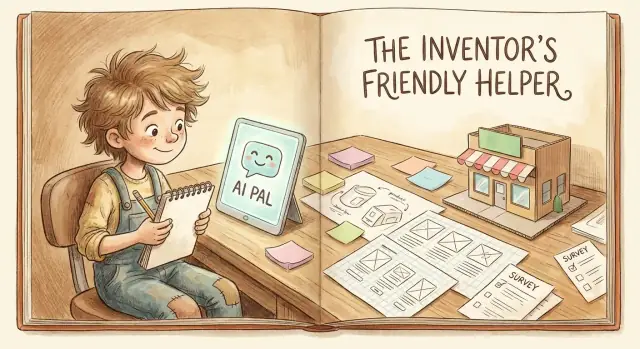
Meet the Curious Builder (and Their AI Sidekick)
Maya isn’t trying to “start a startup.” She’s trying to stop a small, annoying thing from happening again.
Every Monday, her team’s status updates arrive in five different formats—bullets, paragraphs, screenshots, half-finished thoughts—and she spends an hour turning them into something leadership can actually read. It’s not hard work. It’s just… unnecessary.
After a few months, the question finally sticks:
Why does this keep happening?
The moment curiosity turns into a product idea
At first, Maya does what most of us do: she complains, then shrugs, then makes another spreadsheet.
But this time she pauses and treats her annoyance like a clue. If this problem shows up every week—for multiple people—maybe it’s not “just Maya’s team.” Maybe it’s a pattern worth understanding.
That’s the shift: from “this is irritating” to “this might be a problem other people would pay to solve.” Not because the solution is glamorous, but because the pain is common.
Enter the AI sidekick (with better questions)
Maya opens her AI assistant and writes a messy, honest prompt:
“I’m tired of rewriting status updates. Is there a simple product idea here?”
Instead of spitting out a shiny app concept, the AI asks clarifying questions:
- Who writes the updates (roles, seniority, team size)?
- What makes an update “good” for your audience?
- Where do updates live today (Slack, email, Notion)?
- What part takes time: chasing people, rewriting, formatting, or summarizing?
Maya answers—and realizes she’s been trying to solve three problems at once. One stands out: turning rough updates into a consistent, readable weekly brief.
A clear expectation (so you don’t hand over the wheel)
The AI helps Maya structure her thinking—organize the problem, surface assumptions, suggest ways to test them. But Maya still chooses what matters: which pain to focus on, which tradeoffs are acceptable, and what “better” looks like for real people.
The sidekick can draft options. The builder makes decisions.
Turning a Question into a Problem Worth Solving
Curiosity often starts as a foggy sentence: “Why is this so hard?” or “Is there a better way?” In Maya’s notes app, it was interesting—but not actionable.
So she asks her AI sidekick to behave like a patient editor, not a hype machine. The goal isn’t more ideas. It’s a clearer problem.
1) From curiosity to problem statement
She pastes her messy thought and asks:
“Rewrite this as a one-sentence problem statement. Then give me three versions: beginner-friendly, business-friendly, and emotionally honest.”
Within seconds, she has options that are specific enough to evaluate. She picks the one that names real friction—not a feature.
Problem statement: “People who try to [do X] often get stuck at [moment Y], causing [consequence Z].”
2) Who has the problem—and when?
Next, the AI forces a scene:
- Person: who is feeling the pain?
- Moment: what are they doing right before things go wrong?
- Context: on mobile, at work, under time pressure, alone, with a client?
This turns a general audience (“anyone”) into a real one (“new team leads, during weekly reporting, 30 minutes before a meeting”).
3) Assumptions to test (before building anything)
The AI suggests a quick assumption list, phrased as testable claims:
- People experience this problem often enough to care.
- Current workarounds feel slow, risky, or annoying.
- A simpler approach would be trusted.
- The builder can reach these people to learn more.
4) A simple success metric
Finally, she defines what “better” means without spreadsheets:
Success metric: “A first-time user can get from stuck to done in under 10 minutes, without asking for help.”
Now the question isn’t just interesting—it’s worth testing.
Quick Research Without Getting Lost
Maya’s curiosity has a problem: it’s noisy. A quick search for “help me plan an MVP” turns into dozens of tabs—templates, courses, “no-code” tools, and opinions that don’t agree on anything.
So she asks her AI sidekick for something simpler: “Map what’s already out there, and tell me what people are doing instead of buying a product.”
Start with a market map (not a rabbit hole)
In minutes, AI groups the space into:
- Categories (tools, services, templates, communities)
- Alternatives (what people buy instead)
- DIY workarounds (spreadsheets, Notion docs, hiring a freelancer for a week)
This isn’t a verdict—just a map. It helps Maya see where her idea might fit, without pretending she’s “done research” after reading three blog posts.
Build a comparison table you can actually use
Next, she asks for a table: “Top options, typical pricing, gaps, and common complaints.”
| Option type | Typical price range | Common complaints | Possible gaps |
|---|---|---|---|
| Courses | $50–$500 | Too generic, hard to apply | Guided next steps for your context |
| Templates | $10–$100 | Looks nice, doesn’t change outcomes | Feedback loop + accountability |
| Coaches/consultants | $100–$300/hr | Expensive, variable quality | Affordable, consistent guidance |
| Communities | $0–$50/mo | Low signal, lots of noise | Structured prompts + checkpoints |
Is it different, or just familiar packaging?
AI then forces a harder question: “What would make this truly different versus another version of the same thing?” That pushes Maya toward a clear angle—faster clarity and fewer decisions—not “an all-in-one platform.”
Flag claims to verify later
Finally, her AI highlights statements to validate in customer discovery: “People hate courses,” “Templates don’t work,” “Coaching is too expensive.” Useful hypotheses—until real users confirm them.
Choosing Who the Product Is For
Curiosity can attract a crowd in your head: students, managers, freelancers, parents, founders. Your AI sidekick will happily brainstorm features for all of them—and that’s exactly how projects quietly inflate.
The fix is simple: pick a real person in a real situation and build the first version for them.
Draft 2–3 quick personas (grounded, not generic)
Instead of stereotypes like “busy professional,” ask AI to help you sketch personas using concrete context:
- Where are they when the problem happens? (at a desk, on a job site, on a phone between meetings)
- What tools do they already use? (spreadsheets, WhatsApp, Notion, email)
- What do they fear? (looking unprepared, wasting time, missing deadlines)
Example personas:
- Maya, a freelance marketer juggling client requests and constant context switching.
- Jordan, a team lead who needs quick clarity before a weekly status meeting.
- Sam, a student builder who experiments fast but gets stuck choosing what to do next.
Turn personas into user stories
Ask AI to convert each persona into 2–3 user stories in the format:
“When X, I need Y, so I can Z.”
For Maya: “When a client sends scattered notes, I need a clean brief, so I can respond confidently without rereading every message.”
Choose one primary user—and one main job
Now make the hard choice: one primary user for version one.
A good rule is to pick the persona with the clearest pain and the shortest path to a small win. Then define one main job-to-be-done—the single outcome your first version must deliver. Everything else becomes “later.”
Customer Discovery: Better Questions, Faster
Our Curious Builder has a prototype in their head, a few strong opinions, and one big risk: interviewing people in a way that only confirms what they already believe.
AI makes customer discovery faster—but the real win is making it cleaner: fewer leading questions, clearer notes, and a simpler way to decide what feedback matters.
1) Generate questions that don’t “lead the witness”
A good discovery question invites a story. A bad one asks for permission.
Have AI rewrite your questions to remove assumptions. For example:
- Instead of: “Would you use an app that tracks your meals automatically?”
- Ask: “Tell me about the last time you tried to track meals—what happened?”
Prompt you can use:
Rewrite these interview questions to avoid leading language or assumptions.
Make them open-ended, focused on past behavior, and easy to answer.
Questions: ...
2) Build a tight 30-minute interview script (and a note template)
Speed comes from structure. Ask AI to draft a simple flow you can repeat ten times:
- 0–5 min: “What’s your role/day like?”
- 5–20 min: Two to three recent stories (“Walk me through the last time…”)
- 20–25 min: Priorities and trade-offs (“If you could fix one part, what would it be?”)
- 25–30 min: Wrap-up and referral (“Who else should I talk to?”)
Then generate a note-taking template so you don’t drown in transcripts:
- Context: who they are, what tools they use today
- Trigger: what starts the problem
- Current workaround: what they do now (and why)
- Pain level: what it costs them (time, money, stress)
- Quotes: copy/paste exact phrases
3) Plan outreach: find 10 people like your target user
Ask AI to brainstorm where your exact audience already gathers, then pick two channels you can execute this week: niche Slack/Discord groups, LinkedIn search, Reddit communities, meetup lists, or friends-of-friends.
Your goal isn’t “a lot of interviews.” It’s 10 relevant conversations with consistent questions.
4) Decide what counts as a “signal” (vs. nice feedback)
Nice feedback sounds like: “Cool idea!” Signals sound like:
- They describe a real recent situation, unprompted
- They already spend time/money solving it
- They’d be disappointed if the problem got worse
- They ask, “When can I try it?” or offer to introduce others
Have AI tag your notes as Signal / Maybe / Noise—but keep the final judgment yours.
Making Sense of What People Actually Said
Launch without extra tooling
Get your app running with built-in deployment and hosting when you are ready to share.
After a handful of customer conversations, the Curious Builder has a familiar problem: pages of notes, a dozen “maybes,” and the creeping fear that they’re hearing what they want to hear.
This is where the AI sidekick earns its keep—not by inventing insights, but by turning messy conversations into something you can act on.
Turn notes into themes (without sanding off the truth)
Start by dropping raw notes into a single document (one interview per section). Then ask AI to tag each statement into simple buckets:
- Pain points (what’s frustrating or costly)
- Triggers (what made them look for a solution now)
- Current tools/workarounds (what they use today, even if it’s “spreadsheets and hope”)
The goal isn’t a perfect taxonomy. It’s a shared map you can revisit.
Use AI to summarize patterns—and point out contradictions
Next, prompt AI to summarize recurring patterns and highlight contradictions. Contradictions are gold: they often signal different user types, different contexts, or a problem that isn’t actually consistent.
For example:
“I don’t have time to set up anything new.”
…can coexist with:
“If it saved me 2 hours a week, I’d learn it.”
AI can surface these side-by-side so you don’t accidentally average them into meaningless mush.
Write your “Top 3 Problems” with evidence
Now turn the themes into a simple list of the top 3 problems, each with:
-
a plain-language statement of the problem
-
who experiences it (role/context)
-
1–2 evidence quotes
Example format:
- Problem #1: People lose track of X when Y happens.
- Evidence: “…”
This keeps you honest. If you can’t find quotes, it may be your assumption—not their reality.
Decide: proceed, pivot, or pause
Finally, ask AI to help you make a call based on what you learned:
- Proceed if the same pain shows up repeatedly and people already spend time/money coping.
- Pivot if the pain is real but the “who” or “when” is different than you expected.
- Pause if interest is polite, evidence is thin, or the problem disappears on closer inspection.
You don’t need certainty yet—just a grounded next step.
Designing the Smallest Useful Version (MVP)
At this point, the Curious Builder has a notebook full of insights and a head full of “what if we also…” ideas. This is where AI helps most—not by adding more features, but by helping you cut down to something you can actually ship.
Sketch a few paths, then pick one
Instead of debating one idea endlessly, ask your AI sidekick to generate 5–7 solution sketches: different ways the product could deliver value. Then have it rank each sketch by effort vs. impact.
A simple prompt works well: “List 7 ways to solve this problem. For each, estimate effort (S/M/L) and impact (S/M/L), and explain why.”
You’re not looking for perfection—just a clear front-runner.
Choose an MVP that delivers one core outcome
The MVP isn’t the “smallest version of the full product.” It’s the smallest version that produces one meaningful result for a specific person.
AI helps phrase that outcome as a testable promise:
- “In 10 minutes, you’ll get __.”
- “By the end, you’ll have __.”
If the outcome isn’t obvious, the MVP is still too fuzzy.
What you exclude is the real plan
To avoid feature creep, create an explicit “Not in v1” list with AI:
- dashboards and analytics
- multiple user types
- integrations
- customization and themes
This list becomes a shield when new ideas show up mid-week.
Say it in one sentence
Finally, AI helps draft messaging you can repeat without slipping into jargon:
- One-sentence value proposition: “A [simple tool] for [specific people] to [core outcome] without [common pain].”
- Elevator pitch (2–3 lines): what it does, who it’s for, and why it’s better than the current workaround.
Now the MVP is small, purposeful, and explainable—exactly what you need before prototyping.
Prototyping: From Ideas to Something People Can Touch
Make a clickable prototype
Prototype a simple flow people can click before you invest in full builds.
A prototype is where the product stops being a clever description and starts behaving like something real. Not “fully built,” not “perfect”—just concrete enough that someone can click, read, and react.
Turn the MVP into a simple flow
Ask your AI sidekick to translate your MVP into a screen-by-screen outline. You’re aiming for a short path that proves the core value.
For example, prompt it like this:
You are a product designer. Create a simple user flow for a first-time user.
Context: [what the product helps with]
MVP scope: [3–5 key actions]
Output:
1) Flow diagram in text (Screen A -> Screen B -> ...)
2) For each screen: title, primary CTA, and 2–4 lines of copy
Keep it friendly and clear for non-technical users.
From that, you can create quick wireframes (even on paper), or a basic clickable mock in a tool of your choice. The goal is simple: people should “get it” within 10 seconds.
Draft the words before you draft the pixels
Most prototypes fail because the copy is vague. Use AI to draft:
- Onboarding steps (what happens first, second, third)
- Help text (tiny explanations where users hesitate)
- Error messages (what went wrong, what to do next)
- Key emails (welcome email, “you’re almost set up,” and a simple follow-up)
If you can read the prototype out loud and it still makes sense, you’re in good shape.
Run a “fake door” test to validate interest
Before building everything, set up a landing page that describes the promise, shows 2–3 prototype screens, and includes one clear call-to-action (like “Request access” or “Join the waitlist”). If someone clicks a feature that isn’t built yet, show a friendly message and capture their email.
AI can help you write the landing page, FAQs, and a simple pricing tease (even if it’s just a placeholder like /pricing).
What you’re looking for isn’t compliments—it’s commitment: clicks, sign-ups, replies, and specific questions that reveal real intent.
Validation: Proving Value Before Scaling Work
Validation is the moment our curious builder stops asking, “Could this work?” and starts asking, “Does anyone care enough to act?” The goal isn’t a perfect product—it’s proof of value with the smallest amount of effort.
Pick a lightweight test (and make it real)
Instead of building features, choose a test that forces a decision:
- A one-page landing page with a clear promise and a waitlist
- A “concierge” version where the service is delivered manually (but consistently)
- A small pilot with 3–5 target users
AI helps here by turning a messy idea into a crisp offer: a headline, a short description, a few benefits, and a call-to-action that doesn’t sound like marketing.
Define outcomes you can measure
Before sending anything out, write down what “success” means in numbers. Not vanity metrics—signals of intent.
Examples:
- Sign-ups: 30% of visitors join the waitlist
- Replies: 10 meaningful email replies from 50 outreach messages
- Time saved: users finish a task 20 minutes faster
- Repeat usage: 3 out of 5 pilot users return the next week
If you can’t measure it, you can’t learn from it.
Let AI generate A/B variants (fast, not random)
Ask AI for 10 headline + CTA pairs aimed at one specific person, then pick two to test. One version might focus on “save time,” another on “avoid mistakes.” Same offer, different angle.
Capture learnings and choose the next move
After the test, AI summarizes what happened: what people clicked, what they asked, what confused them, what they ignored. You end with a simple decision: keep, change, or stop—and one sentence about what to try next.
Planning the Build Without Being Technical
You don’t need to speak “developer” to plan a build. You need clarity: what the product must do on day one, what can wait, and how you’ll know it’s working.
This is where your AI sidekick stops brainstorming and starts acting like a careful project partner.
Start with three buckets
Ask AI to turn your idea into a simple build plan with Must-haves, Nice-to-haves, and Later. Keep the must-haves brutally small—features that directly deliver the promise you’re making to users.
Then ask it to create a one-page “definition of done” for each must-have. Example prompts:
- “Write a plain-English spec for a user saving a draft, including edge cases.”
- “List acceptance criteria for ‘export to PDF’ that a non-technical person can test.”
Specs and checklists in plain English
Have AI draft:
- A step-by-step build checklist (what needs to be built, in what order)
- Simple user stories (“As a… I want… so that…”) with acceptance criteria
- A testing checklist you can run yourself before sharing with anyone else
This gives freelancers or a dev team fewer chances to guess.
Clarify who does what
If you’re working with others, ask AI to outline roles: who designs screens, who builds the backend, who writes copy, who sets up analytics, who owns QA. Even if one person wears multiple hats, naming the hats prevents missed work.
Basic privacy and data handling questions
Before building, use AI to generate a short list of practical questions: What data do we collect? Where is it stored? Who can access it? How do users delete it? You’re not writing legal policy here—you’re avoiding surprises later.
When you’re ready to build, pick a workflow that matches your speed
If you’re non-technical (or simply want to move fast), this is also where “vibe-coding” platforms can help. For example, Koder.ai lets you take the specs you wrote in plain English and turn them into a working web, backend, or mobile app through a chat interface—then iterate with snapshots and rollback as you test with real users.
The practical benefit isn’t magic code generation; it’s shortening the loop from “here’s what we learned in discovery” to “here’s a working version we can put in front of someone.” And if you later want to move to a more traditional pipeline, exporting the source code keeps that option open.
Launching: Clear Messaging and a Calm Checklist
Offset costs with credits
Get credits by creating content about Koder.ai or inviting others with a referral link.
Launch day shouldn’t feel like stepping onto a stage without a script. If you’ve done the discovery and built a small, useful MVP, the next job is simply to explain it clearly—and make it easy for the first people to try.
A calm launch checklist (the stuff that actually matters)
Use AI like a practical project manager: ask it to turn your messy notes into a tidy list, then you decide what’s real.
Your “good enough” checklist can be:
- Messaging: one sentence for who it’s for, one sentence for what it helps them do, one sentence for why it’s different.
- Demo: a 60–90 second walkthrough (screen recording or live). No features tour—just the main job getting done.
- Onboarding: a first-run checklist (3 steps max), plus one example so people aren’t starting from a blank page.
- Support: a contact path and a promise like “We reply within 24 hours.”
Let AI draft FAQs from objections
Take the top doubts you heard in discovery—“Will this work for my workflow?”, “How long does setup take?”, “Is my data safe?”—and ask AI to draft FAQ answers in your tone.
Then edit for honesty. If something is uncertain, say so and explain the plan.
A story-based product page + first announcement
Ask AI for a simple outline:
- The moment of frustration (your customer’s, not yours)
- The tiny win your product delivers
- How it works in 3 steps
- Proof (quote, screenshot, or a specific result)
- Clear call to action (start, join waitlist, request access)
For the first announcement post, keep it human: “Here’s what we built, who it’s for, and what we’re testing next.”
Timeline and the first “win”
Set a realistic launch window (even a small one) and define a first win like: 10 active users, 5 completed onboarding flows, or 3 paid trials. AI can help you track progress, but you choose the goal that proves value—not vanity.
Keeping Momentum: AI as a Long-Term Co-Builder
After launch, the Curious Builder doesn’t “graduate” from AI. They change how they use it.
Early on, the sidekick helps with speed—drafts, structure, prototypes. Later, it helps with rhythm: noticing patterns, staying consistent, and making smaller decisions with less stress.
Iteration as a weekly loop (not a heroic sprint)
Set a simple cadence: talk to users, ship one small improvement, and write down what happened. AI becomes the quiet assistant that keeps the loop moving.
A few habits that make it stick:
- Weekly user calls (even short ones). AI helps generate a call agenda from last week’s notes, plus 5 tailored follow-up questions.
- An experiment log. After each change, record: hypothesis, what shipped, what you expected, what happened. AI summarizes results and suggests what to test next.
- A prompt library. Save prompts that consistently produce useful outputs (research summaries, interview questions, release notes). Over time, this becomes your “operating manual.”
What AI should not do
Draw clear lines so the sidekick stays helpful—not reckless:
- Not the final judge. AI can recommend, but the builder decides what to ship.
- Not the ethics department. AI can flag risks, but the builder must set policies and values.
- Not a shortcut around user consent. No scraping private data, no surprise recording, no “we asked AI what you want.” Ask people directly and be transparent.
A repeatable framework you can copy
When momentum dips, return to a simple script:
- Listen: 3–5 short user conversations.
- Synthesize: Ask AI for themes, contradictions, and open questions.
- Choose: Pick one problem and one metric that matters.
- Ship: Make the smallest change that tests the idea.
- Learn: Log results, update your prompt library, and repeat.
That’s how curiosity turns into a product—and a product turns into a practice.