

Jan 05, 2026·8 min
Client Follow-Up Reminder List for After Each Job
Use a client follow-up reminder list to create a task after every job, confirm satisfaction, catch issues early, and build repeat business.
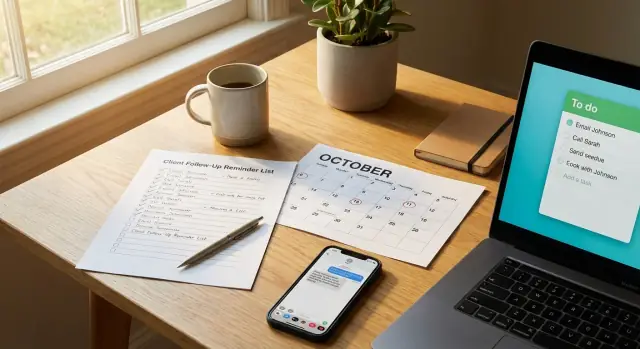
Use a client follow-up reminder list to create a task after every job, confirm satisfaction, catch issues early, and build repeat business.
Right after a job is finished, your brain files it as “done.” You pack up, send the invoice, move on to the next booking, and the small but important steps get pushed aside. Follow-ups are usually one of those steps because nothing is actively “broken” in that moment.
After the last tool is put away, a few predictable things slip:
When a follow-up doesn’t happen, the downside is rarely dramatic on day one. It shows up later as a refund request, a tense message, a low-star review, or the quiet kind of churn where the customer simply never calls you again. Often, the work was fine, but the client felt ignored once the payment cleared.
The goal isn’t to “sell” anything. A client follow-up reminder list exists to confirm results: did it work the way they expected, do they know what to do next, and is there anything small you can fix quickly before it becomes a story they tell other people.
This matters most if you’re a solo operator, a small team juggling jobs, or an admin who’s scheduling, invoicing, and handling calls all at once. Without a dedicated customer success person, you need a simple system that triggers follow-ups automatically, not only when you happen to remember.
Example: you complete a bathroom fan install. The client is happy at checkout, but the next morning they notice a rattle. If your follow-up message arrives that day, they reply, you tighten one screw, and the job ends on a high note. If it never arrives, they leave a review that starts with “Great install, but...” and that’s the line everyone reads.
A follow-up isn’t just “checking in.” It’s a small, planned step that protects your work and your reputation after the job is done. A good client follow-up reminder list helps you catch issues while they’re still easy to fix, and it turns a one-time job into a longer relationship.
Depending on the kind of work you do, a follow-up usually serves one (or two) of these goals:
A reminder works when it feels expected and specific. It becomes annoying when it’s vague (“Just checking in!”), too frequent, or clearly only about selling. The difference is simple: a helpful follow-up has a clear reason, a short question, and an easy way for the client to answer.
“Everything is OK” should mean something you can verify, even if it’s just a few basics. The client confirms the issue is gone, they can use the result without confusion, there are no new problems, and they know what to do if something breaks again. If you can’t define success, you can’t really confirm it.
The easiest way to make follow-ups feel normal is to set expectations during the job. Mention it before you leave or before you mark the project complete: “I’ll message you in two days to make sure it’s still working and you’re happy with it.” When clients hear that up front, your follow-up lands as customer care, not pressure.
A concrete example: if you installed a new system, your follow-up might ask (1) whether it’s running without errors, (2) whether they know the one key step they need to do weekly, and (3) whether they want a quick 5-minute call for questions. That’s how a follow-up protects quality, reduces refunds, and builds trust without being pushy.
A follow-up task should be boring in the best way. If you can write it once and reuse it for every job, you’ll actually do it. This is the backbone of your follow-up list.
Start with a title you can understand at a glance: “Follow up: [Client] - [Job].” Then keep the body consistent so you never wonder what to include.
At minimum, every follow-up task should capture: the client name and best contact, what the job was (and where), the follow-up date and time, the channel (call, text, email, in-person), and who owns the task (plus a backup if you need one).
To keep tasks from sitting in limbo, use a simple status flow you can scan quickly:
The notes section is where follow-ups stop being vague and start being useful. Write what you will verify and what “done” looks like. For example: “Confirm everything works, ask if they noticed any issues, remind them how to reach us, note any feedback.” If the job has common failure points, list them plainly: “Leak check at sink,” “app login works,” “training completed,” “receipt received.”
Finally, store these tasks where you’ll actually see them daily. The best system is the one that shows up without effort. Keep follow-ups in one home, not scattered across inboxes.
If you use a team chat, a calendar, or a task app, pick one place for follow-ups and make it a habit to check it first thing. If you build your own lightweight internal tool (for example, with a chat-built app in Koder.ai), put the follow-up list on the main screen so it’s hard to ignore.
A follow-up works best when it runs on a simple schedule you don’t have to rethink. Set a few standard touchpoints that fit most jobs, then adjust only when the work truly needs it.
Most service businesses do well with 3-4 check-ins that cover immediate issues, short-term satisfaction, and longer-term repeat work:
Keep these times consistent across jobs so you can schedule them in seconds.
A one-off job (repair, cleaning, installation) usually needs faster early follow-ups, because any issue feels urgent. Ongoing support (monthly maintenance) needs fewer check-ins, but they should be predictable so the client feels taken care of.
A simple rule: if the client will notice problems quickly, follow up quickly. If results take time (marketing, coaching, longer projects), push the first check-in later and focus on progress and expectations.
Start with the channel that matches how they booked and how they reply most often. Text is fast for simple confirmations. Email is better when you need details, photos, or a paper trail. Calls are best when the job is high value, emotions are high, or messages are going unanswered.
If your first two attempts get no reply, switch channels once before you give up.
No response shouldn’t turn into endless pings. Decide your stop point so your list stays clean.
Example rule: message at day 2 and day 14. If there’s still no reply, send a final note like, “I’ll close this out for now, but reply anytime if something feels off.” Then mark the follow-up complete and move on.
Consistency is what makes this habit stick: same timing, same channel, same close-out rule, every job.
The easiest way to make follow-ups consistent is to treat them as part of closing the job, not an extra thing you do later. If you only remember when a customer complains, you’re already behind.
Here’s a simple client follow-up reminder list you can run after every job, even on busy days:
A quick example: you finish an HVAC tune-up on Tuesday. Before you send the invoice, you create a task due Friday: “Check: system still holding temp, no unusual noise.” You attach the before/after filter photo and the note: “Customer mentioned slight rattle when fan starts.” On Friday, your message is short and specific, so they can answer fast.
To keep tasks from hiding, build a small daily routine:
Do this for two weeks and it stops feeling like extra work. It becomes part of how you finish a job.
Good follow-ups sound human, not automated. Keep them short, ask one clear question, and make it easy to reply with a simple yes or no. Save these as templates and swap in the details.
Use placeholders like [Name], [job], and [date]. If you mention one specific detail from the job, it feels personal without adding effort.
A small tweak that boosts replies: end with a choice. For example, “Is everything OK, or is there one thing you’d like adjusted?” People answer faster when the question is easy.
Most follow-ups fail for one reason: the reminder exists, but it doesn’t tell you what to do, when to do it, or what “done” looks like. A client follow-up reminder list should remove thinking from the moment you’re busy.
Here are the issues that usually break an otherwise good customer follow-up process:
Example: you finish installing a new door closer. If you set a task called “Follow up” for “sometime next month,” you’ll likely miss it. Instead, set “Door closer follow-up: ask if it latches smoothly + any noise” for three business days later. If they say it slams, you adjust it fast, and only then do you ask if they’d like to leave a review.
If you want help making tasks less vague, tools like Koder.ai can generate a simple follow-up task template based on your service type, so each reminder includes a due date, one check, and a place to record the outcome.
A follow-up system only works if it’s consistent. Use this quick health check to spot gaps before they turn into unhappy clients, surprise refunds, or repeat visits you could have prevented.
Start with last week’s completed jobs. Pick 10 at random and ask: did each one create a follow-up task? If the answer is “almost,” you have a hole. Your client follow-up reminder list shouldn’t depend on memory or mood.
Run this in under five minutes:
If you fail any one item, fix the system instead of blaming yourself. If tasks are missing owners, make “assign owner” a required field. If due dates are vague, use a default rule like “2 business days after completion,” then adjust only when needed.
Silence is where most follow-ups die. Decide your no-response plan in advance: one gentle reminder after 2 days, a second after 5 days, then close the loop with a final note that they can reply anytime if something changes. This keeps you polite, consistent, and out of the awkward “Should I message again?” loop.
Track outcomes in plain language. You’re not collecting data for fun. You’re learning where problems happen, which job types create repeat work, and which clients are most likely to refer you when everything went well.
You run a small plumbing service and you just finished replacing a kitchen faucet. The job is done, photos are taken, and the invoice is sent the same afternoon.
Before you close the job, you create one follow-up task tied to that customer. Think of it as an item on your client follow-up reminder list that makes sure you don’t rely on memory.
Here’s what that follow-up flow looks like:
On Day 2, the first check-in is short and specific. You verify three things: the faucet is working as expected (no drips, good water pressure), the customer has what they need (receipt, warranty info if you provide it), and there isn’t a small annoyance they didn’t mention in person.
If the customer doesn’t respond, you avoid sounding pushy by making it easy to ignore. Your Day 5 message can be a calm nudge like, “Just checking once more in case anything feels off. If all is good, no need to reply.” Then you stop.
In this example, the customer replies on Day 5: “All good, but there is a tiny drip when I turn it off fast.” Because you caught it early, you can book a quick 10-minute revisit the next morning, tighten the fitting, and prevent a bigger complaint later.
After it’s resolved, you log the outcome so future jobs get easier:
That last step is what turns a one-time follow-up into a repeatable process you can trust on every job.
To keep follow-ups consistent, make them boring. Pick one simple template and one default timing rule, and use them for almost every job. Adjust for special cases, but let your default cover most of your work without extra thinking.
A practical starting point: one follow-up task that triggers the day after the job closes. If the customer replies with a clear “all good,” you mark it done. If they don’t reply, you do one more check-in a few days later. The goal isn’t to chase people forever. It’s to make sure nothing slipped through and to catch small issues before they become refunds or bad reviews.
If you already have a backlog, don’t try to fix everything at once. Backfill the past first: create follow-ups for the last 10 customers, then resume your normal flow. Ten is small enough to finish in one sitting and large enough to show patterns (who replies quickly, which job types create questions, what customers commonly ask).
To keep yourself honest, track one metric: percent of jobs with a completed follow-up. Not “sent,” not “scheduled,” completed. That means you either got confirmation, resolved an issue, or closed the loop after your final attempt.
If you want automation, write down the workflow before you build anything: what creates the task, when it’s due, what happens if there’s no reply, and what outcome you store. When you skip this step, you end up with a tool that sends reminders but doesn’t help you close the loop.
If building a small tool would help, Koder.ai (koder.ai) can be a practical option for creating a simple internal web or mobile app from a chat prompt, so your follow-up tasks and outcomes live in one place. Snapshots and rollback can help when you test changes to your follow-up logic and want an easy way to revert.
Use a simple rule: follow-ups are part of closing the job, not an optional extra. Create the follow-up task before you send the invoice or mark the job complete so it can’t be skipped.
A solid default is 3 touchpoints: same day or next morning, 2–3 days later, and about 2 weeks later. Add a 60–90 day check-in only if repeat work or maintenance is common for your service.
Send a short message that references the job and asks one specific question they can answer quickly. Avoid vague “just checking in” notes and make it easy to reply with “all good” or one issue.
Start with the channel they used to book and the one they reply to most (often text). Use email when you need details or a record, and switch to a call if it’s high-stakes or you’ve gotten no response twice.
Keep it to a clear stop point so you don’t chase people. A practical rule is two attempts (for example, day 2 and day 14), then a final close-out note that they can reply anytime if something feels off.
Make the task name specific and include a “success check” so you know what done means. For example: “Confirm no leaks + client knows shutoff valve location,” or “Confirm app login works + weekly step explained.”
Ask for a review only after the client confirms everything is working and they’re happy. If you ask before you verify success, you risk prompting a public complaint instead of catching the issue privately.
Reply calmly, get the details, and propose the next step right away. Ask what they see, when it happens, and request a photo or screenshot if relevant, then offer a specific fix plan and timeline.
Record outcomes in plain language so you can learn and avoid repeats. Track whether they replied, what you verified, what (if anything) you fixed, and the final status such as “happy,” “issue resolved,” or “no response—closed.”
If you don’t have a dedicated tool, a single task list or calendar with consistent titles, due dates, and statuses is enough. If you want a lightweight internal app, you can build one in Koder.ai so follow-ups, notes, and outcomes stay in one place and don’t get scattered across inboxes.